|
VOOZH | about |
|
VOOZH | about |
Automated machine learning (AutoML) is the process of automating the end-to-end process of applying machine learning to real-world problems. AutoML automates most of the steps in an ML pipeline, with a minimum amount of human effort and without compromising on its performance.
Automatic machine learning broadly includes the following steps:
H2O AutoML contains the cutting-edge and distributed implementation of many machine learning algorithms. These algorithms are available in Java, Python, Spark, Scala, and R. H2O also provide a web GUI that uses JSON to implement these algorithms.
H2O AutoML uses H2O architecture. H2O architecture can be divided into different layers in which the top layer will be different APIs, and the bottom layer will be H2O JVM.
H2O provides REST API clients for Python, R, Excel, Tableau, and Flow Web UI using socket connections. The bottom layer contains different components that will run on the H2O JVM process.
An H2O cluster consists of one or more nodes. Each node is a single JVM process. Each JVM process is split into three layers: language, algorithms, and core infrastructure.
Here, we will be using California Housing Prices as our Dataset for House Price Prediction.
First, we need to import the necessary packages, i.e. Pandas, Numpy, Matplotlib.
You can download the California Housing Training Dataset from . Load the Dataset using pre-defined functions in Pandas Library.
Let's look at the dataset. We use the head function to list the first 5 rows of the dataset.
Output
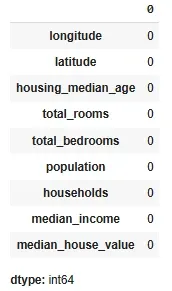
Now, let's check for null values in the dataset.
Output
As we can see that there are no null values now in the dataset. Thus, we don't need to handle them.
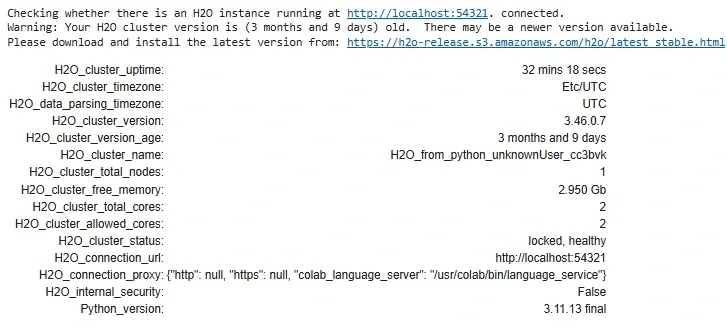
You can refer to for more details on H2O.
Output
Output
We can observe that H2O instance can also be assessed from localhost: 54321, this instance provides a web GUI called FlowGUI.
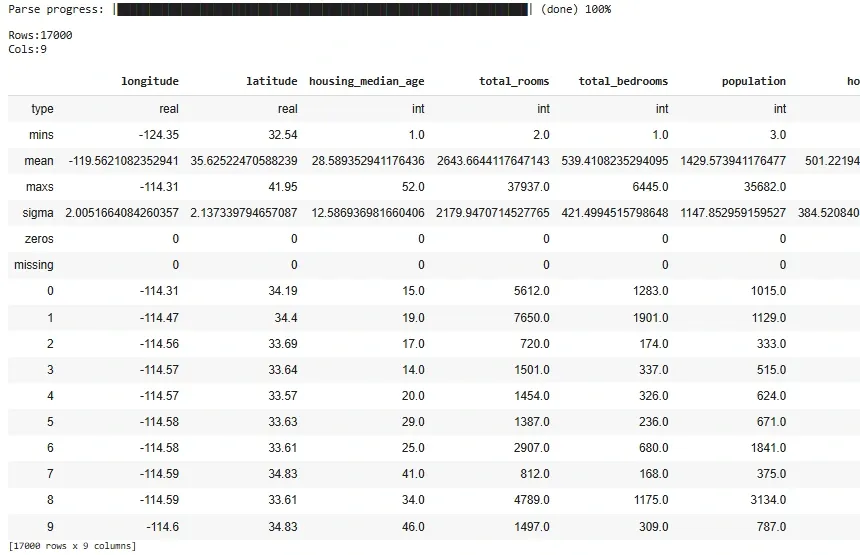
To convert the train data frame into the H2O Dataframe, we'll use the following step.
Output
Now, Download the Testing Dataset from and convert pandas DataFrame into the H2O Dataframe. Further, we remove label classvariable from feature variable.
Output
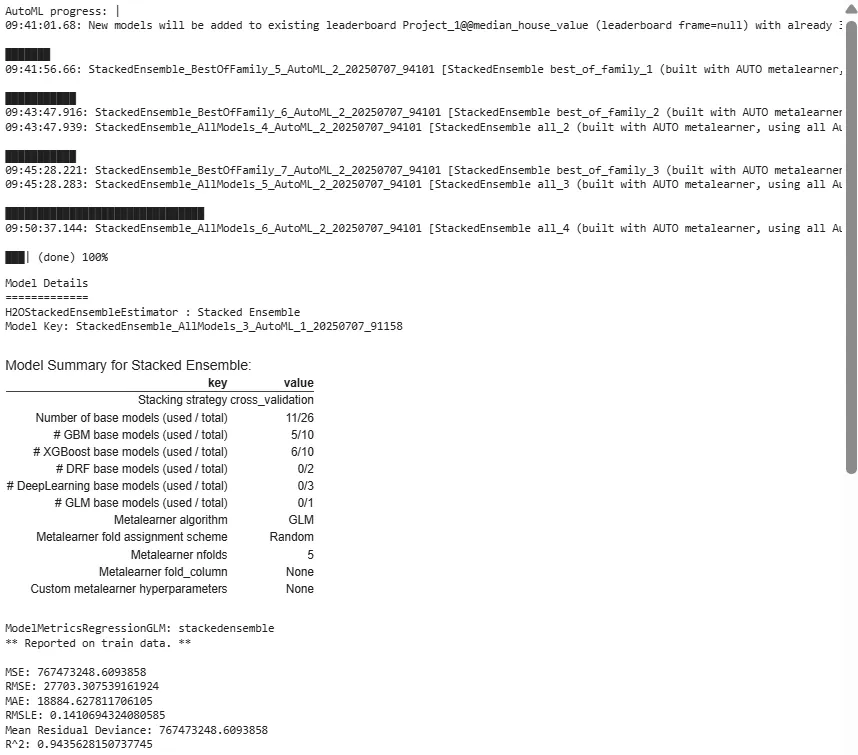
Now, we import H2O AutoML and start training.
Output
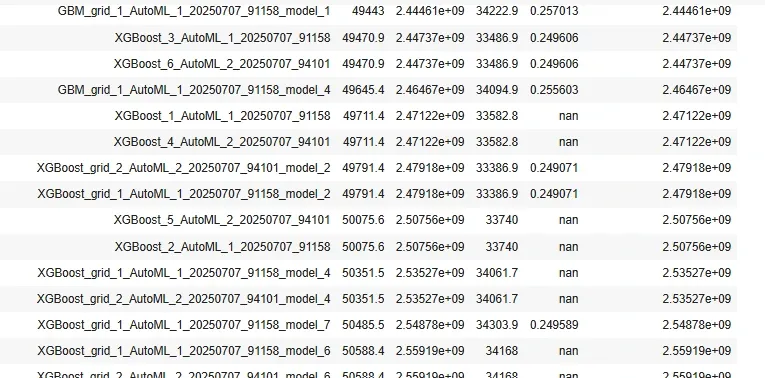
In this step, we will look for the best performing model using the leaderboard and it will most probably be one of the two stacked ensemble models.
Output
In this step, we explore the base learners of the stacked ensemble model and select the best performing base learning model. Here, we identify top, metalearner, and base learner models.
Output
/usr/local/lib/python3.11/dist-packages/h2o/estimators/stackedensemble.py:965: H2ODeprecationWarning: The usage of stacked_ensemble.metalearner()['name'] will be deprecated. Metalearner now returns the metalearner object. If you need to get the 'name' please use stacked_ensemble.metalearner().model_id
warnings.warn(
[('GBM_3_AutoML_1_20250707_91158', 23234.78125, 1.0, 0.21439825598646953),
('GBM_4_AutoML_1_20250707_91158',
21459.20703125,
0.9235811949488442,
0.19801419745893173),
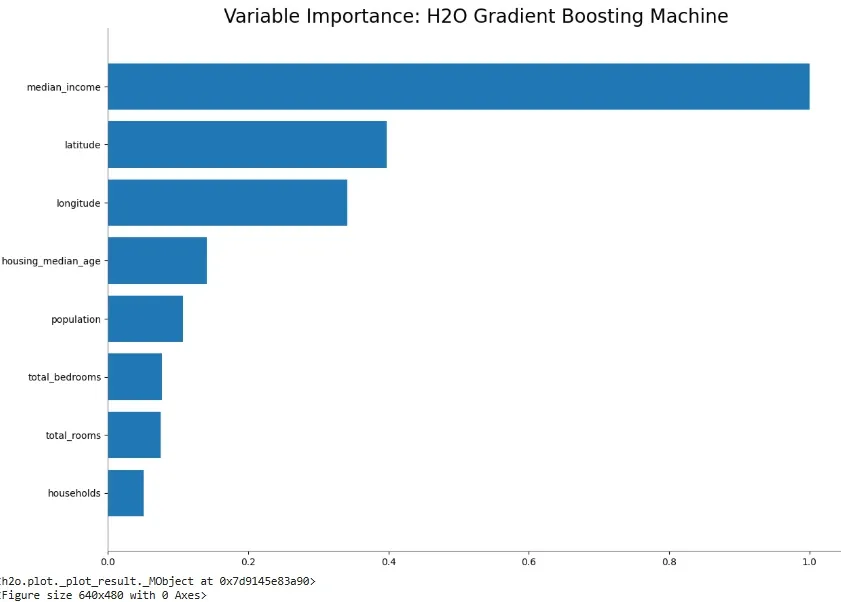
Now, we calculate error on this base learning model and plot the feature importance plot using this model.
Output
ModelMetricsRegressionGLM: stackedensemble
** Reported on test data. **
MSE: 2082655548.9724505
RMSE: 45636.121099108
MAE: 29539.84376082709
RMSLE: 0.2277528452878982
Mean Residual Deviance: 2082655548.9724505
R^2: 0.83718821 ...
In case of error, Alter model according to the models in your h2o instance.
Output
We can finally save this model using the model.save method, this model can be deployed on various platforms.
You can refer to the source code and download it from - .