|
VOOZH | about |
|
VOOZH | about |
Deep Convolutional GAN (DCGAN) is a GAN architecture proposed by researchers from MIT and Facebook AI Research to improve the stability of GAN training using convolutional neural networks.
Deep Convolutional GAN consists of two neural networks, a generator and a discriminator. The generator creates realistic images from random noise, while the discriminator identifies whether an image is real or generated.
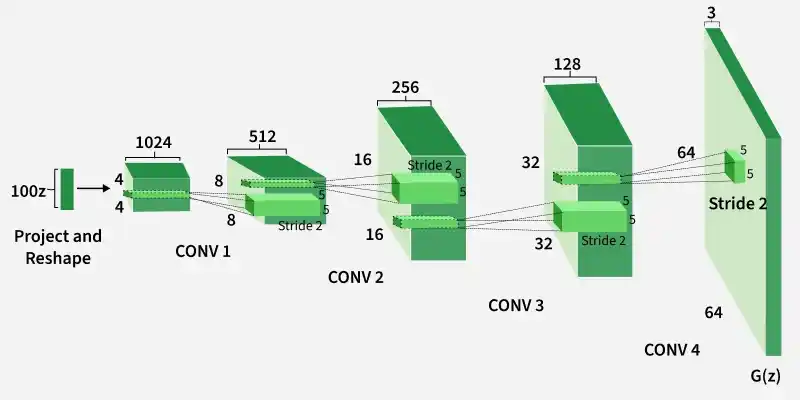
The generator converts a 100-dimensional noise vector into a 64×64×3 image using fractionally strided convolution layers. It uses Batch Normalization and ReLU activations for stable training and removes fully connected layers.
The discriminator acts as a convolutional classifier that determines whether an image is real or generated. It uses strided convolutions and LeakyReLU activations for improved feature learning.
In this implementation, DCGAN is built using Keras and TensorFlow on the Fashion MNIST dataset. Since Fashion MNIST contains grayscale images of size 28×28, the original DCGAN architecture is slightly modified from the standard 64×64×3 image setup.
The Fashion-MNIST dataset is loaded using tf.keras.datasets, which provides direct access to the dataset without manual downloading. The dataset contains 28×28 grayscale images for training and testing.
Output:
((60000, 28, 28), (10000, 28, 28))
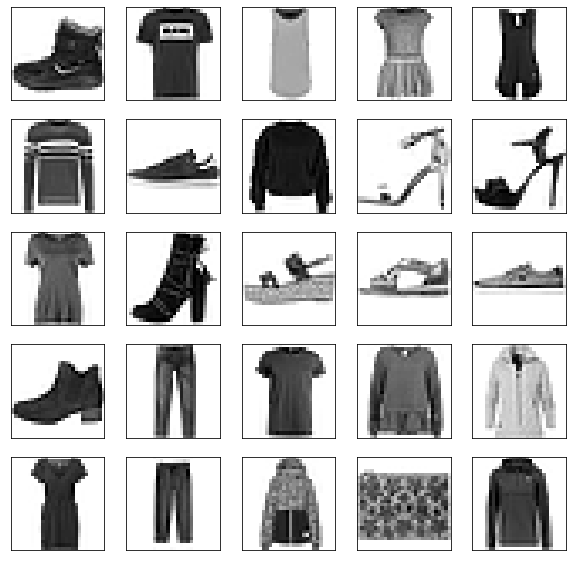
In this step, some images from the Fashion-MNIST dataset are visualized using the Matplotlib library.
Output:
In this step, training parameters such as batch size are defined and the dataset is divided into smaller batches for training.
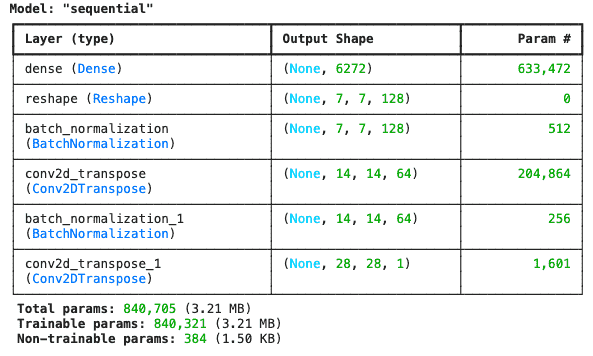
The generator converts a 100-dimensional noise vector into a (28,28,1) image using transpose convolution layers and Batch Normalization.
Output:
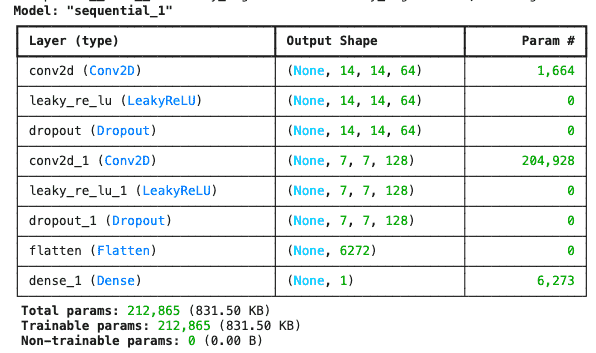
The discriminator takes a (28×28×1) image as input and outputs a scalar value indicating whether the image is real or generated.
Output:
In this step, the discriminator is compiled first and its training is temporarily disabled while training the generator in the combined DCGAN model.
In this step, the training process for the DCGAN model is defined. The tqdm package is used to visualize training progress during each epoch.
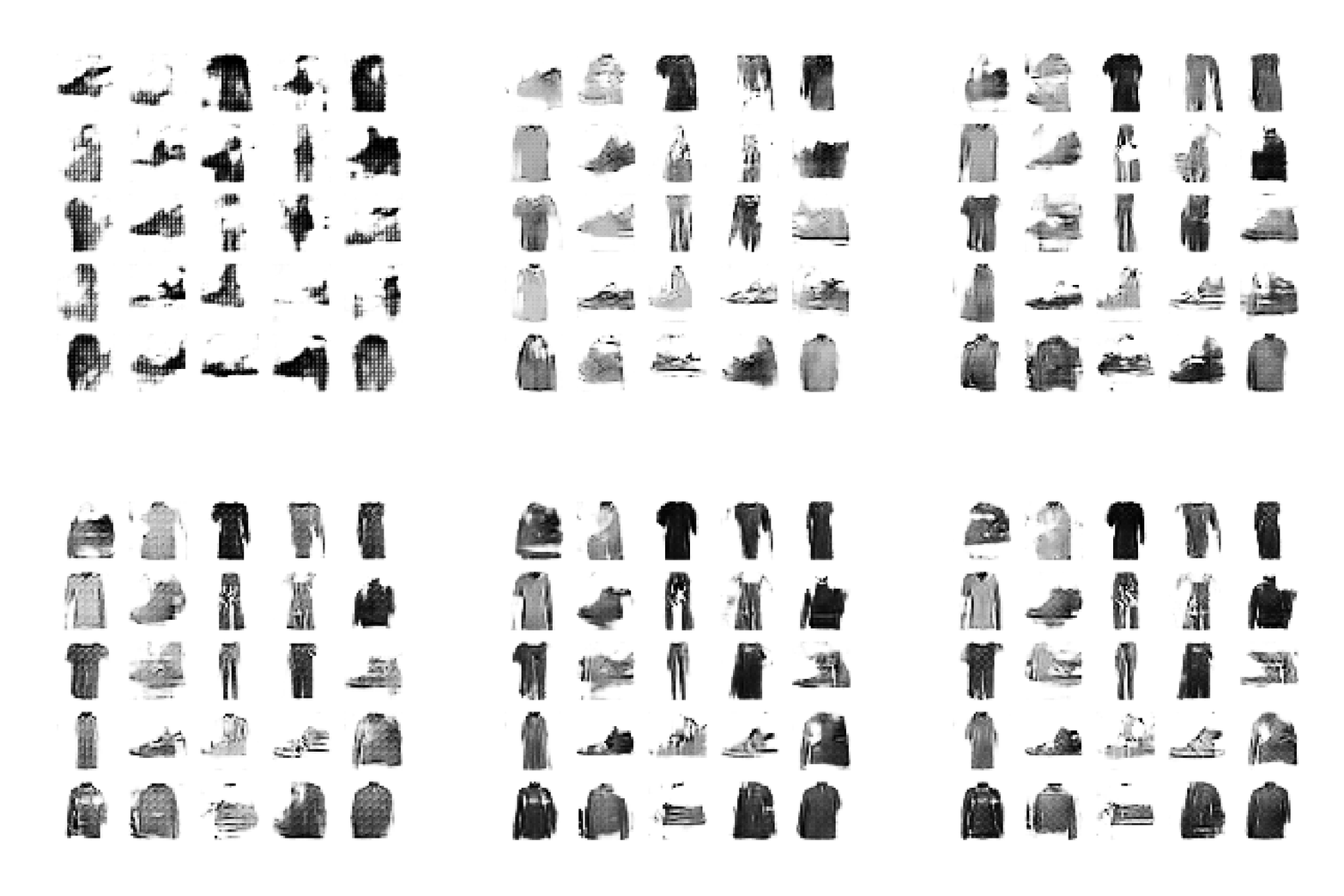
In this step, a function is created to generate and save images during training. These generated images can later be used to create a GIF showing the training progress.
Before training, the dataset is reshaped to include the color channel dimension and divided into batches. The DCGAN model is then trained for multiple epochs.
Output:
In this step, a function is created to convert the saved generated images into a GIF for visualizing the training progress of the DCGAN model.
Download full code from here
DCGANs are widely used in image generation and computer vision tasks due to their ability to learn meaningful visual features.