 |
VOOZH | about |
|
VOOZH | about |
This is a project to get a thorough understanding of MEAN Stack technologies (MongoDB, Express, Node JS, Angular). This will give you a step-by-step process to create a blackjack game from scratch. This article will discuss Starting a new game, the logic to play it and store it in the database. It will also help you to understand the CRUD operations.
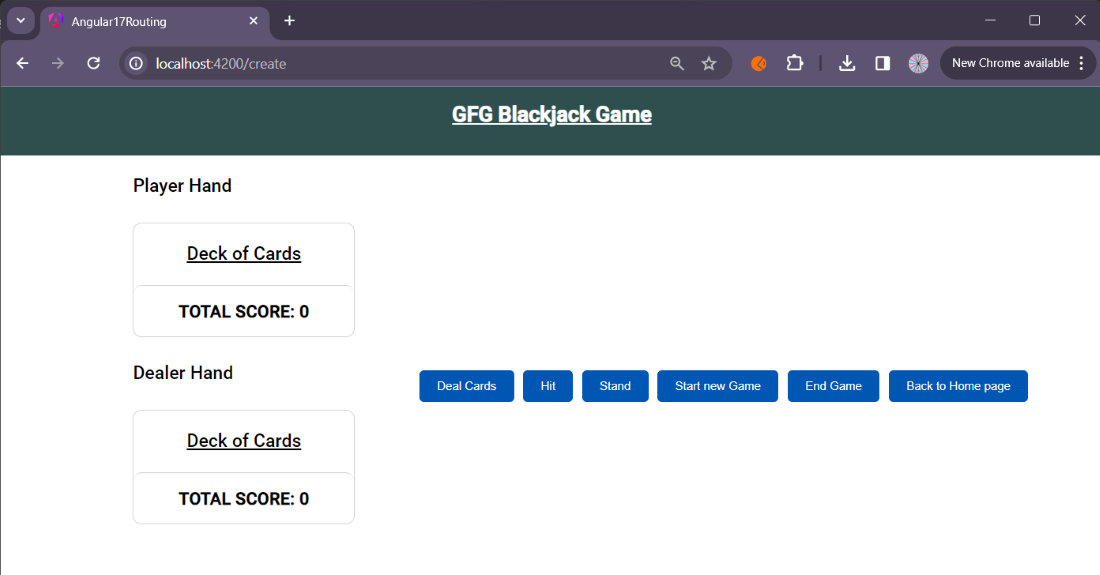
Output Preview: Let us have a look at how the final output will look like.
Step 1: Create the main folder for the project using the following command.
mkdir black-jack
Step 2: Initialize the node.js project.
npm init -y
Step 3: Install the required dependencies
npm install express cors mongoose
The updated Dependencies in package.json file of backend will look like:
"dependencies": {
 "body-parser": "^1.20.2",
 "cors": "^2.8.5",
 "express": "^4.18.3",
 "mongoose": "^8.2.1"
 }
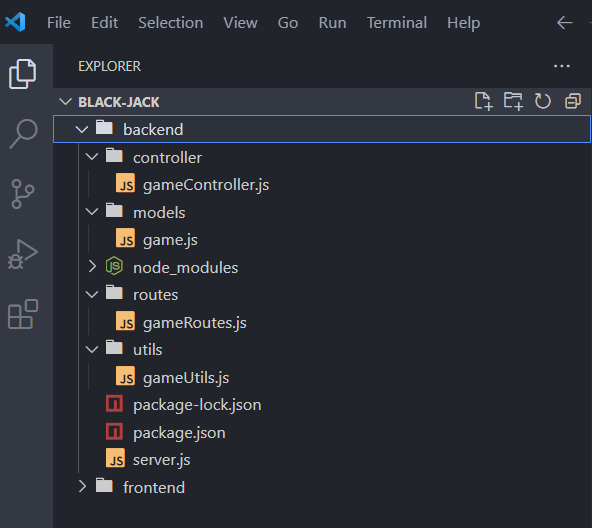
Example: Create the required files as seen on the folder structure and add the following codes.
To start the backend run the following command.
nodemon server.js
Step 4: Install the angular CLI
npm install -g @angular/cli
Step 5: Create a new angular project using the following command.
ng new frontend
Step 6: Create components in angular for different functionality
ng generate component <component-name>
Step 7: Create service for communication between backend and frontend
ng generate service <service-name>
Step 8: Create model for game matching to the game schema we have created in mongo DB
ng generate interface <model-name>
The updated Dependencies in package.json file of frontend will look like:
"dependencies": {
 "@angular/animations": "^17.0.0",
 "@angular/cdk": "^17.2.2",
 "@angular/common": "^17.0.0",
 "@angular/compiler": "^17.0.0",
 "@angular/core": "^17.0.0",
 "@angular/forms": "^17.0.0",
 "@angular/material": "^17.2.2",
 "@angular/platform-browser": "^17.0.0",
 "@angular/platform-browser-dynamic": "^17.0.0",
 "@angular/platform-server": "^17.0.0",
 "@angular/router": "^17.0.0",
 "@angular/ssr": "^17.0.10",
 "express": "^4.18.2",
 "rxjs": "~7.8.0",
 "tslib": "^2.3.0",
 "zone.js": "~0.14.2"
}
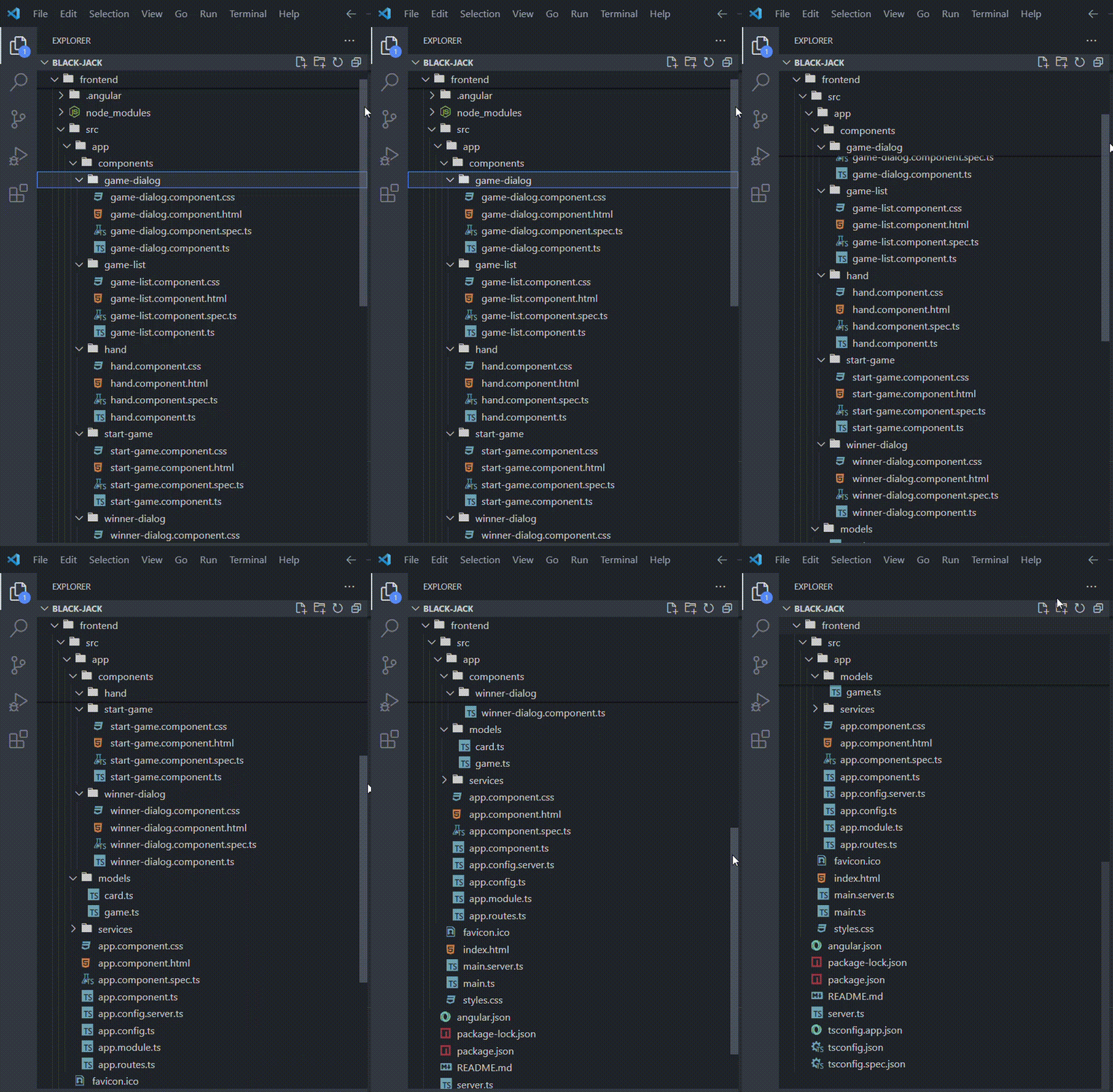
Example: Create the required files s seen in folder structure and add the following codes.
ng serve
Output:

.gif)