Matplotlib is the standard python library for creating visualizations in Python. Pyplot is a module of Matplotlib library which is used to plot graphs and charts and also make changes in them. In this article, we are going to see how to draw a horizontal bar chart with Matplotlib.
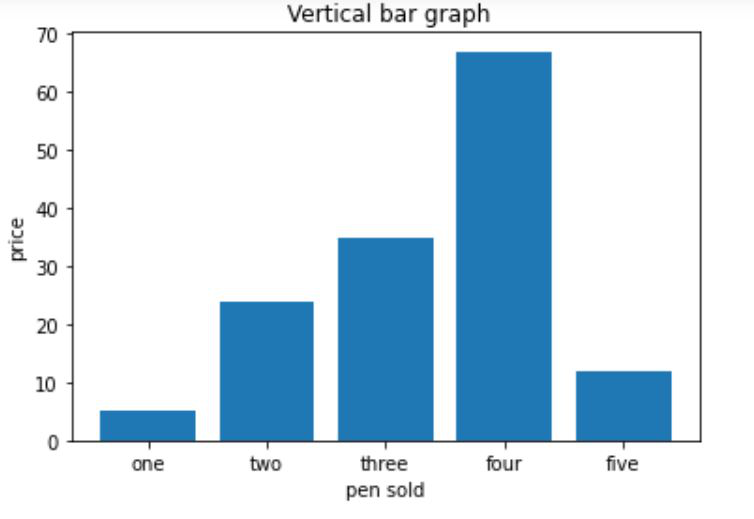
Creating a vertical bar chart
Approach:
- Importing matplotlib.pyplot as plt
- Creating list x for discrete values on x-axis
- Creating list y consisting only numeric data for discrete values on y-axis
- Calling plt.bar() function with parameters x,y as plt.bar(x,y)
- Setting x_label() and y_label()
- Setting title() for our bar chart
- Calling plt.show() for visualizing our chart
Below is the implementation:
Output:
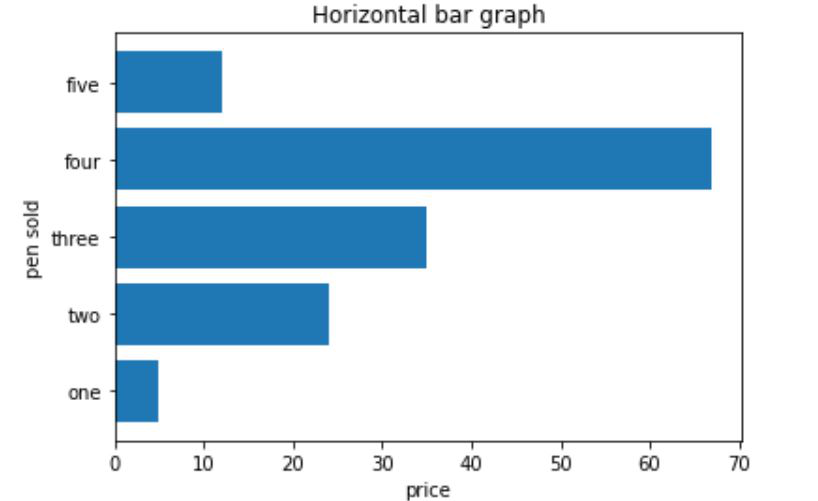
👁 ImageCreating a horizontal bar chart
Approach:
- Importing matplotlib.pyplot as plt
- Creating list y for discrete values on y-axis
- Creating list x consisting only numeric data for discrete values on x-axis
- Calling plt.barh() function with parameters y,x as plt.barh(y,x)
- Setting x_label() and y_label()
- Setting title() for our bar chart
- Calling plt.show() for visualizing our chart
Below is the implementation: