|
VOOZH | about |
|
VOOZH | about |
GenericIPAddressField in Django Forms is a text field, for input of IP Addresses. It is field containing either an IPv4 or an IPv6 address. The default widget for this input is TextInput. It normalizes to a Python string. It validates that the given value is a valid IP address.
GenericIPAddressField takes following optional arguments:
Syntax
field_name = forms.GenericIPAddressField(**options)
Illustration of GenericIPAddressField using an Example. Consider a project named geeksforgeeks having an app named geeks.
Refer to the following articles to check how to create a project and an app in Django.
Enter the following code into forms.py file of geeks app.
Add the geeks app to INSTALLED_APPS
Now to render this form into a view we need a view and a URL mapped to that URL. Let's create a view first in views.py of geeks app,
Here we are importing that particular form from forms.py and creating an object of it in the view so that it can be rendered in a template. Now, to initiate a Django form you need to create home.html where one would be designing the stuff as they like. Let's create a form in home.html.
Finally, a URL to map to this view in urls.py
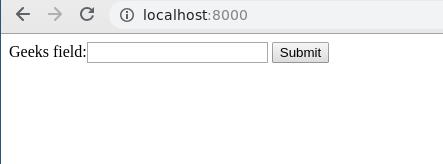
Let's run the server and check what has actually happened, Run
Python manage.py runserver
👁 django-forms-GenericIPAddressField
Thus, an geeks_field GenericIPAddressField is created by replacing "_" with " ". It is a field to input of IP addresses.
GenericIPAddressField is used for input of IP address in the database. One can input User IP address, IPv4, etc. Till now we have discussed how to implement GenericIPAddressField but how to use it in the view for performing the logical part. To perform some logic we would need to get the value entered into the field into a python string instance. To get GitHub code of working GenericIPAddressField, click here In views.py,
Now let's try entering some other data into the field.
👁 django-forms-GenericIPaddressField1
You can clearly see it is asking for entering a valid IP address. Let's try entering valid IP address now.
👁 django-forms-genericipaddressfield
Now this data can be fetched using corresponding request dictionary. If method is GET, data would be available in request.GET and if post, request.POST correspondingly. In above example we have the value in temp which we can use for any purpose. You can check that data is converted to a python string instance in geeks_field.
👁 genericipaddressfield-django-forms
Core Field arguments are the arguments given to each field for applying some constraint or imparting a particular characteristic to a particular Field. For example, adding an argument required = False to GenericIPAddressField will enable it to be left blank by the user. Each Field class constructor takes at least these arguments. Some Field classes take additional, field-specific arguments, but the following should always be accepted:
.math-table { border-collapse: collapse; width: 100%; } .math-table td { border: 1px solid #5fb962; text-align: left !important; padding: 8px; } .math-table th { border: 1px solid #5fb962; padding: 8px; } .math-table tr>th{ background-color: #c6ebd9; vertical-align: middle; } .math-table tr:nth-child(odd) { background-color: #ffffff; }| Field Options | Description |
|---|---|
| required | By default, each Field class assumes the value is required, so to make it not required you need to set required=False |
| label | The label argument lets you specify the “human-friendly” label for this field. This is used when the Field is displayed in a Form. |
| label_suffix | The label_suffix argument lets you override the form’s label_suffix on a per-field basis. |
| widget | The widget argument lets you specify a Widget class to use when rendering this Field. See Widgets for more information. |
| help_text | The help_text argument lets you specify descriptive text for this Field. If you provide help_text, it will be displayed next to the Field when the Field is rendered by one of the convenience Form methods. |
| error_messages | The error_messages argument lets you override the default messages that the field will raise. Pass in a dictionary with keys matching the error messages you want to override. |
| validators | The validators argument lets you provide a list of validation functions for this field. |
| localize | The localize argument enables the localization of form data input, as well as the rendered output. |
| disabled. | The disabled boolean argument, when set to True, disables a form field using the disabled HTML attribute so that it won’t be editable by users. |