|
VOOZH | about |
|
VOOZH | about |
A title in Matplotlib library describes the main subject of plotting the graphs. Setting a title for just one plot is easy using the title() method. By using this function only the individual title plots can be set but not a single title for all subplots. Hence, to set a single main title for all subplots, suptitle() method is used.
Syntax: suptitle(self, t, **kwargs)
Parameters: This method accept the following parameters that are discussed below:
- t : This parameter is the title text.
- x: This parameter is the x location of the text in figure coordinates.
- y: This parameter is the y location of the text in figure coordinates.
- horizontalalignment, ha : This parameter is the horizontal alignment of the text relative to (x, y).
- verticalalignment, va : This parameter is the vertical alignment of the text relative to (x, y).
- fontsize, size : This parameter is the font size of the text.
- fontweight, weight : This parameter is the font weight of the text.
Returns: This method returns the Text instance of the title.
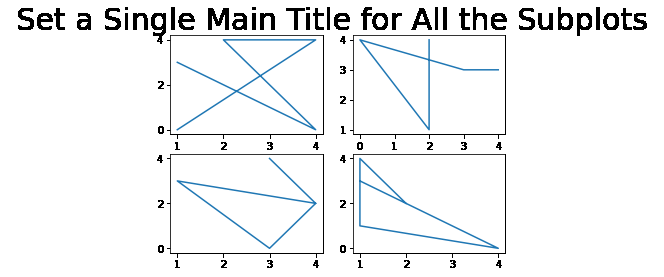
In this example, we will import the required library and create a 2*2 plot. We are creating random data by using random.randint to plot our graph and then setting a single title for all the subplots.
Output:
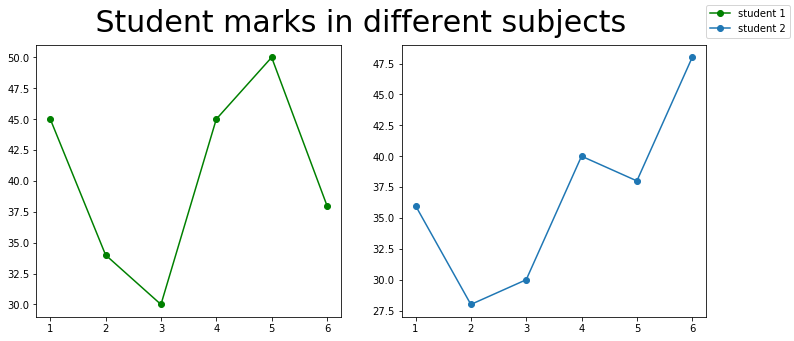
Here, we are creating data to plot our graph and using a marker.