|
VOOZH | about |
|
VOOZH | about |
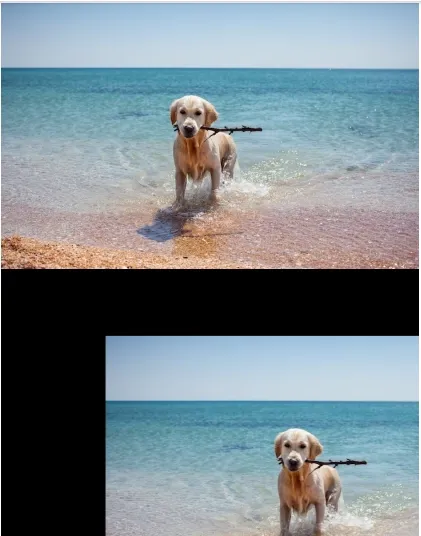
Image translation is the process of shifting an image from one position to another. We simply move the entire image by a fixed number of pixels, either horizontally (along the x-axis) or vertically (along the y-axis). This technique is important in various computer vision tasks such as object tracking, image alignment and creating animations. We achieve this by using a transformation matrix which helps shift the image without distorting its content. In this article, we'll see image translation, how to perform it and other core concepts.
Let's see key concepts in Image Translation which are as follows:
The translation matrix is used to define how much an image should be shifted. It is a 2x3 matrix that specifies the amount of horizontal and vertical shifts. The matrix looks like this:
where:
This matrix is used to move every pixel in the image by the specified amount without distorting its content.
OpenCV provides the cv2.wrapAffine() function to apply affine transformations like translation. This function uses the translation matrix to shift the image by the specified values of and .
Syntax:
cv2.warpAffine(img, M, (w, h))
Parameters:
Note: A positive value for tx will shift the image to the right, while a negative value for tx will shift the image to the left and a positive value for ty will shift the image down, while a negative value for ty will shift the image up.
Here we will be using OpenCV and Numpy libraries for this implementation. Also we used a random sample image you can download it from here.
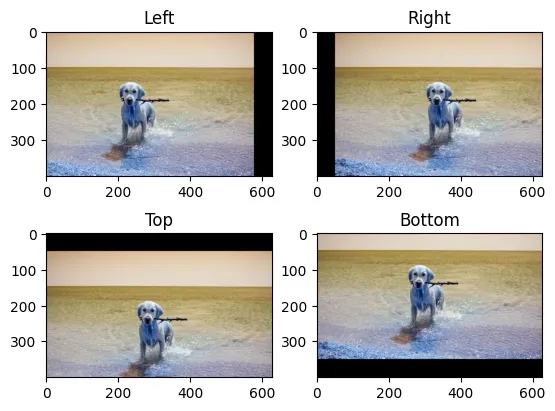
Output:
In this example, we perform four different translations on the same image: left, right, top and bottom.
Output:
Let's see some common advantages of Image Translation: