|
VOOZH | about |
|
VOOZH | about |
Gensim is an open-source Python library designed for topic modeling and document similarity analysis. It is widely used for natural language processing (NLP) tasks, such as text summarization, semantic analysis, and document clustering. Installing Gensim is a straightforward process, and this step-by-step guide will walk you through the installation process on various platforms.
Gensim is an open-source Python library designed for topic modeling and document similarity analysis. Gensim provides tools for working with large text collections and is particularly known for its implementation of algorithms like Latent Semantic Analysis (LSA) and Latent Dirichlet Allocation (LDA) for topic modeling.
Below are the step-by-step implementations of how to install Gensim in Python.
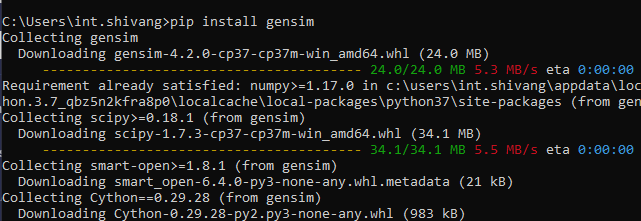
Gensim can be installed using the Python package manager, pip. Run the following command to install Gensim:
pip install gensimThis command will download and install the latest version of Gensim along with any dependencies it requires.
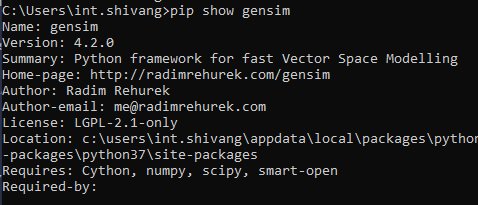
To verify that Gensim has been installed successfully, you can check the installed version by running the following command:
pip show gensimThis command should output the installed version of Gensim, confirming a successful installation.
To ensure that Gensim is working correctly, you can run a simple sample code. Create a Python script or use an interactive Python shell and enter the following code
Output:
Dictionary<10 unique tokens: ['This', 'a', 'document', 'is', 'sample']...>Congratulations! You have successfully installed Gensim on your system. With Gensim up and running, you can explore its rich set of features for natural language processing, including topic modeling, document similarity analysis, and more. Keep in mind that staying updated with the latest version of Gensim is advisable for access to new features and improvements.