|
VOOZH | about |
|
VOOZH | about |
While conducting numerous scientific studies, plotting random points may be quite helpful. We frequently need to plot random points with a certain nature of graphs and charts when running test cases. This article shows you how to use Python to plot random points on a sine curve. To get started, we will need the following Python Modules:
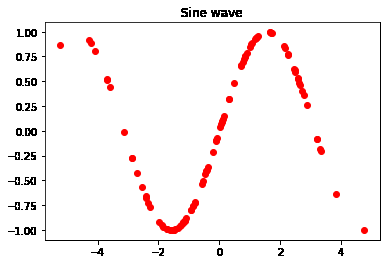
In this example, we will import the required libraries. we are taking random points to form a sinewave and finally plot our final result using plt.scatter(), we have also mentioned the title for our graph.
Output:
Let's now explore some charts of different parameters. We are passing color for our graph in this case; "r "stands for red, and "o" stands for the shape of the scatter.
Output:
We can also add grids to the graph using plt.grid(). For color, "g" stand for green color and "^" stand for a triangle shape.