|
VOOZH | about |
|
VOOZH | about |
Seaborn is a Python data visualization library based on matplotlib. It provides a high-level interface for drawing attractive and informative statistical graphics. Seaborn helps resolve the two major problems faced by Matplotlib; the problems are ?
As Seaborn compliments and extends Matplotlib, the learning curve is quite gradual. If you know Matplotlib, you are already half-way through Seaborn.
This method is used to plot data and a linear regression model fit. There are a number of mutually exclusive options for estimating the regression model. For more information click here.
Syntax : seaborn.regplot( x, y, data=None, x_estimator=None, x_bins=None, x_ci='ci', scatter=True, fit_reg=True, ci=95, n_boot=1000, units=None, order=1, logistic=False, lowess=False, robust=False, logx=False, x_partial=None, y_partial=None, truncate=False, dropna=True, x_jitter=None, y_jitter=None, label=None, color=None, marker='o', scatter_kws=None, line_kws=None, ax=None)
Parameters: The description of some main parameters are given below:
- x, y: These are Input variables. If strings, these should correspond with column names in "data". When pandas objects are used, axes will be labeled with the series name.
- data: This is dataframe where each column is a variable and each row is an observation.
- lowess: (optional) This parameter take boolean value. If "True", use "statsmodels" to estimate a nonparametric lowess model (locally weighted linear regression).
- color: (optional) Color to apply to all plot elements.
- marker: (optional) Marker to use for the scatterplot glyphs.
Return: The Axes object containing the plot.
Below is the implementation of above method:
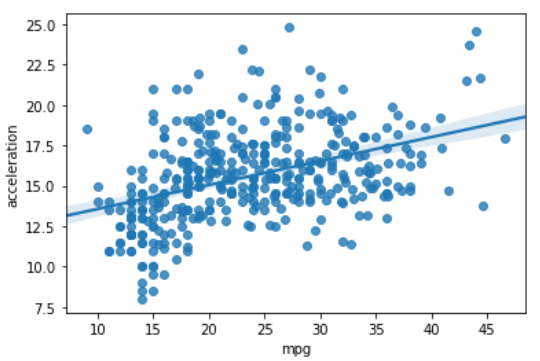
Example 1:
Output :
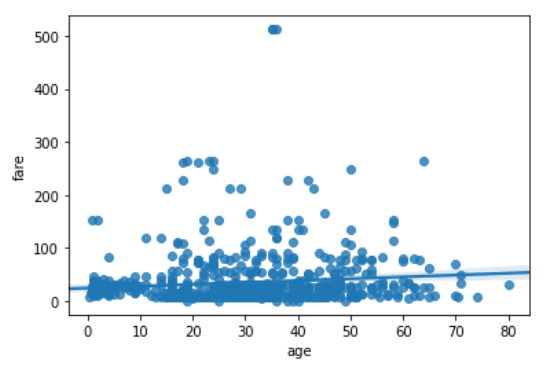
Example 2:
Output :
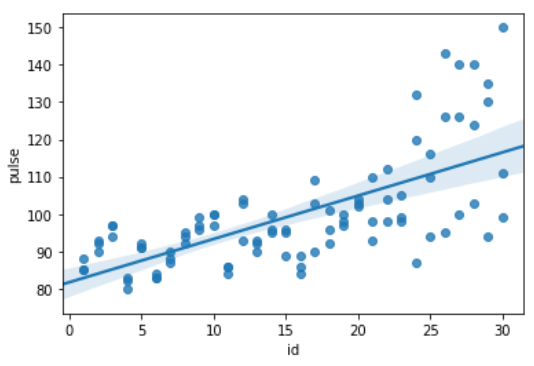
Example 3:
Output :
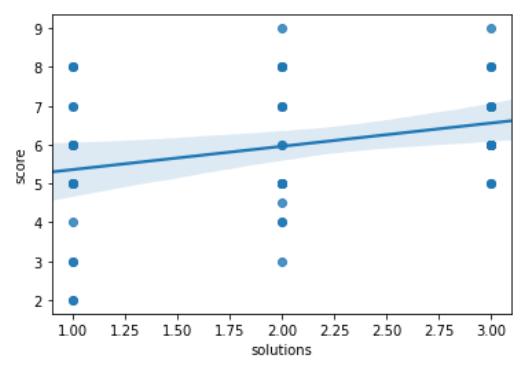
Example 4 :
Output :