ImageGrab and PyTesseract
ImageGrab is a Python module that helps to capture the contents of the screen.
PyTesseract is an
Optical Character Recognition(OCR) tool for Python. Together they can be used to read the contents of a section of the screen.
Installation -
Pillow (a newer version of PIL) pip install Pillow
PyTesseract
pip install pytesseract
Apart from this, a tesseract executable needs to be installed.
Implementation of code
The following functions were primarily used in the code -
pytesseract.image_to_string(image, lang=**language**) - Takes the image and searches for words of the language in their text.
cv2.cvtColor(image, **colour conversion**) - Used to make the image monochrome(using cv2.COLOR_BGR2GRAY).
ImageGrab.grab(bbox=**Coordinates of the area of the screen to be captured**) - Used to repeatedly(using a loop) capture a specific part of the screen.
The objectives of the code are:
- To use a loop to repeatedly capture a part of the screen.
- To convert the captured image into grayscale.
- Use PyTesseract to read the text in it.
Code : Python code to use ImageGrab and PyTesseract
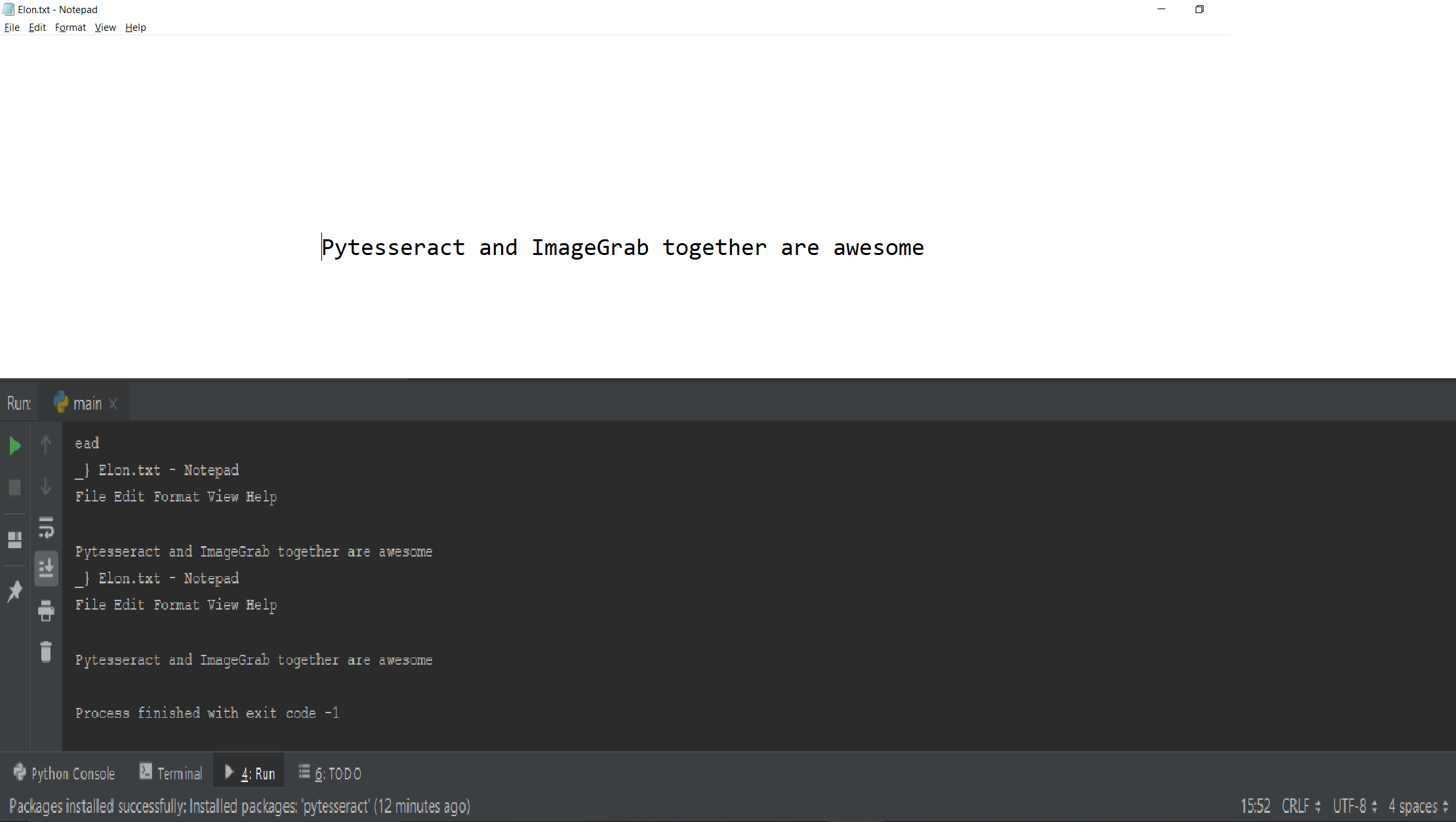
Output
👁 Image
The above code can be used to capture a certain section of the screen and read the text contents of it.
Read about other libraries used in the code
Numpy
OpenCV(cv2)