|
VOOZH | about |
|
VOOZH | about |
When testing web services, especially APIs, having a robust testing framework is essential. REST Assured is a popular Java-based library that simplifies API testing for developers. It allows for smooth integration with various testing tools and frameworks, making it a go-to solution for developers and testers working on API testing.
It covers advanced REST Assured concepts such as authentication mechanisms, schema validation, XML handling, and automation of complex API workflows. These topics are essential for anyone aiming to deepen their understanding of REST Assured and effectively automate testing for real-world APIs.
When testing APIs, authentication is often a critical part of interacting with secured endpoints. REST Assured simplifies working with various authentication strategies, including basic authentication, token-based authentication, OAuth 2.0, and custom headers/cookies.
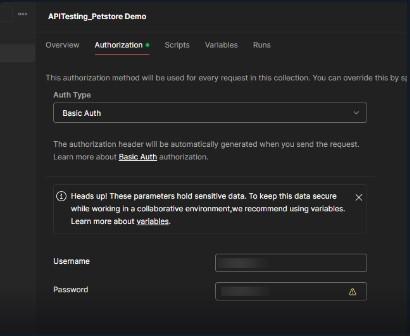
Basic Authentication is one of the simplest forms of authentication, requiring a username and password to access the API. In REST Assured, it can be handled easily with the auth().basic() method.
...) next to the collection name and select Edit.Example:
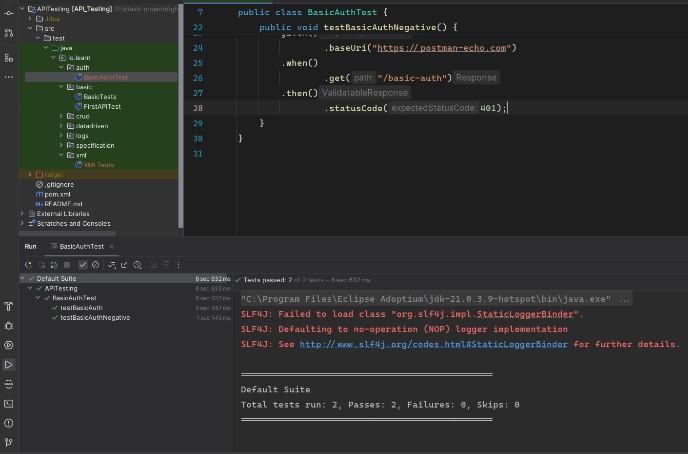
Output:
This sends a request with the specified credentials and verifies the response status code.
Many modern APIs use token-based authentication, where a bearer token is included in the request header. This method is commonly used with APIs like those from third-party services.
Example:
Output:
Here, the Authorization header includes the bearer token, which authenticates the user for accessing protected endpoints.
OAuth 2.0 is an advanced and secure authentication mechanism that is widely used by services like GitHub and Google. It requires an access token that is passed using the auth().oauth2() method in REST Assured.
Example:
given()
 .auth().oauth2("<token>")
.when()
 .get("/user/repos")
.then()
 .statusCode(200);
Output:
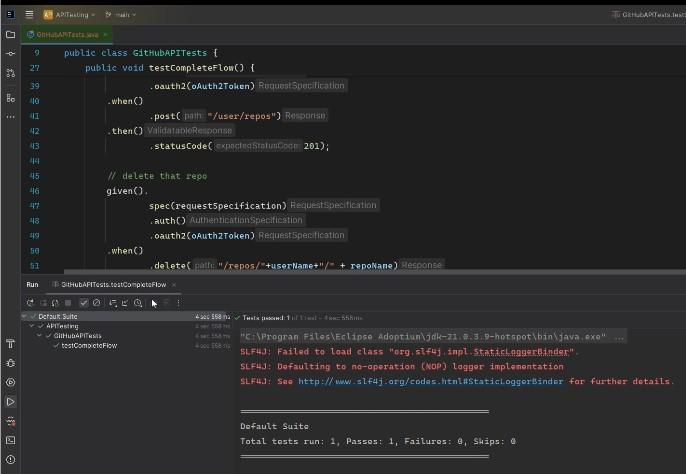
This method ensures secure access by handling OAuth 2.0 tokens dynamically in git-hub it will create a dynamic repo using the Token bases authentication.
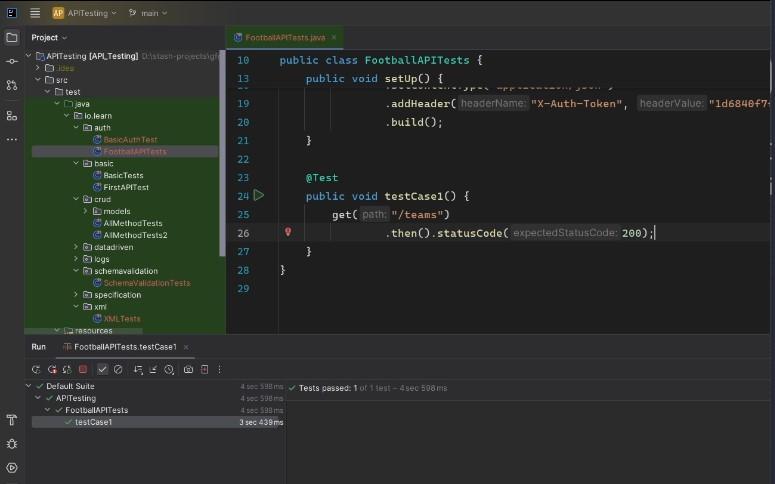
For custom authentication, REST Assured allows developers to inject custom headers and cookies dynamically.
Example:
given()
 .header("Custom-Header", "value")
 .cookie("SessionID", "12345")
.when()
 .get("/endpoint")
.then()
 .statusCode(200);
In this example, custom headers and cookies are passed along with the request to simulate user authentication.
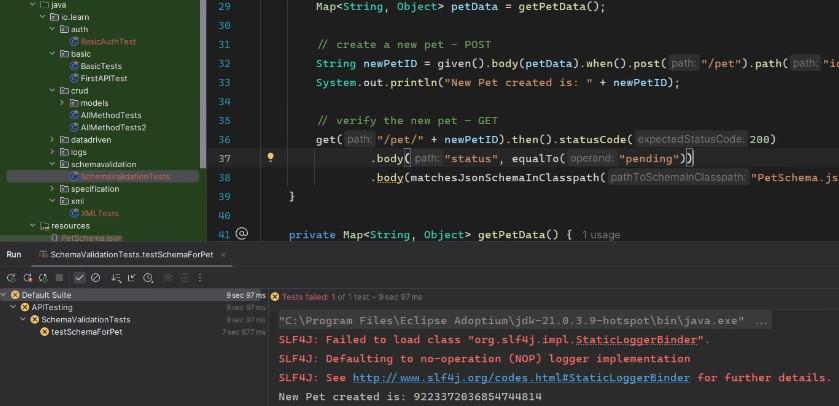
Validating the response schema ensures that the API's output follows a predefined structure. This is especially important for APIs that deal with complex data structures or are expected to return consistent formats across different requests.
REST Assured integrates with the JSON Schema Validator library to perform schema validation. By defining the expected structure of the response (usually in a .json file), you can ensure the response matches the required format.
PetSchema.json
Output:
Add the Dependency
Add the JSON Schema Validator dependency in your pom.xml:
<dependency>
 <groupId>io.rest-assured</groupId>
 <artifactId>json-schema-validator</artifactId>
 <version>5.3.0</version>
</dependency>
Validate the Schema
Example validation code:
given()
 .baseUri("https://petstore.swagger.io")
.when()
 .get("/pet/1")
.then()
 .assertThat()
 .body(matchesJsonSchemaInClasspath("pet-schema.json"));
pet-schema.json file.While JSON is the most commonly used format for APIs, XML is still prevalent in many legacy systems and certain industries. REST Assured allows developers to handle XML responses efficiently.
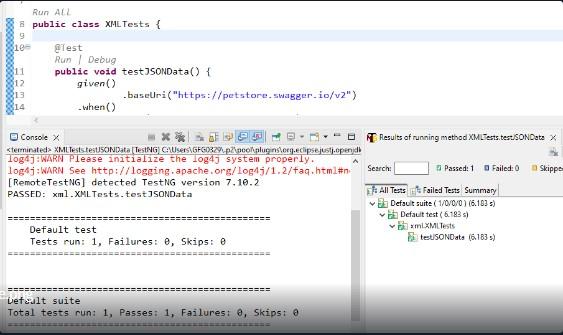
To handle XML responses, you need to set the Accept header to application/xml to inform the server that XML is expected in the response.
Example:
Output:
This checks that the status element in the XML response matches "available". "24.28"
Real-world API testing often involves more than just sending a single request. It may involve creating resources, verifying them, and then deleting them, all within a single test flow.
To create a repository on GitHub using the API, you can use the POST method with a JSON payload.
Example:
String payload = "{ \"name\": \"test-repo\", \"private\": false }";
given()
 .auth().oauth2("<token>")
 .body(payload)
.when()
 .post("/user/repos")
.then()
 .statusCode(201);
This creates a repository with the specified name.
To delete the repository, you can use the DELETE method.
Example:
given()
 .auth().oauth2("<token>")
.when()
 .delete("/repos/<username>/test-repo")
.then()
 .statusCode(204);
This deletes the repository and ensures no further data exists for the specified repository.
You can now combine both actions into a flow and assert the outcomes of each operation. This is useful for automating the lifecycle of resources in API testing.
Centralizing common configurations like base URIs, authentication, headers, and other settings makes your tests more maintainable and easier to read.
Example:
RequestSpecification spec = new RequestSpecBuilder()
 .setBaseUri("https://api.github.com")
 .setAuth(oauth2("<token>"))
 .build();
Logging requests and responses helps in debugging and understanding test failures. You can log everything in your requests and responses to get more insight into the interaction.
Example:
given()
 .log().all()
.when()
 .get("/endpoint")
.then()
 .log().body();
API tests often require dynamic data such as user tokens or IDs that may change with each test run. Using variables for dynamic data helps ensure that your tests are adaptable to different test scenarios.