|
VOOZH | about |
|
VOOZH | about |
Postman is a popular tool for API testing and development. It has several features that make it ideal for handling cookies that make making and executing API calls easier, including:
This article focuses on discussing Cookie Manager in Postman.
Cookies are small text files that are placed on your computer by websites you visit.
The Cookies Manager in Postman is a tool that allows you to view and edit cookies stored in your browser. You can also use the cookie manager to add new cookies to your browser.
There are multiple reasons to use Postman's cookies manager:
Step 1: Open Postman.
Step 2: Click on the "Cookies" tab in the bottom-right corner of the window.
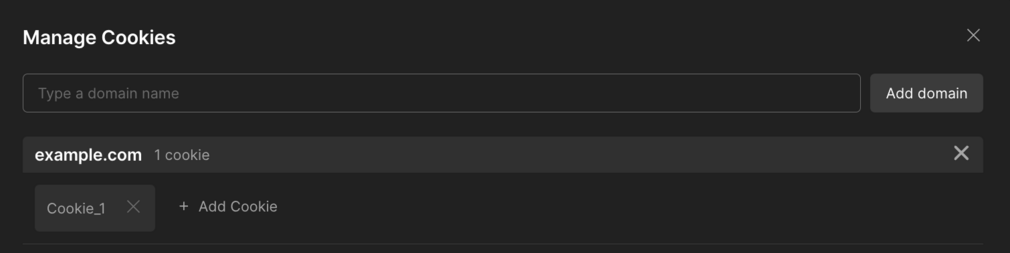
Step 3: The Cookie Manager will be displayed.
Step 4: To view the cookies for a specific domain, click on the domain name in the list.
1. To create a cookie, click on the + Add Cookie.
Cookie_1=value; Path=/; Expires=Thu, 17 Oct 2024 05:34:02 GMT;
Explanation:
Cookie_1: The name of the cookie.
value: The value associated with the cookie.
Path=/: Define the URL route for which the cookie is valid. In this case the cookie is valid for the entire domain because it is set to the root path (/).
Expires=Thu, 17 Oct 2024 05:34:02 GMT: Specify the expiration date and time of the cookie. After this date and time, the cookie will expire.
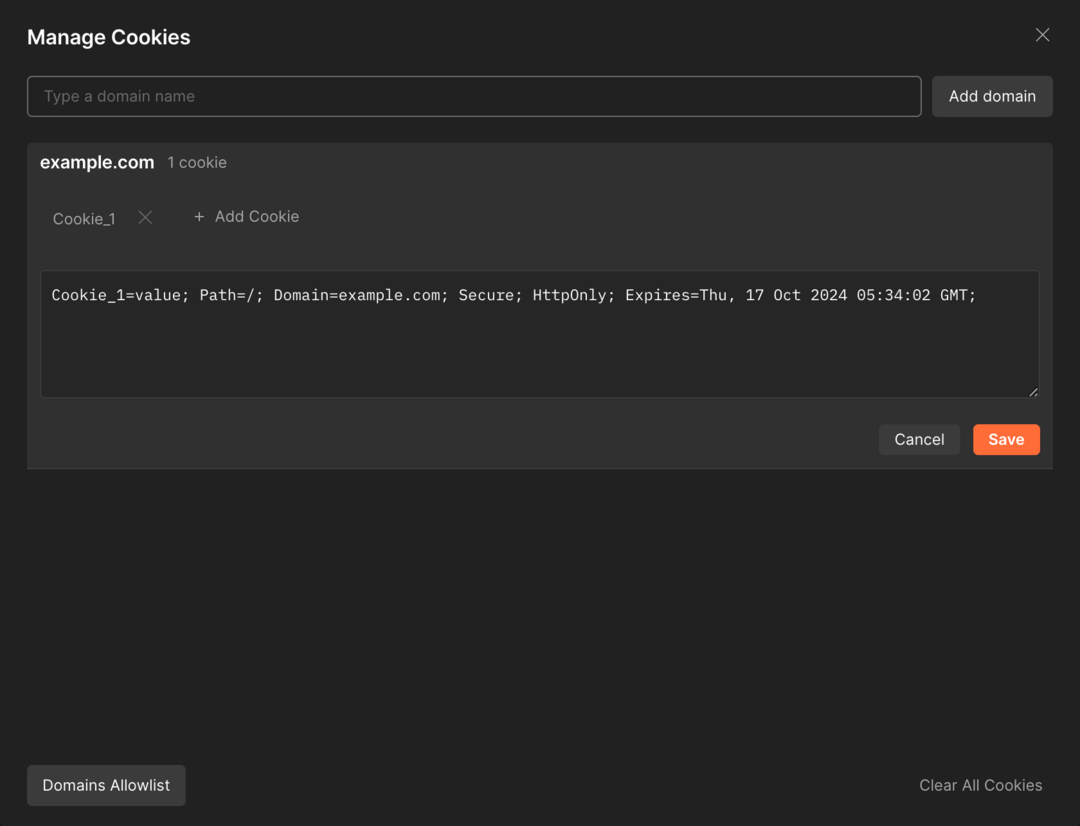
2. Adding additional features is up to you depending on what you need. For example, to indicate the domain for which the cookie is valid, you can use the domain property. This is a more detailed example:
Cookie_1=value; Path=/; Domain=example.com; Secure; HttpOnly; Expires=Thu, 17 Oct 2024 05:34:02 GMT;
Domain=example.com: Specify the domain for which the cookie is valid. Replace example.com with your actual domain.
Secure: Instructs the browser to only send a cookie if the request is being sent over HTTPS.
HttpOnly: Prevents client-side scripts from accessing the cookie, adding a layer of security.
3. After creating the cookie, you can send it to your API call by checking the Send Cookies option located on the request's Cookies page.
1. Open the Postman Console.
2. Select Requests to view cookies.
3. Click the Show Raw Log button.
To delete the cookie Cookie_1 for the domain example.com:
Postman proxy: A Postman proxy is a server that sits between the browser and the website or API. It intercepts all requests and responses sent between the browser and the website or API.
To capture cookies using the Postman proxy:
1. Open Postman.
2. Click on the Proxy tab via(File > Settings > Proxy).
3. Start proxy session.
4. Make a request to the website or API to capture cookies.
5. Once the request is done, click the Stop button to stop the proxy.
6. Captured cookies will be displayed in the Cookies tab.
To capture cookies using the Postman Interceptor:
To send cookies with a request, follow these steps:
Postman also has a cookie jar that stores cookies captured using proxies or interceptors. Under the Cookie Jar section, deselect the Enable Cookie Jar checkbox.
Modern websites depend heavily on cookies and managing them using Postman and other tools is important for faster API development and testing.


.png)