|
VOOZH | about |
|
VOOZH | about |
Web controls are interactive elements on a webpage that allow users to input data, select options, or perform actions. These controls are essential for interaction, and automating their behavior ensures that the web application behaves as expected.
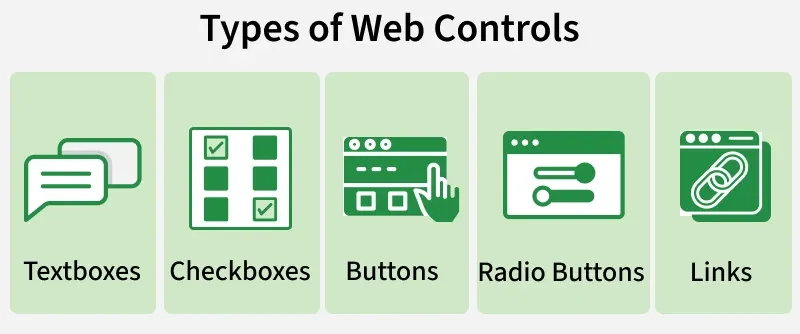
Types of Web Controls:
In Selenium, the WebElement interface is used to interact with web controls. This interface provides various methods to perform actions like clicking, sending keys, clearing text, and verifying the state of elements. Let’s explore these key methods:
| Method | Functionality |
|---|---|
click() | Simulates a left mouse click on a button or link. |
sendKeys(String) | Types text into a text field. |
clear() | Clears the content of an input field. |
getText() | Retrieves the visible text of an element. |
isDisplayed() | Checks if an element is visible on the page. |
isEnabled() | Verifies if an element can be interacted with. |
isSelected() | Determines if a checkbox or radio button is selected. |
getTagName() | Returns the tag name of the element (e.g., input, button). |
getCssValue(String) | Retrieves the value of a CSS property. |
getSize() | Returns the width and height of the element. |
getLocation() | Provides the X and Y coordinates of the element. |
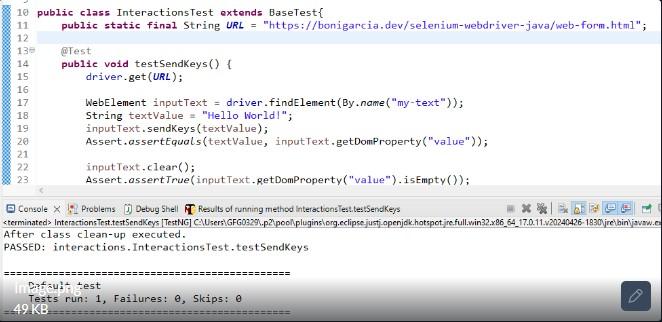
Textboxes allow users to input data, such as a username or password. Selenium provides methods to simulate typing and clearing text.
Methods:
Example:
BaseTest.java
Example:
Output:
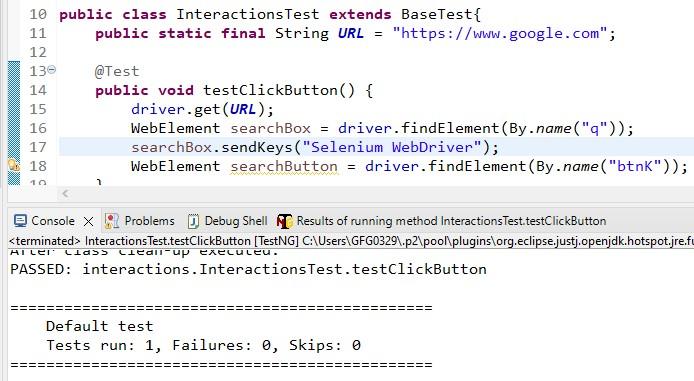
Buttons trigger actions such as submitting a form or executing a command. The primary method to interact with buttons is click().
Example:
Output:
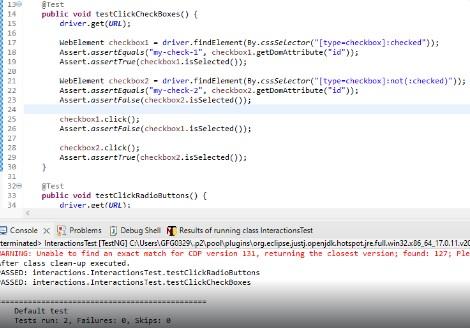
Checkboxes and radio buttons are used for making selections. To interact with them, we use click() to select or deselect them, and isSelected() to verify their state.
Dropdowns allow users to select from a list of options. Selenium provides the Select class to interact with dropdowns, using methods like selectByVisibleText(), selectByValue(), or selectByIndex().
Example :
Output:
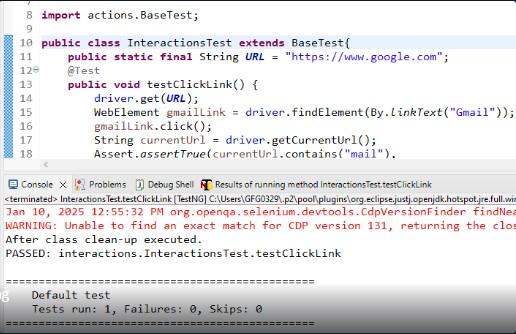
Links are used to navigate between pages or sections. To interact with a link, we can use the click() method.
Example:
Output:
The Select class in Selenium helps manage dropdowns. It provides several useful methods for interacting with dropdowns:
| Method | Description |
|---|---|
getOptions() | Retrieves all the options in the dropdown. |
getFirstSelectedOption() | Returns the first selected option in a multi-select dropdown. |
selectByValue(String) | Selects an option based on its value attribute. |
selectByIndex(int) | Selects an option based on its index. |
selectByVisibleText(String) | Selects an option based on its visible text. |
Many modern web pages use dynamic controls, where elements might change based on user interactions or other events. Selenium provides strategies to handle such elements efficiently: