|
VOOZH | about |
|
VOOZH | about |
Selenium is one of the most powerful and widely used tools for web automating web applications. Whether you're a software developer or a QA tester, Selenium is an important tool to have in your toolkit. Selenium is widely used for automating user interactions like clicking buttons, filling out the forms and many more but in order to automate user interactions we first need to check if an element exists on a web page.
Selenium is widely used for automating user interactions on a web page for testing or getting information from a web page. But in order to automate user interactions on a web page we first need to check if a particular element exists on a web page or not as we cannot click a button until it exists on a web page. So, in this article, we'll show you a step-by-step tutorial on how to check if an element exists on a web page with Python and Selenium.
1. Make sure that you have Python installed in your System
2. Install the Python Selenium Package- Go to your terminal and write 'pip install Selenium'
3. In the latest versions of Selenium we don't need to download Web Drivers .
You can refer to a detailed guide on How to Install Selenium in Python
We need to import Web Driver, By and NoSuchElementException from Selenium .
"In step 1, we'll initialize the Selenium Web Driver and navigate to the web page using the driver.get("www.google.com") method. Here, 'driver' refers to the initialized Web driver.
In the next step, we'll try to locate the element whose presence we want to check using various Locating Strategies. Now that we have located the element, we'll check its presence using driver.find_element() with a suitable locating strategy. Here, 'driver' still refers to the initialized web driver. find_element() returns the element of class Selenium Web driver; otherwise, it throws a NoSuchElementFound exception, so we'll use Exception Handling to tackle that."
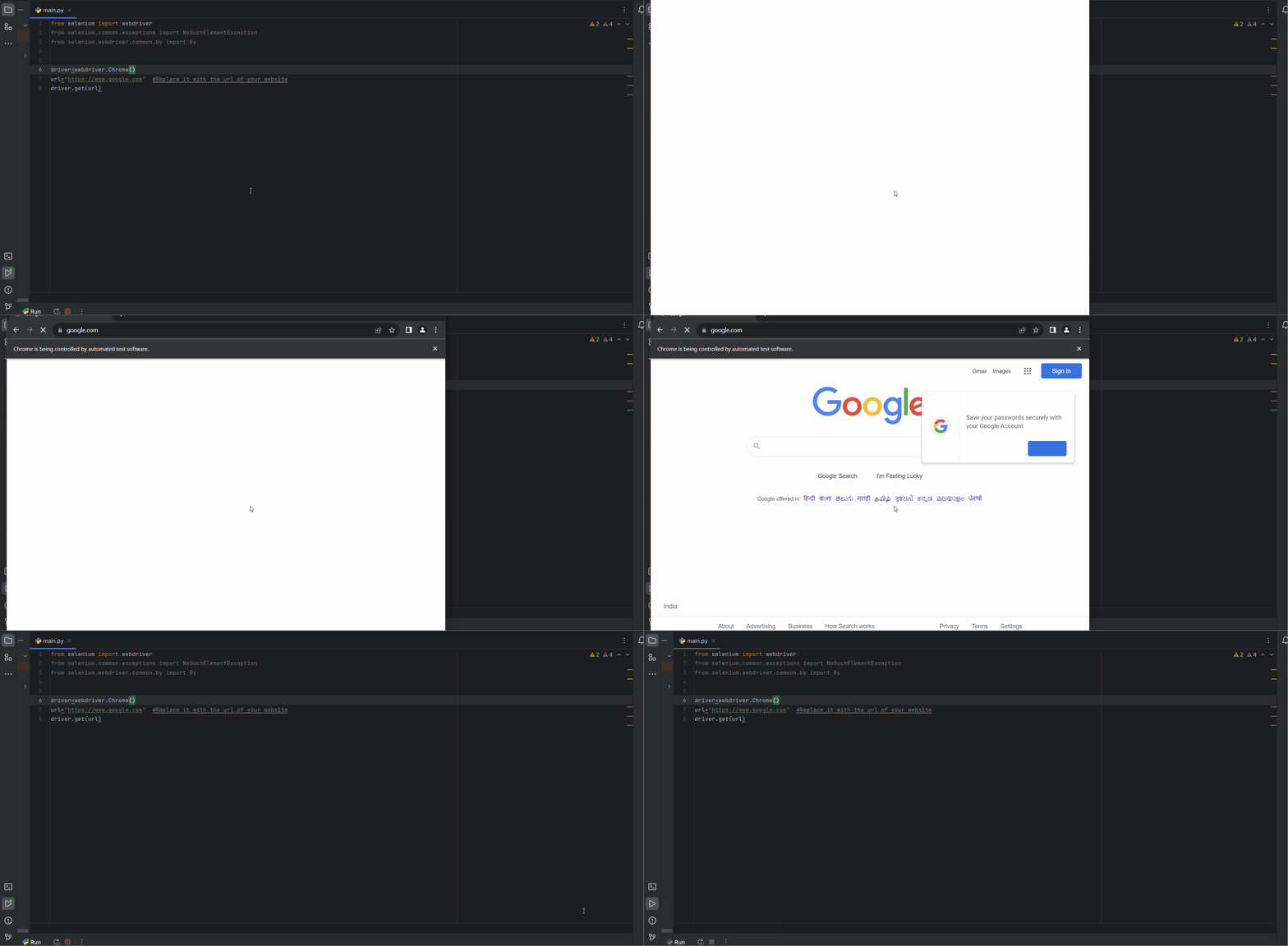
Now we have to initialize the web driver and navigate to the web page, in this article we'll use Chrome Web browser . Navigate to the website that you want to check the presence of an element
OUTPUT- It will open the url in a new Chrome browser and will close in few seconds.
Make sure to replace the url with the url of the website where you want to check for an element
For the script whether the element exists on a webpage or not , we first need to choose a appropriate locating strategy.
Locating Strategies- Locating Strategies refers to the method used to identify and locate an element on a webpage. Locating strategies are a crucial part for interact with an element on a webpage , they allows us to find the element we want on a web page.
Selenium provides various Locating Strategies, they are-
NOTE- Make sure you go through the source code in inspect element of your browser and choose the location strategy accordingly.
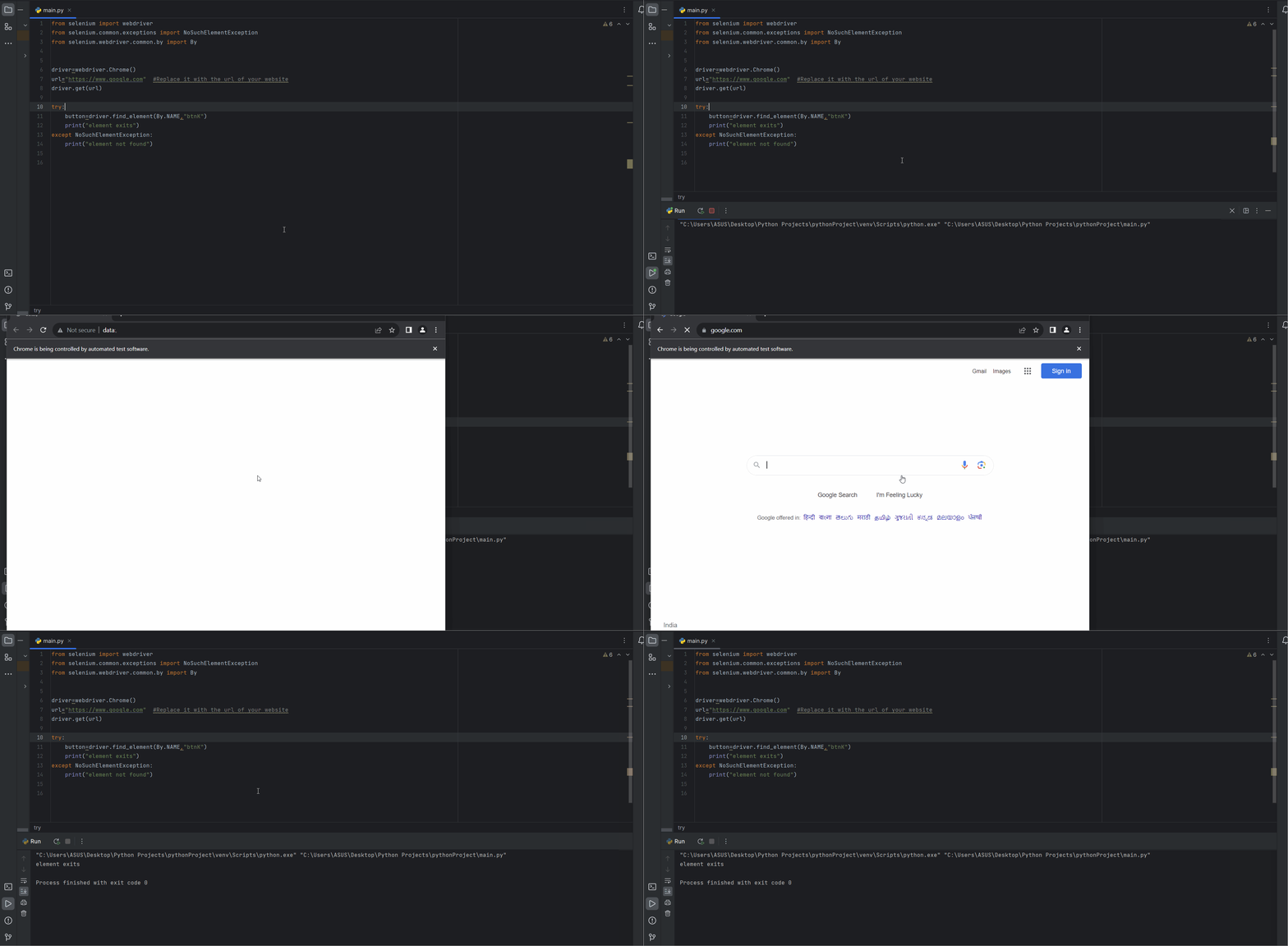
Now that we have chosen our locating strategy, we'll use the find_element method to check if an element exists or not. If find_element finds the element, it will return the element as an instance of the Selenium WebDriver class. However, if it is unable to locate the element, it will throw a NoSuchElementException exception. Therefore, we'll use a try and catch block to handle the possibility of the element not being found.
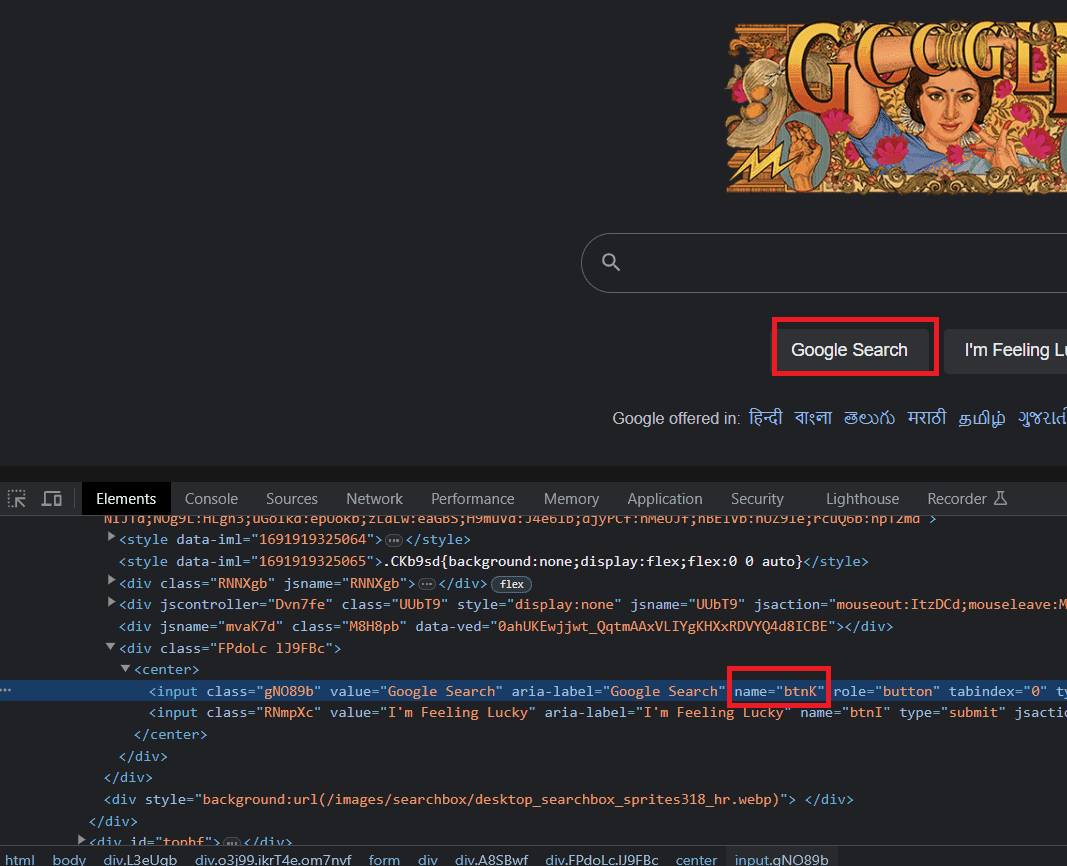
In this example, we are using Google. We will inspect the elements of Google and choose the Google Search Button to test. We have found a name attribute in the button's tag and selected 'Name' as our locating strategy.
Here as we can see button element has a name attribute which has the value "btnK".
OUTPUT-element exits
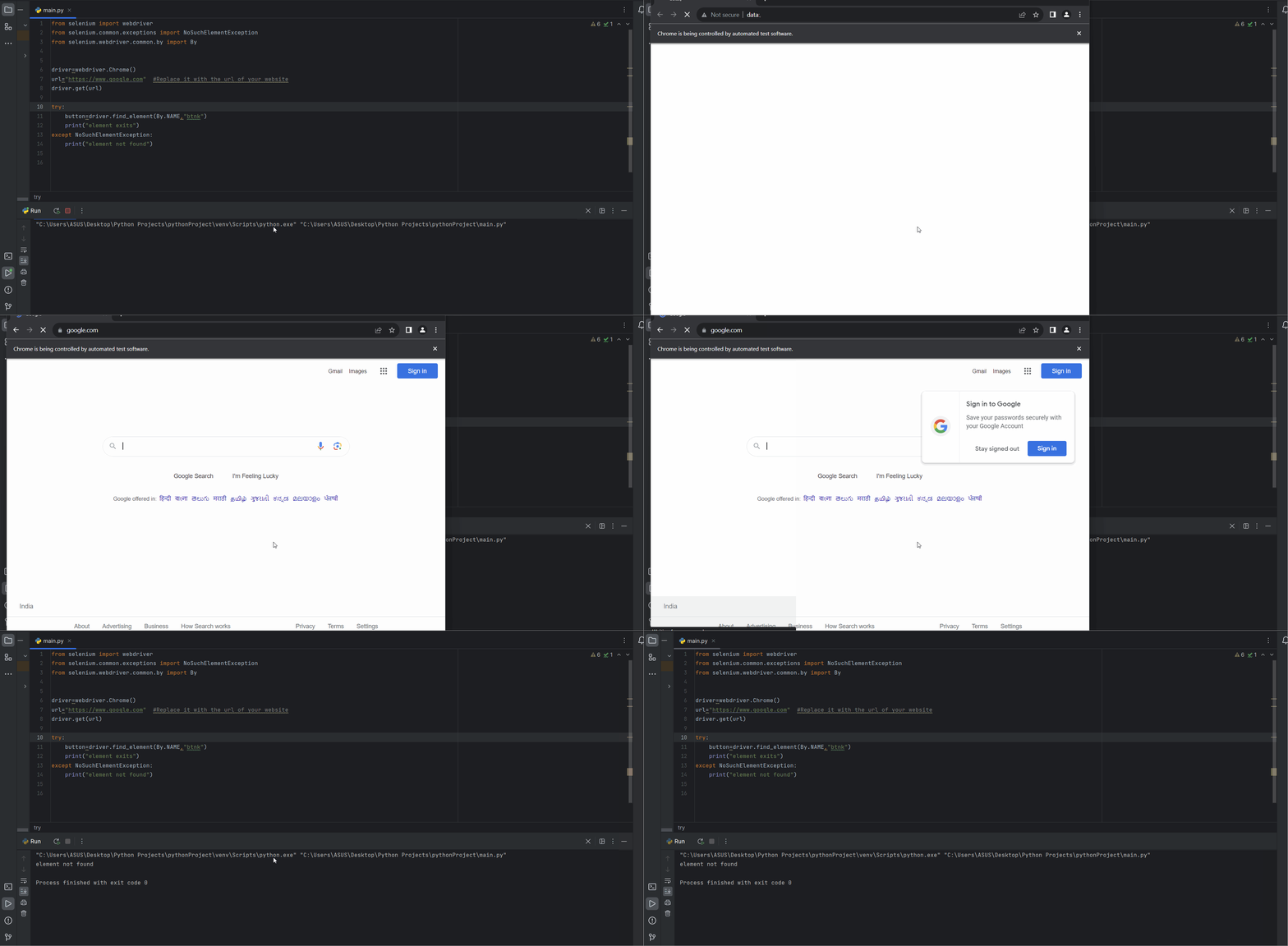
But if we change btnK to btnk then our output will will not be the same.
OUTPUT- element not found
As driver was unable to found any element with name attribute of btnk .
Finding the presence of an element is a very crucial step specially if we are dealing with dynamic web application (A web application that changes the layout and content of the webpage according to the request made to the server). Selenium provides methods such as find_element() and find_elements() which we can use with try and except block(Exception Handling) in order to check if an element exist or not. Try and Except block is used because find_element() and find_elements() methods throws a NoSuchElementException when its usable to locate an element . Getting a good hold over these methods with surely help you in handling the dynamic nature of websites.
What are Dynamic Web applications?
Dynamic web applications are the websites or web based application that generate and display content on the website
dynamically, in real time or based on user-interactions.
What is the difference between find_element and find_elements method in Selenium?
Find element is a method in Selenium used to check if an element exists on a web page or not by using the given locating
strategy and it return the first element that matches the condition. Whereas find_elements is used to return a list of all
elements that has matches the locating strategy condition.
What is a Web Driver in Selenium?
A web driver acts as a bridge between your testing code ( Python , Java or any other language) and your web
browser you want to automate. It provides a way to control the web browser programmatically.