|
VOOZH | about |
|
VOOZH | about |
A programming language that is used to execute a set of instructions that a computer can understand and execute to perform various tasks is known as Java. Java can be controlled autonomously using various automation tools.
Table of Content
Selenium is one such tool, that can make the work of developer and tester easier. There are various instances when the user needs to click or perform a certain action on the element that is currently not in the scope of visibility. In this article, we will see how we can forcefully click on an element that is not currently visible using Selenium webdriver.
The conditions that decide whether the element is visible or hidden within the viewport are known as visibility criteria. For performing any action on the element in the web page, either you need to make that element appear within the viewport or forcefully click that element.
Below are the different methods of forcing Selenium WebDriver to click on the element that is not currently visible:
There are certain scenarios in which the element becomes visible after performing certain actions. In such cases, the user can let Selenium webdriver wait until the element is visible. This can be done using ExpectedConditions.visibilityOfElementLocated function. In this approach, we will see how we can wait for the visibility of the element before clicking on it.
Syntax:
WebDriverWait wait = new WebDriverWait(driver,Duration.ofSeconds(seconds));
wait.until(ExpectedConditions.visibilityOfElementLocated(By.linkText(element_text)));
Here,
seconds: These are the seconds for which we want the user to wait for the visibility of the element.
element_text: It is the text for which the webdriver needs to wait before clicking on that element.
Example:
In this example, we have opened the Geeks For Geeks website (link) and then waited until the element containing the text 'Trending Now' is visible. Once it is visible, we have clicked on that element.
Output:
👁 output-of-force-selenium-webdriver-click-on-invisible-element
The certain cases where the element is not visible within the viewport, we need to scroll the element into view before performing a specific action on them. This can be done using JavascriptExecutor, which is used to perform the actions that cannot be performed through Selenium in-built functions. In this approach, we will see how we can scroll the element into view and click on that element.
Syntax:
JavascriptExecutor js = (JavascriptExecutor) driver;
js.executeScript("arguments[0].scrollIntoView();", element);
Here,
element: It is the element that has to be brought into view by scrolling.
Example:
In this example, we have opened the Geeks For Geeks website (link) and then found the element containing the text 'Problem of the day' which is out of the viewport. Then, we scrolled to the element using the retry mechanism till the element was clearly in the viewport and then we clicked that element.
Output:
👁 scroll-the-element-into-view
In the cases, where above stated approaches don't work, we need to forcefully click on an element using Javascript. This can be done using executeScript and click functions of JavascriptExecutor. In this approach, we will see how we can forcefully click an element using JavascriptExecutor.
1. executeScript: The feature of JavascriptExecutor that enables to execution of JavaScript code within the context of the current browser window is known as executeScript.
2. click(): The function that is used to simulate a mouse click action on a web element is known as the click function.
Syntax:
JavascriptExecutor js = (JavascriptExecutor) driver;
js.executeScript("arguments[0].click();", element);
Here,
element: It is the element that is out of the viewport and you want to click forcefully.
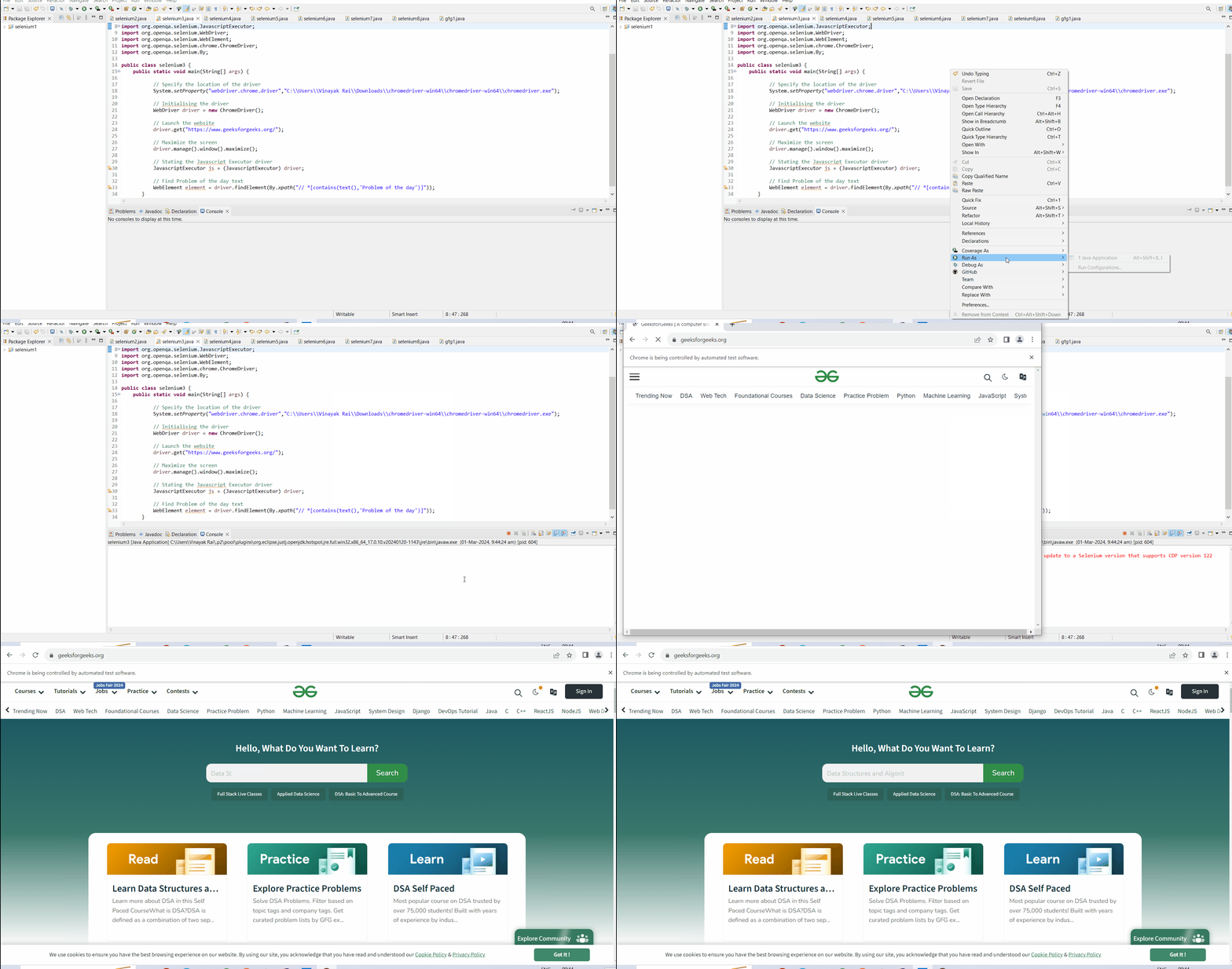
In this example, we opened the Geeks For Geeks website (link) and then found the element containing the text 'Problem of the day' which is out of the viewport, and then clicked on that element using JavascriptExecutor.
👁 forceful-click-using-javaScript
In conclusion, Javascript execution can help the Selenium web driver forcefully click on an element that is not currently visible. This is one of the best ways to click an element or perform some other action on an element if we are unsure about the visibility of an element. I hope after reading the various approaches mentioned in the article, you will be able to forcefully click on the element that is not currently visible using Selenium Webdriver.