|
VOOZH | about |
|
VOOZH | about |
To test a Java application using TestNG, you need to create test classes with test methods and define them in an XML configuration file. Here’s a simple Java application and a corresponding TestNG test suite.
Step 1: Firstly, add dependencies in the Maven project pom.xml.
pom.xml
Step 2: Here we can specify the parameter and values that the testing file can accept. And also we need to specify n number of test java class files inside this, since as a whole, as a suite, test cases are going to get executed.
testng.xml
Step 3: It is a standard calculator program that contains separate methods for basic calculation as well as it contains steps to execute the TestNG code as well.
CalculatorApplication.java
Step 4: Let us test the same by adding two separate files, SampleTestProgram.java and AdditionalTestProgram.java
SampleTestProgram.java
AdditionalTestProgram.java
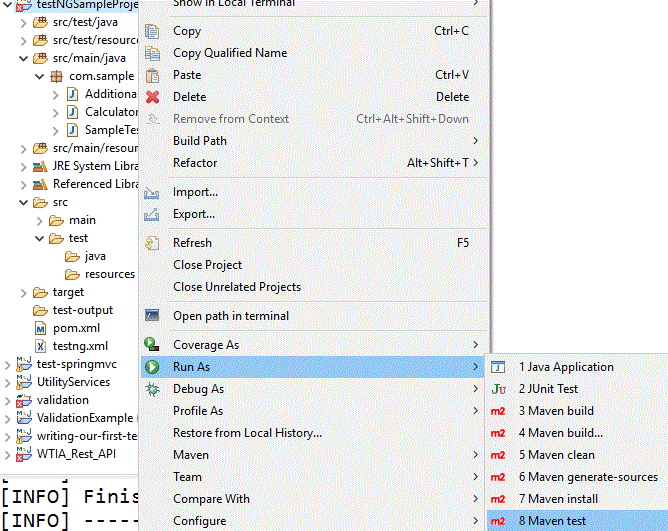
Step 5: Like this, we can add multiple test files and all should be included under testng.xml. Via the command line in the project folder, we can test the files as
mvn testOr via eclipse like as below:
Step 6: Once the tests are run, in the console we will see the below output
In case of any errors, let us see how we can able to get the details. Under the target folder, the surefire-reports folder is available. Under the target\surefire-reports\junitreports folder, we can see the reports
Thus we can get the report in detail target\surefire-reports-Suite folder
Hence it is always better to do automated testing and via this, we can avoid many errors.