VOOZH about

URL: https://www.geeksforgeeks.org/software-testing/how-to-use-testng-skipexception/

⇱ How to use TestNG SkipException? - GeeksforGeeks


  • Courses
  • Tutorials
  • Interview Prep

How to use TestNG SkipException?

Last Updated : 12 Sep, 2024

In TestNG, test management is crucial for handling different scenarios and conditions during testing. Sometimes, it is necessary to skip certain tests based on specific conditions or requirements. The SkipException class in TestNG provides a mechanism to skip tests programmatically. This feature allows you to handle situations where executing a test is not appropriate or possible due to certain conditions.

Approach to use TestNG SkipException

  • Import the Exception: First, import the SkipException class from the org.testng package.
  • Throw SkipException: In your test method, throw the SkipException when you need to skip the test.
  • Conditional Skipping: Use conditional logic to determine when to throw the exception, based on your test requirements.
  • Handle Skipped Tests: Optionally, use TestNG listeners to handle and report skipped tests.

Example Code

testng.xml

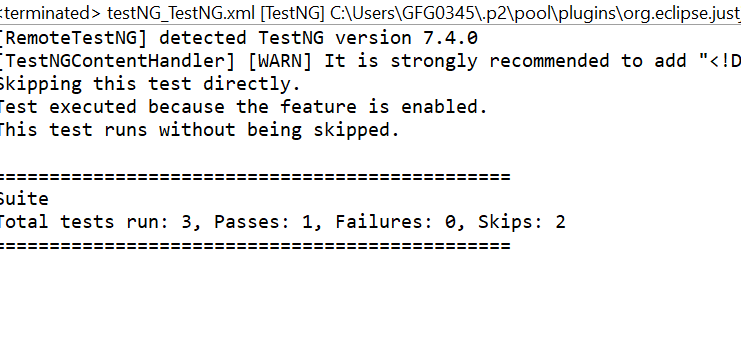
Output:

👁 Screenshot-2024-09-09-105736

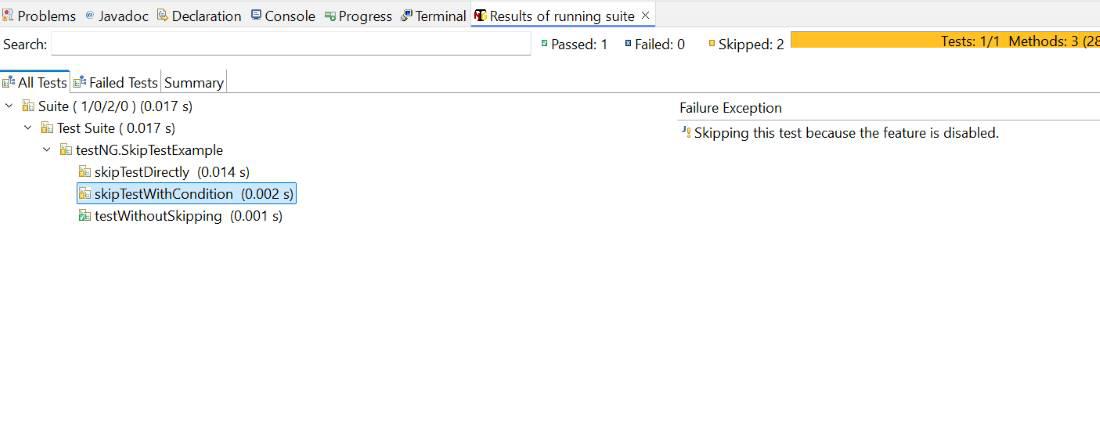
SkipTestWithCondition

👁 output1
SkipTestWithCondition

Conclusion

The SkipException class in TestNG is a powerful tool for managing test execution based on dynamic conditions. By throwing this exception, you can skip tests intentionally or based on specific conditions, making your test suite more flexible and manageable.

Using SkipException effectively helps you:

  • Handle scenarios where tests should not be executed.
  • Dynamically skip tests based on conditions or configuration.
  • Improve test suite efficiency and relevance.
Comment
Article Tags:

Explore