|
VOOZH | about |
|
VOOZH | about |
Selenium Waits help synchronize automation scripts with dynamic web applications. They make the script wait until a specific condition is met before interacting with web elements. This improves test stability and reduces failures caused by timing issues.
Selenium waits are important in automating web applications to handle the timing issues and ensure that our testing scripts are interacting with the element accurately. They help in addressing the delay in element availability, page loading, and rendering, making our testing script more reliable.
Example:
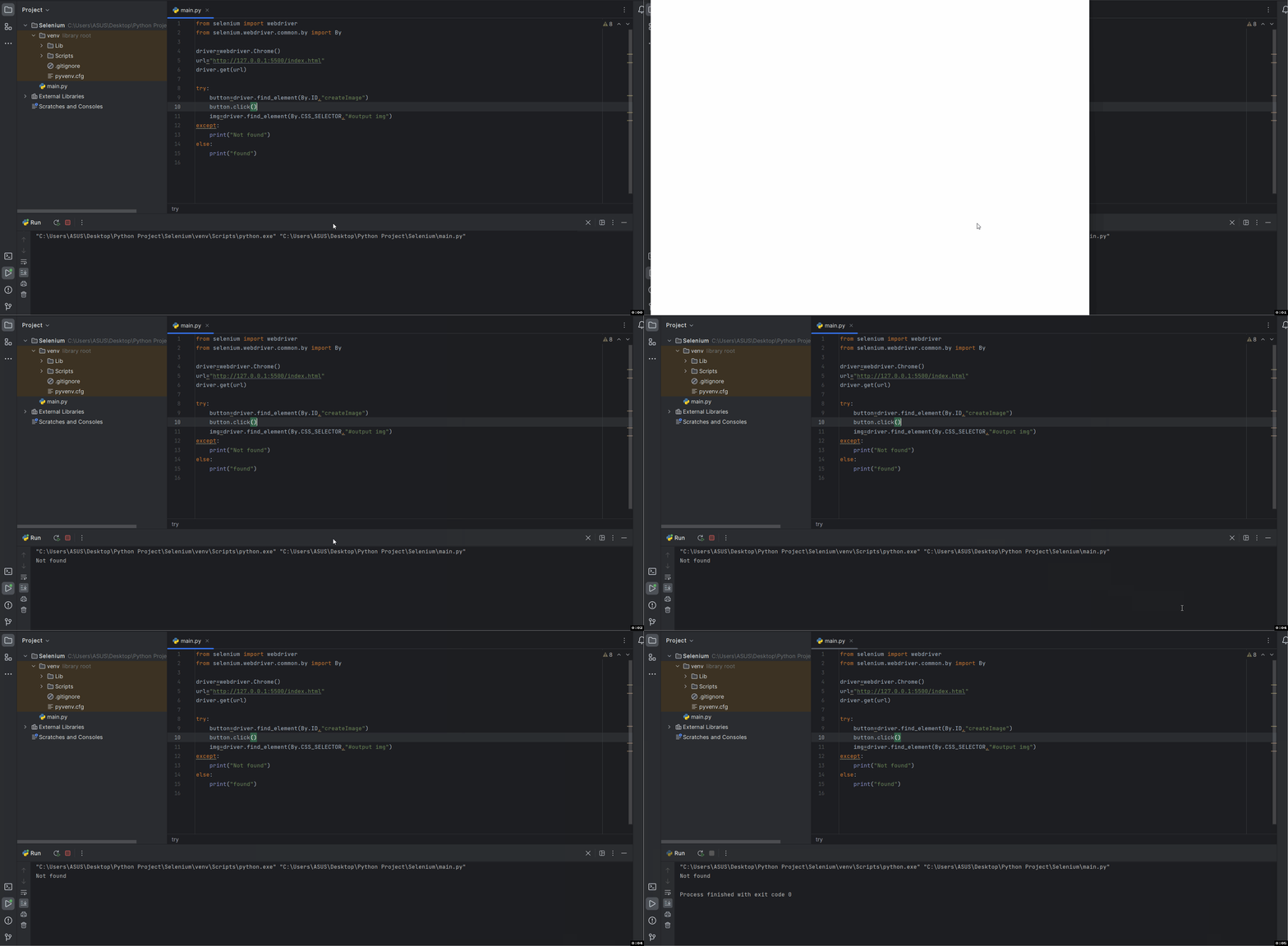
Here when we click on the create image button it takes some time to load the image, here if we use selenium click on the create image button and locate the image it will not be able to locate the image because the automation script will try to locate the image immediately and when it isn't available for interaction.
Output:
Explanation:
So, in order to synchronize our automation script with the loading time of the element we'll have to use Selenium Waits.
Selenium Waits are the mechanism that allows the automation script to pause the execution and wait until certain conditions are met before throwing an error if the element is not found. Selenium Waits helps to synchronize the execution script with the loading time of the website. There are two types of Waits In Selenium they are
Implicit Wait is a type of wait in Selenium that instructs the WebDriver to wait for a specified amount of time before throwing a NoSuchElementException if an element is not found.
It is applied globally to all element search operations for the entire browser session. If the implicit wait is set to 10 seconds, WebDriver will wait up to 10 seconds for the element to appear before throwing an exception. If the element is found earlier, it immediately returns the element reference.
Syntax:
driver.implicitly_wait(time_in_seconds)
#replace time_in_second with the integer value of seconds.
Output:
Explanation: Here we have set the implicit wait to 5 seconds so now before throwing an error Selenium Web Driver will wait for 5 seconds during which the image gets rendered and returns its reference, so the output is "found".
Explicit wait is a type of wait in Selenium which instructs the Web Driver to wait until a certain condition is met or maximum time is elapsed. Unlike Implicit Waits, Explicit waits are not applied globally they are more specific and allows the Web Driver to wait for a certain condition for a particular element before throwing an error.
Output:
Explanation:
Definition: Fluent Wait is an advanced type of Explicit Wait in Selenium. It provides additional flexibility by allowing users to define custom polling intervals and ignore specific exceptions while waiting for a condition.
Purpose: Fluent Wait is useful in complex synchronization scenarios where elements may take different amounts of time to load. It repeatedly checks for the element at regular intervals until the condition is met or the timeout occurs.
Syntax:
Wait<WebDriver> wait = new FluentWait<>(driver)
.withTimeout(Duration.ofSeconds(10))
.pollingEvery(Duration.ofSeconds(1))
.ignoring(NoSuchElementException.class);
WebElement element = wait.until(
ExpectedConditions.visibilityOfElementLocated(By.id("example")));
How It Works: Fluent Wait waits for a condition to become true by checking it repeatedly at defined polling intervals instead of continuously waiting for the entire timeout duration. It can also ignore specified exceptions during the waiting period.
Features:
NoSuchElementException).Advantages:
Disadvantages:
Definition: Thread.sleep() is a hard wait method that pauses the execution of the test script for a fixed amount of time.
Purpose: It is mainly used for debugging or temporary delays during test execution.
Syntax:
Thread.sleep(5000); // Waits for 5 seconds
Drawbacks:
| Wait Type | Definition | Waits For | Scope | Flexibility | Recommended Use |
|---|---|---|---|---|---|
| Implicit Wait | Waits for a specified time while searching for elements | Element presence | Global (applies to all elements) | Low | Simple synchronization for entire test session |
| Explicit Wait | Waits for a specific condition before proceeding | Specific conditions like visibility or clickability | Specific element/condition | Medium | Dynamic elements with known conditions |
| Fluent Wait | Advanced explicit wait with polling and exception handling | Specific conditions with custom intervals | Specific element/condition | High | Complex dynamic applications |
| Thread.sleep() | Pauses execution for a fixed time | Fixed duration only | Entire script execution | None | Temporary debugging only |
Here are some best practices for using Selenium Waits which will help you in creating stable and reliable automation scripts.