|
VOOZH | about |
|
VOOZH | about |
TestNG (Test Next Generation) is a powerful testing framework used for automating tests in Java applications. It provides advanced features for organizing, executing, and managing test cases efficiently.
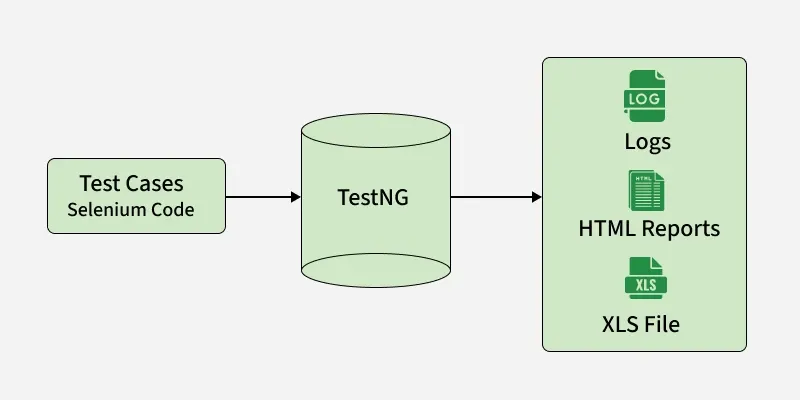
This diagram illustrates how TestNG executes test cases and generates different types of output reports.
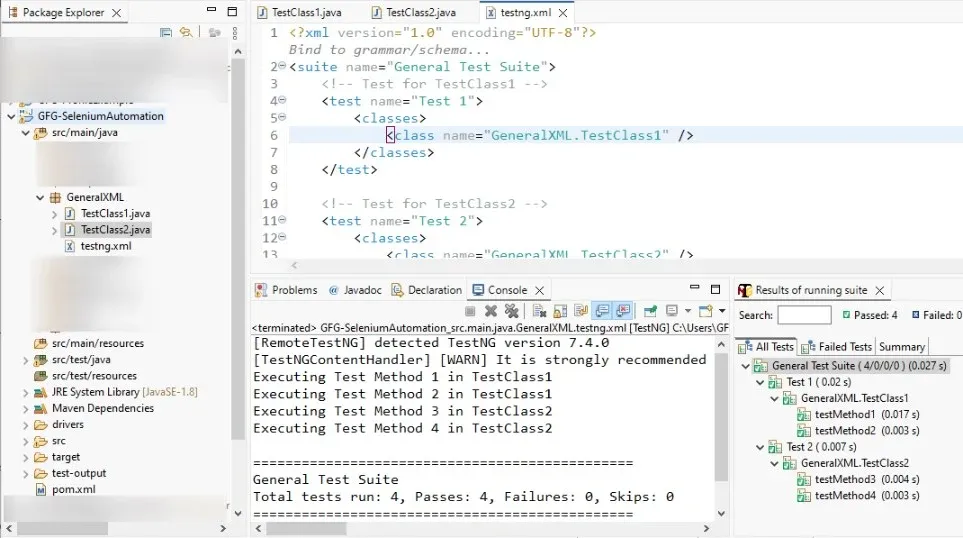
TestNG allows you to configure and execute test cases using an XML file (testng.xml). It helps define test suites, organize test classes, and control execution flow efficiently.
The XML file defines which test classes should be executed and how they are organized in the test suite.
First, create Java test classes that will be executed using the TestNG XML configuration.
These classes contain test methods annotated with @Test that define the test logic and will be executed by TestNG.
TestClass1.java
TestClass2.java
TestNG tests can be executed using different methods based on your setup.
testng.xml file in IDEs like Eclipse or IntelliJ -> select Run As -> TestNG Testmvn testgradle testTestNG is widely used with Selenium to build scalable and maintainable automation frameworks. Selenium handles browser automation, while TestNG manages test execution, reporting, grouping, and parallel testing.
@Test, @BeforeMethod, and @AfterMethod. testng.xml helps organize test suites, parallel execution, and grouped test execution. TestNG provides powerful features that help in designing flexible, scalable, and maintainable test automation frameworks.
Assertions are used to validate the expected outcome of test cases.
Example:
Although TestNG supports test prioritization, it is recommended to keep test cases independent whenever possible. Excessive dependency on priorities can make test suites harder to maintain and may lead to unstable execution in large automation frameworks.
Example:
Tests can be grouped for selective execution (e.g., smoke, regression).
Example:
TestNG supports running tests with multiple data sets using @Parameters and @DataProvider.
Using testng.xml:
Using @DataProvider:
Listeners are used to track test execution events such as pass, fail, or skip.
Annotations define the lifecycle and execution flow of test cases.
Example:
TestNG offers several benefits that make it a preferred framework for test automation.
testng.xml file. @DataProvider and @Parameters.Although TestNG provides powerful features for test automation, it also has certain limitations that should be considered while designing automation frameworks.
testng.xml can become difficult to manage in large projects. Following best practices helps create reliable, maintainable, and scalable test automation suites.
testng.xml file well-structured, organized, and updated. @DataProvider or @Parameters) for efficient data-driven testing.