|
VOOZH | about |
|
VOOZH | about |
TestNG annotations form the backbone of structured test automation in TestNG, allowing developers to define the execution flow of test methods with precision. By using these annotations, you can control the sequence in which test methods execute, manage setup and teardown operations, and implement advanced features like parameterized testing.
In Java, annotations are tags prefixed with @, used to attach metadata to classes, methods, or interfaces. TestNG leverages annotations to control the execution of test methods, enabling testers to organize their tests systematically and execute them efficiently.
For example, the @Test annotation marks a method as a test case:
@Test
public void testMethod() {
 System.out.println("This is a test method.");
}
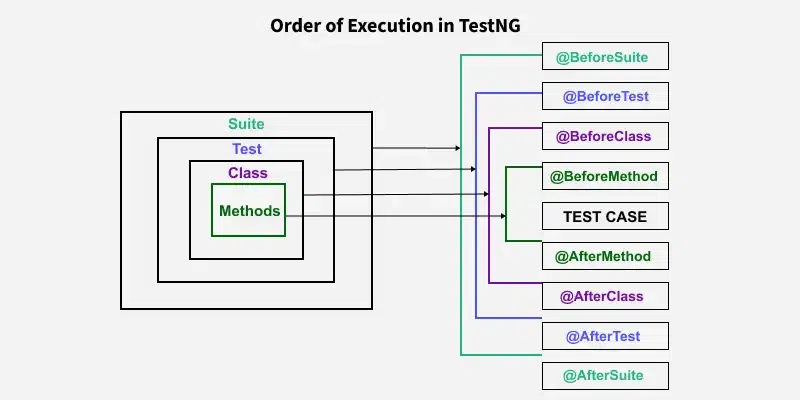
TestNG's hierarchy defines the organization and execution flow of tests. It consists of four levels:
Below is a table of frequently used TestNG annotations and their descriptions:
| Annotation | Description |
|---|---|
@Test | Marks a method as a test method. |
@BeforeSuite | Runs before all tests in a suite. |
@AfterSuite | Runs after all tests in a suite. |
@BeforeTest | Runs before any test method in a <test> tag defined in testng.xml. |
@AfterTest | Runs after all test methods in a <test> tag. |
@BeforeClass | Runs before the first test method in a class. |
@AfterClass | Runs after all test methods in a class. |
@BeforeMethod | Runs before each test method. |
@AfterMethod | Runs after each test method. |
@BeforeGroups | Runs before methods belonging to specified groups. |
@AfterGroups | Runs after methods belonging to specified groups. |
@DataProvider | Supplies data for parameterized tests. |
@Parameters | Passes parameters to test methods. |
@Listeners | Tracks test execution events, enabling custom actions like taking screenshots. |
The order in which TestNG annotations execute is predefined:
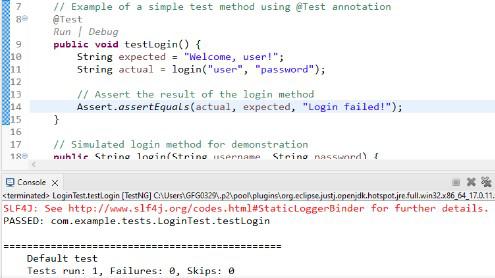
@Test AnnotationThe @Test annotation is central to TestNG and is used to mark methods as test cases.
Output:
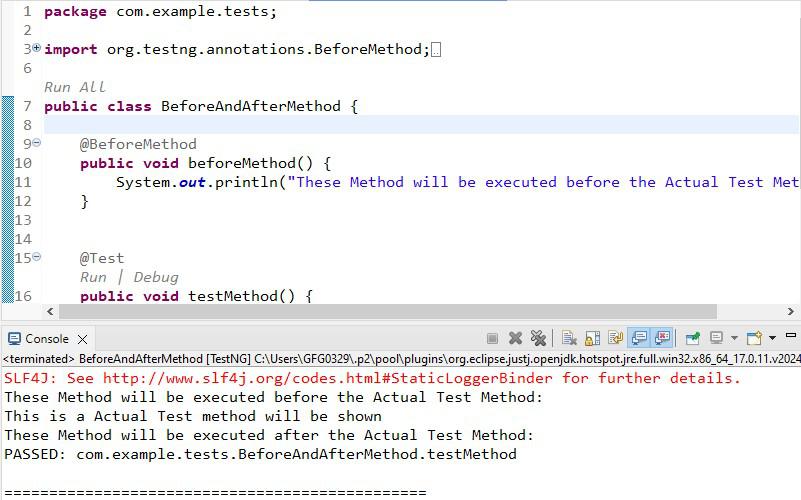
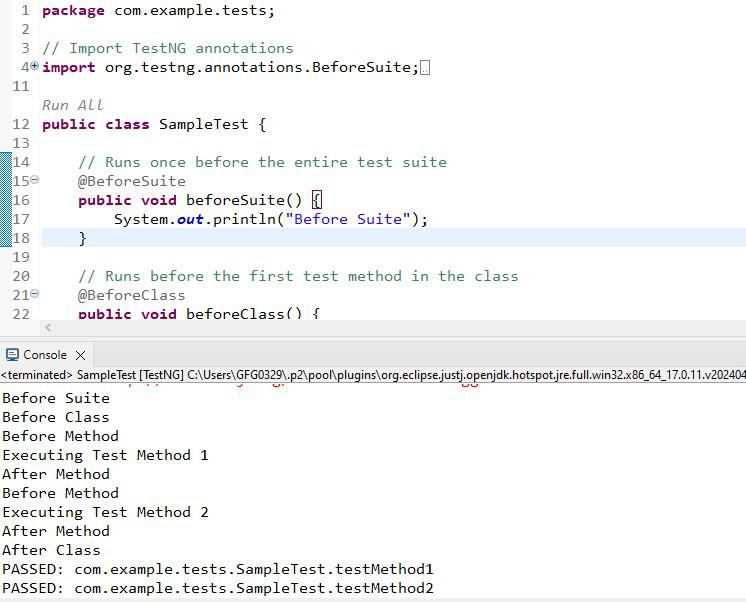
2. @BeforeMethod, and @AfterMethod AnnotationsOutput:
3. @BeforeSuite and @AfterSuiteHow They Work
In short, These annotations handle setup and teardown operations at the suite level.
@BeforeClass and @AfterClassThese annotations execute once per class, before and after all test methods.
@DataProvider for Parameterized Tests@DataProvider allows you to supply multiple sets of data for a single test method.
How They Work
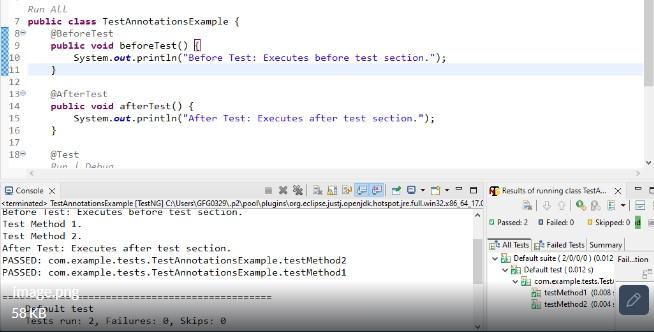
<test> section in the TestNG XML file. It runs before any test methods in that section are executed. For instance, you might use it to initialize browser configurations for cross-browser testing.<test> tag in the XML file are completed. It's ideal for handling test-specific cleanup tasks like closing browsers or logging results.Example with Multiple Test Sections in TestNG XML
TestNG XML Configuration:
Execution Flow:
testMethod1 and testMethod2) execute.<test> tag are completed.Output:
When you have multiple <test> sections in your XML file, the @BeforeTest and @AfterTest annotations are executed for each test section.
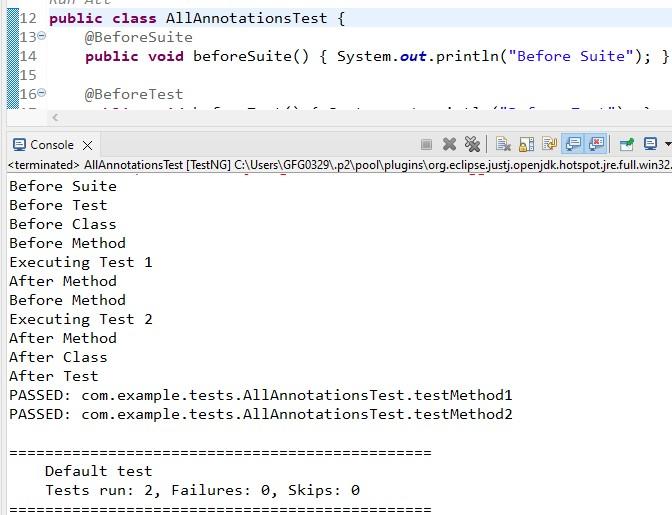
@BeforeGroups and @AfterGroups to manage setup and teardown for specific test groups.@DataProvider and @Parameters to pass data dynamically, making your tests reusable.enabled, priority, and dependsOnMethods to organize and prioritize test execution.Below is an example demonstrating the order of execution of TestNG annotations:
Output:
To see how multiple TestNG annotations work together, consider the following example:
Execution Order:
Output: