|
VOOZH | about |
|
VOOZH | about |
Google Chrome offers a plethora of features and settings for customizing your browsing experience. One such setting lets you change your location, influencing the content and services you encounter on the web. For instance, you can access geo-restricted websites, secure better online shopping deals, or view local news and weather by altering your location.
In this article, We will show you how to change your location in Chrome in Windows
Step 1: Open Google Chrome
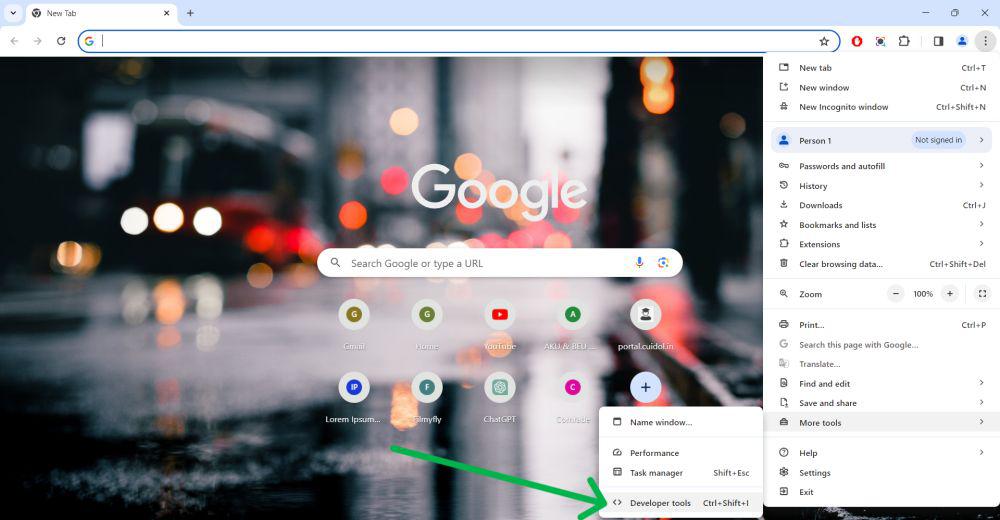
Step 2: Click on the three-dot menu in the top right corner
Step 3: Hove on the "More tools" > "Developer tools."
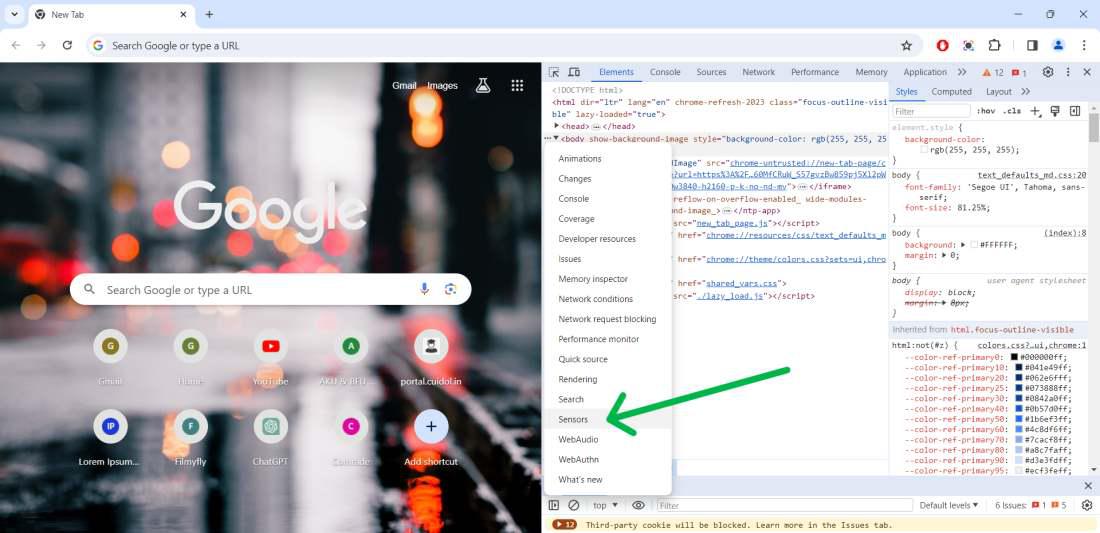
Step 4: Click on three dot then click on "Sensors"
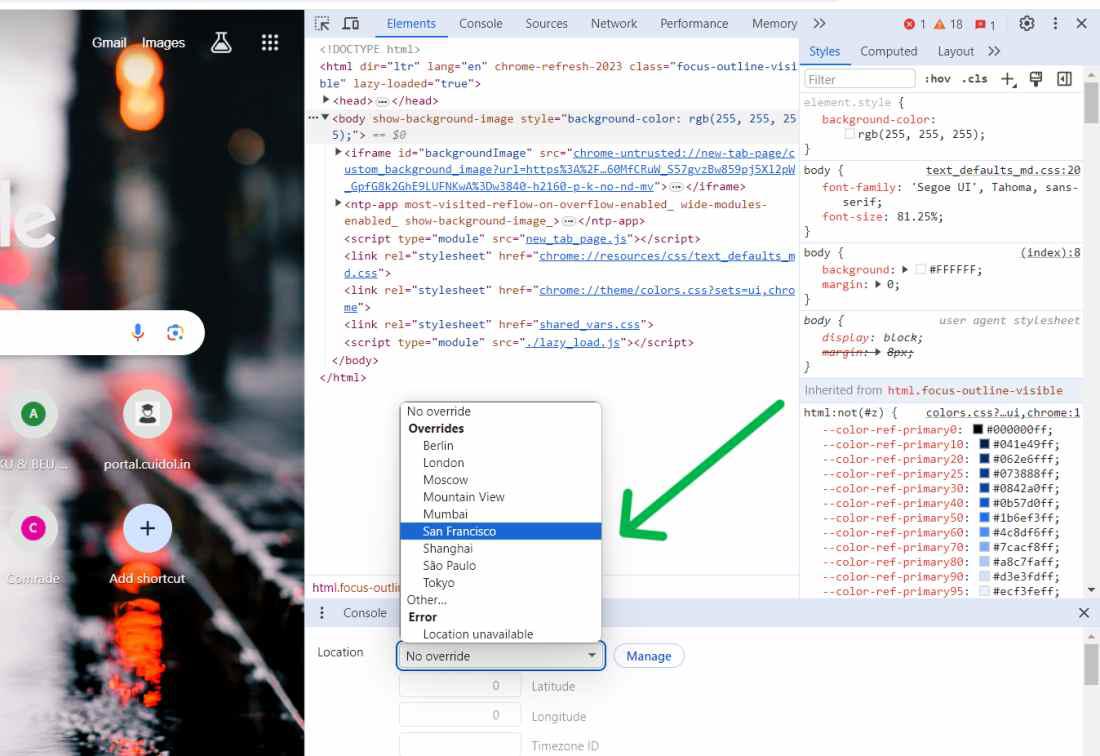
Step 5: Click the "Location" drop-down menu and select one of the available options.
👁 How-to-Change-Google-Location-Settings-5
Step 1: Open Google Chrome
Step 2: Click on the three-dot menu in the top right corner
Step 3: Hove on the "More tools" > "Developer tools."
👁 How-to-Change-Google-Location-Settings
Step 4: Click on three dot then click on "Sensors"
👁 How-to-Change-Google-Location-Settings-1
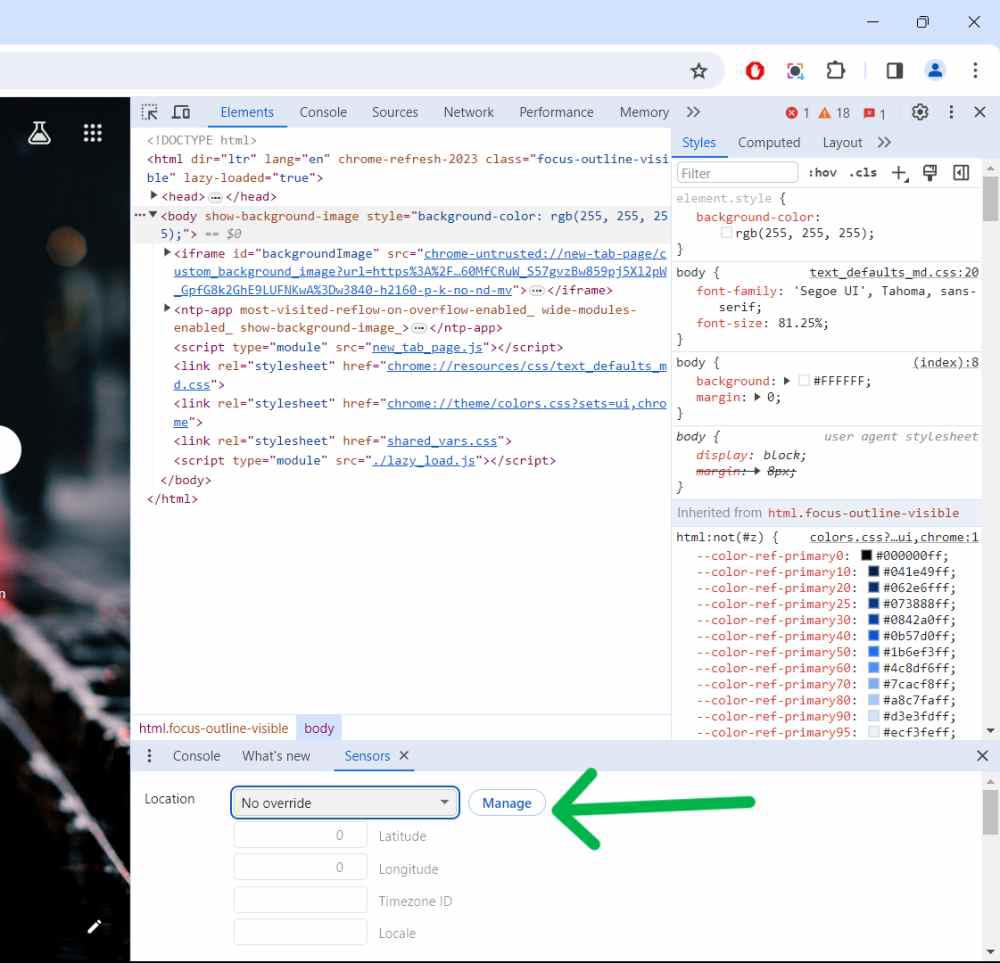
Step 5: Click on "Manage" button
👁 How-to-Change-Google-Location-Settings-3
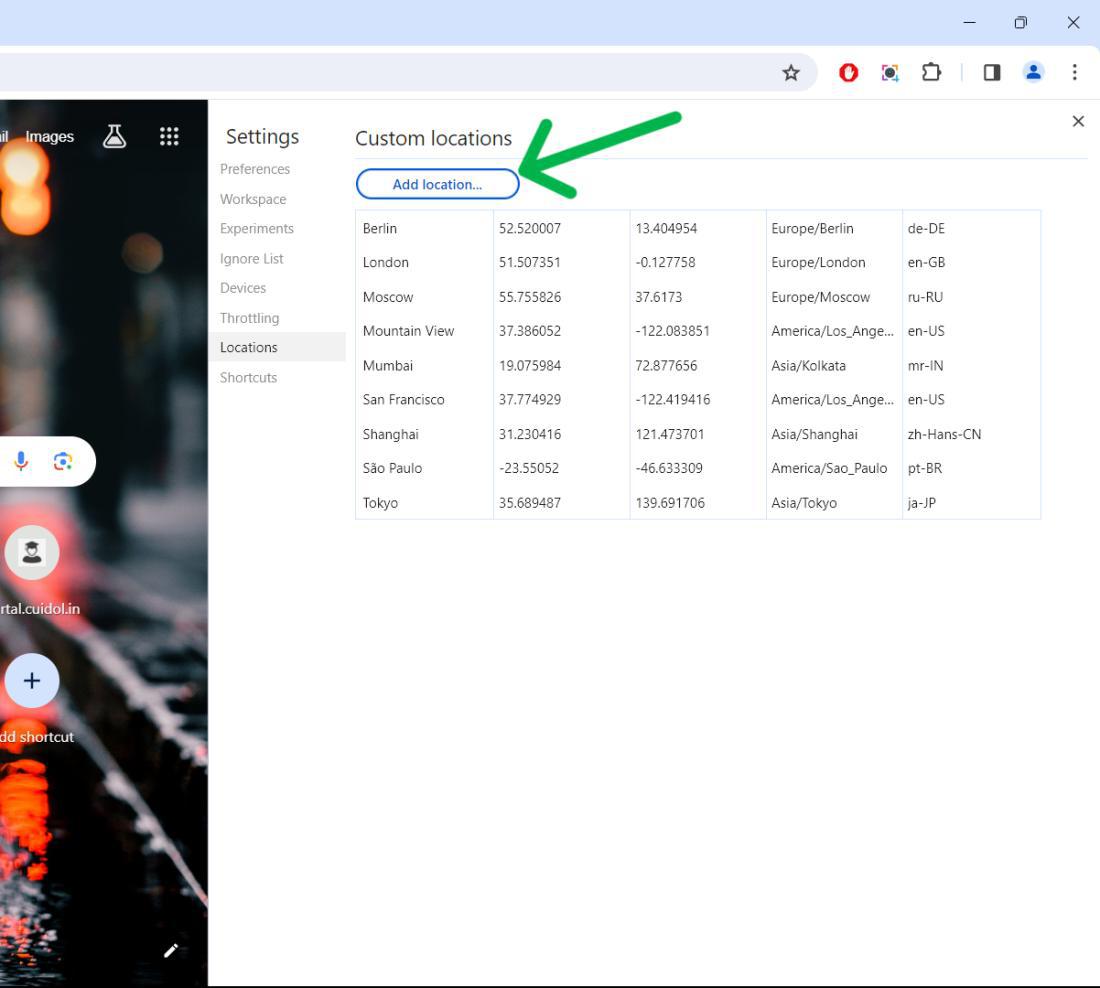
Step 6: Then, Click on "Add location" to add new location
👁 How-to-Change-Google-Location-Settings-2
Step 1: Open Google Chrome.
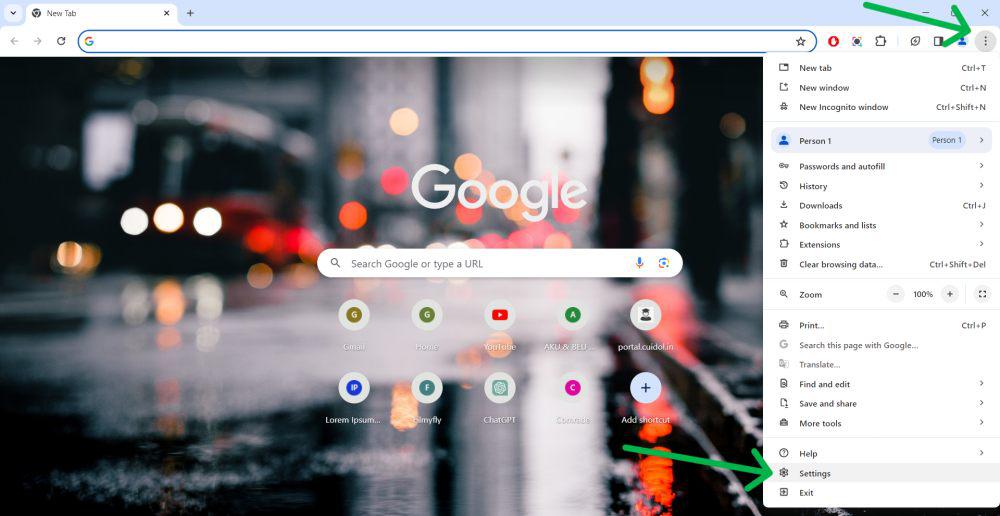
Step 2: Click the three-dot menu icon in the top right corner of the browser.
Step 3: From the drop-down menu, select “Settings”.
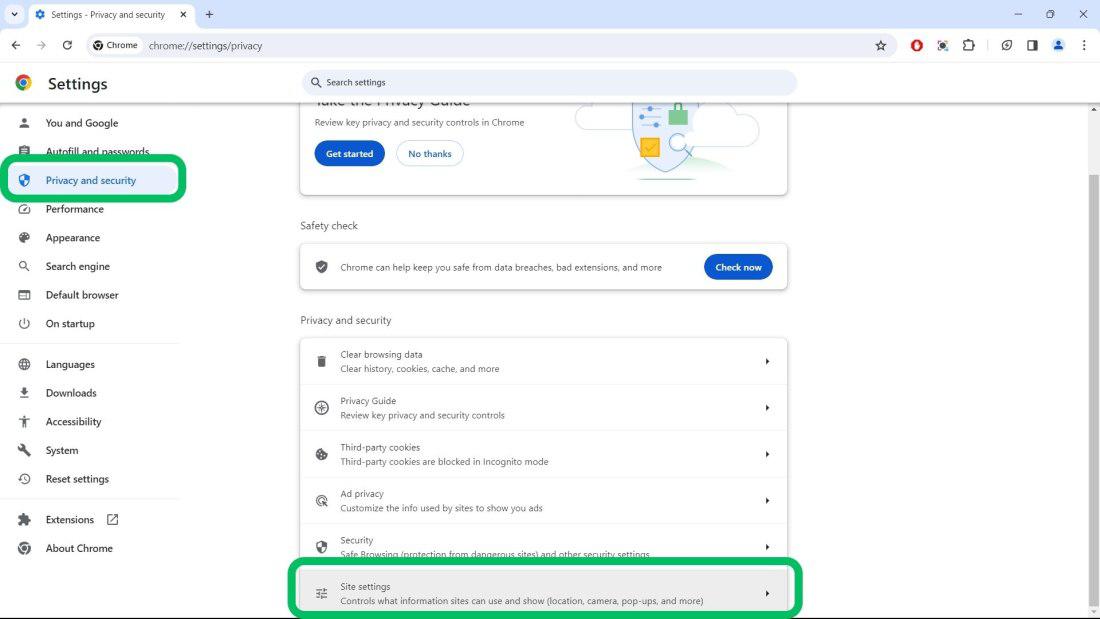
Step 4: Scroll down and click on “Privacy and security”.
Step 5: Click on “Site Settings”.
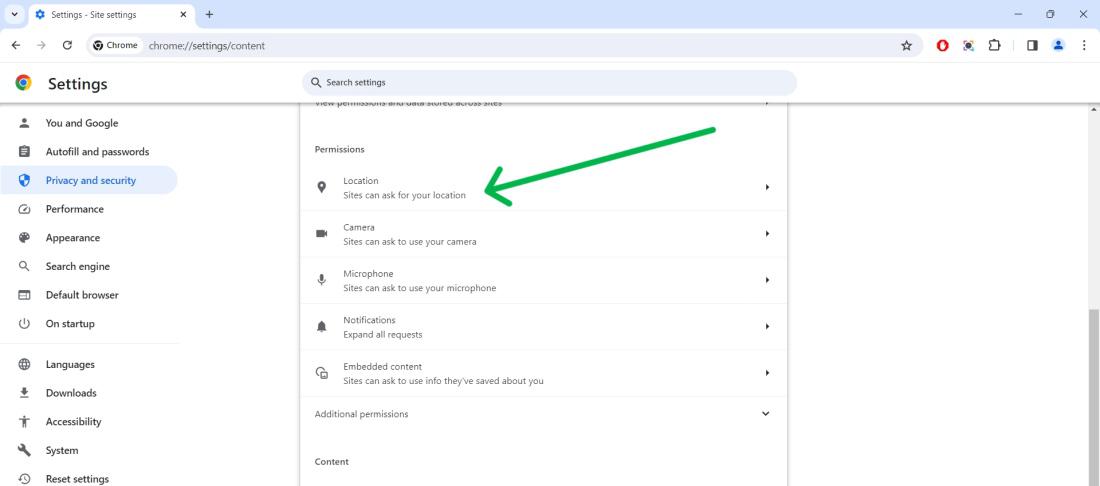
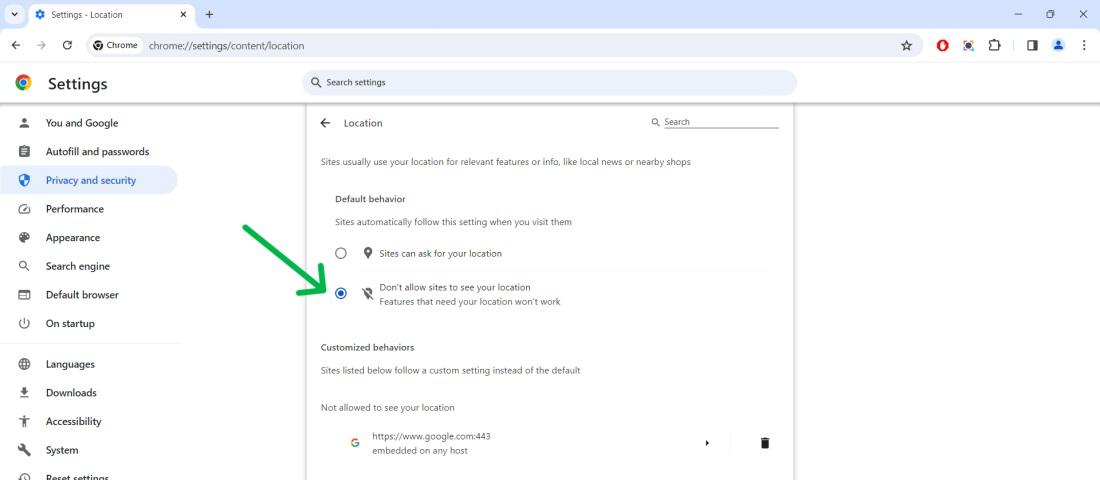
Step 6: Under the “Permissions” section, Click on "Location"
👁 How-to-Turn-Off-Location-Tracking-on-Google-Chrome
Step 7: Check the box next to "Don't allow sites to see your location."
👁 How-to-Turn-Off-Location-Tracking-on-Google-Chrome-1
Step 1: Open Google Chrome browser in your mobile phone
Step 2: Click on the three-dot menu in the top right corner
Step 3: Click on "Settings" from context menu
Step 4: Under the "Advanced", Click "Site Settings"
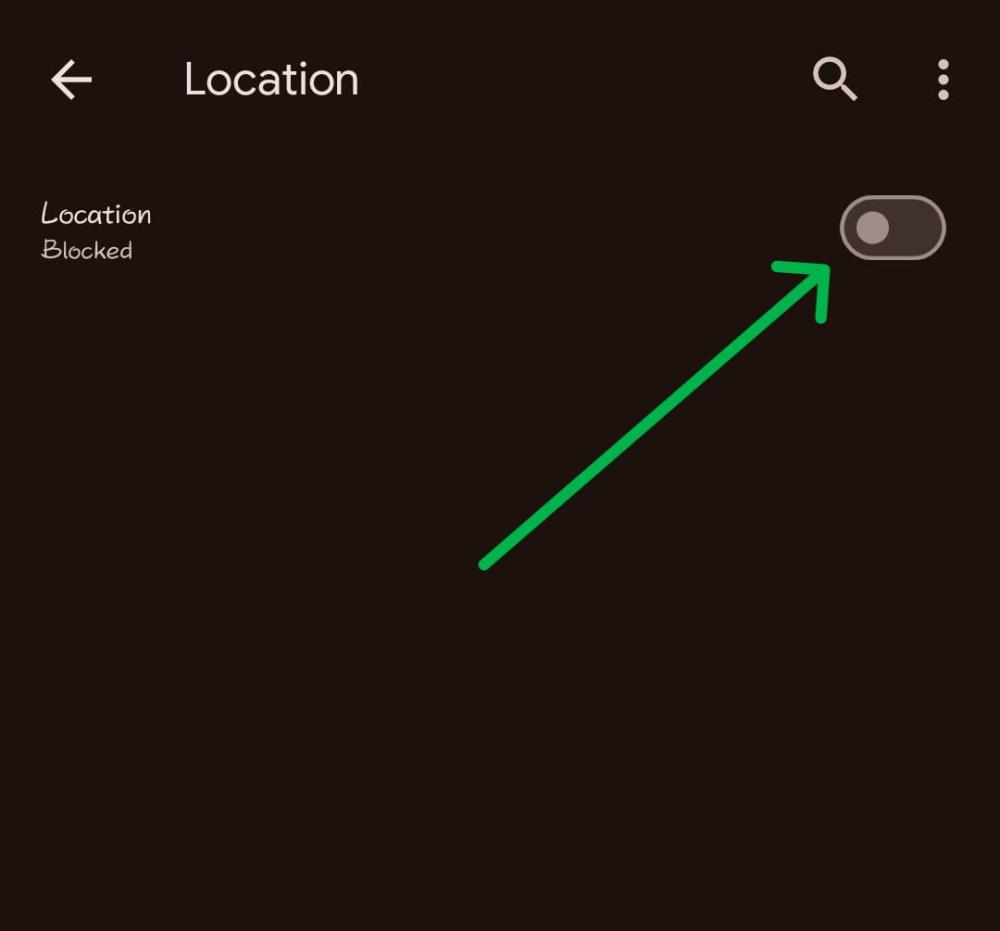
Step 5: Under the permissions, Select "Location"
Step 6:Toggle off the Location
👁 How-to-Change-Chrome-Location-on-Your-Phone
In Conclusion, You can benefit a lot from altering your location in Chrome. It helps in accessing content blocked in certain geographical locations. It offers you better online deals when shopping. It lets you watch local news or check the weather. Plus, it ensures your privacy.