|
VOOZH | about |
|
VOOZH | about |
When it comes to designing websites and applications, wireframing and prototyping are two essential steps that help bring ideas to life. While they may seem similar, they serve different purposes in the design process. Wireframing offers a basic, low-fidelity outline of a design, focusing on structure and layout. In contrast, prototyping takes it a step further by creating an interactive, high-fidelity model that closely resembles the final product. Understanding the differences between wireframing and prototyping is crucial for designers to communicate ideas effectively and create a user-friendly experience.
Wireframing is the process of creating a simplified, static, and structural blueprint of a website or application. It's a basic two-dimensional visual representation that outlines the key elements of a design, such as layout, functionality, and space allocation. Wireframes serve as a crucial communication tool, allowing designers and stakeholders to visualize the structure and flow of a product before delving into detailed design work. Typically created in grayscale, wireframes focus on the overall structure rather than the finer details, helping to translate abstract ideas into concrete visual concepts. This step is often the first tangible phase in a project, laying the groundwork for the development process.
By incorporating wireframes into the design process, teams can ensure that they build a strong foundation for their projects, making the development process more efficient and effective.
Prototyping is the process of creating a preliminary version or sample of a final product that designers use to test and refine before the actual launch. It’s an essential step in the design process across various design practices. A prototype acts as a simple model or mockup of a concept, idea, product, or service, allowing teams to explore design solutions, gather feedback, and make necessary improvements before the final development.
Incorporating prototyping into the design process helps ensure that the final product is both effective and user-friendly, reducing the risk of costly errors and improving overall project outcomes.
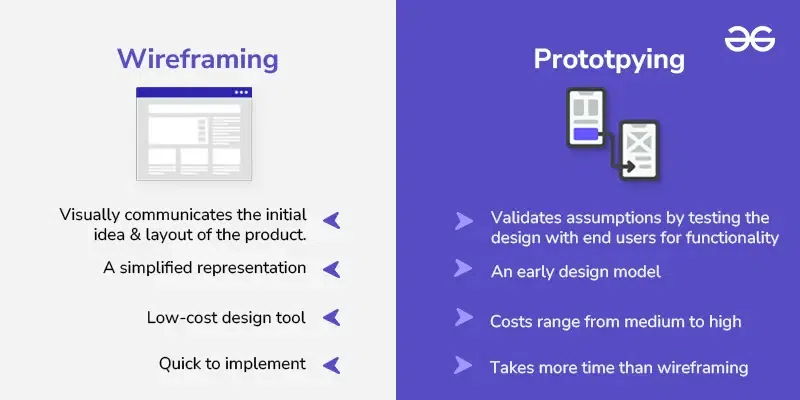
| Aspect | Wireframing | Prototyping |
|---|---|---|
| Description | A simplified representation or basic layout, often a rough sketch that outlines the structure of a design. | An early design model that closely resembles the final user interface, often clickable and interactive. |
| Objective | Visually communicates the initial idea and layout of the product. | Validates assumptions by testing the design with end users for functionality and usability. |
| Design Fidelity | Low-fidelity design with minimal details, focusing on structure rather than aesthetics. | High-fidelity design that includes detailed visuals, interactions, and animations. |
| Structure | Resembles a tree diagram or flowchart, showing all pages and their connections. | Resembles a mock-up or demo, showing what the final product will look like and how it will function. |
| Nature | Static in nature, with no interactive elements, just a visual guide. | Interactive in nature, allowing users to engage with the design as they would with the final product. |
| Costing | Low-cost design tool, requiring minimal resources. | Costs range from medium to high, depending on the level of detail and interactivity involved. |
| Time Investment | Quick to implement, as it focuses on basic structure and layout. | Takes more time than wireframing due to the detailed design and interactive elements. |
| Components | Contains no colors or detailed visuals; mainly black and white lines, boxes, and basic text elements. | Includes detailed content, images, interactions, and animations, providing a near-final look and feel. |
| Function | Assesses serviceability and structure, focusing on the basic framework. | Tests user interaction and identifies potential flaws before final development and launch. |
| Interactivity | No interactivity; serves as a blueprint for structure and layout. | Highly interactive, allowing users to experience the product as they would in the final version. |
This table provides a clearer and more detailed comparison of wireframing and prototyping, highlighting their key differences, purposes, and components, which helps in understanding their distinct roles in the design process.
In summary, wireframing and prototyping are both crucial tools in the design process, each serving unique roles. Wireframes help designers visualize and structure their ideas at an early stage, focusing on the basic layout and functionality. Prototypes, on the other hand, bring these ideas to life with detailed visuals and interactivity, allowing for user testing and feedback before the final product is developed. By understanding when and how to use each, designers can streamline their process, improve communication, and ultimately create better user experiences.