|
VOOZH | about |
|
VOOZH | about |
Bootstrap 5 dropdowns allow users to display a list of options that can be selected by clicking on a button or link. They are often used in navigation menus, form selectors, and other user interfaces. To use a dropdown in Bootstrap 5, you will need to include the Bootstrap CSS and JavaScript files in your project.
Approach:
Bootstrap 5 dropdown Usages: Bootstrap 5 also includes options for making the dropdown menu appear on the right side of the toggle element, as well as creating split dropdowns where the toggle element is split into two parts with one part functioning as the dropdown toggle and the other as a separate action.
Syntax:
<div class="dropdown">
 <button class="btn btn-secondary dropdown-toggle"
 type="button" id="dropdownMenuButton"
 data-toggle="dropdown" aria-haspopup="true"
 aria-expanded="false">
 Dropdown button
 </button>
 <div class="dropdown-menu" aria-labelledby="dropdownMenuButton">
 <a class="dropdown-item" href="#">...</a>
 ...
 </div>
</div>
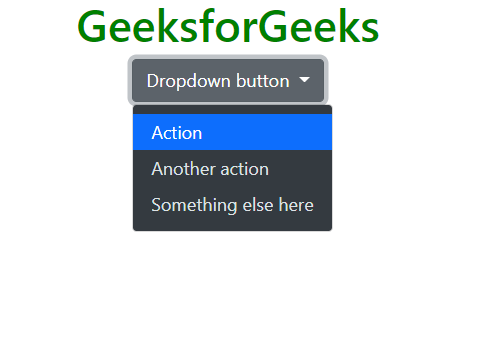
Example 1: This shows a basic dropdown. In this example, the toggle element is a button with the "dropdown-toggle" class and the "data-toggle" attribute set to "dropdown". The dropdown menu is a div with the "dropdown-menu" class and the "aria-labelledby" attribute set to the ID of the toggle element. The dropdown items are a series of links with the "dropdown-item" class.
Output:
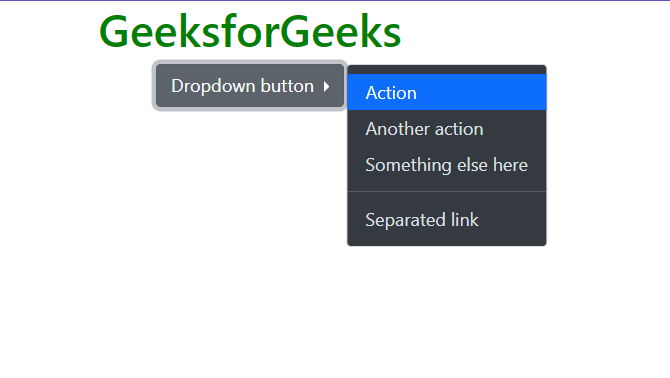
Example 2: This example shows a right-aligned dropdown. To display a dropdown menu to the right of an element, add the "dropend" class to the parent element.
Output:
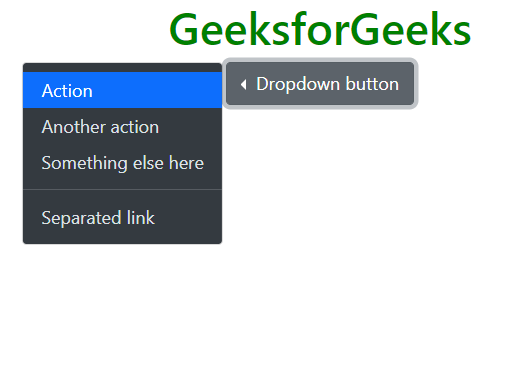
Example 3: This shows a left-aligned dropdown. To display a dropdown menu to the left of an element, add the "dropstart" class to the parent element.
Output:
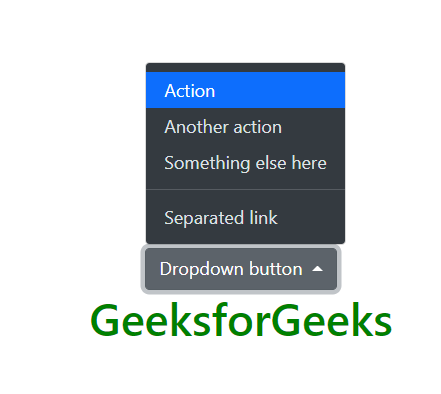
Example 4: To display a dropdown menu above an element, add the "dropup" class to the parent element.
Output:
Example 5: This shows a Dropdown in Navbar. A navbar dropdown menu is displayed within a navigation bar. To create a dropdown menu in a navbar using Bootstrap, you can use the .nav-item and .dropdown classes.
Output:
Reference: https://getbootstrap.com/docs/5.0/components/dropdowns/