|
VOOZH | about |
|
VOOZH | about |
Altair is a powerful Python library for creating declarative statistical visualizations. While it’s known for its simplicity and flexibility, one common question that arises is how to add a subtitle to a chart. While Altair makes it easy to add titles, subtitles require a bit more work since they aren’t directly supported as a simple parameter. However, with a little creativity, you can still effectively add subtitles to your Altair charts. This article will guide you through the steps to do just that.
Table of Content
Altair is built on top of Vega and Vega-Lite, which are visualization grammars designed to create complex visualizations in a concise manner. While Altair provides an intuitive interface for creating charts, certain features, such as subtitles, are not natively supported due to constraints in Vega-Lite.
Subtitles can provide additional context or explanations that complement the main title of a chart. They are useful for:
Although Altair does not directly support subtitles, there are a few techniques you can use to simulate this feature.
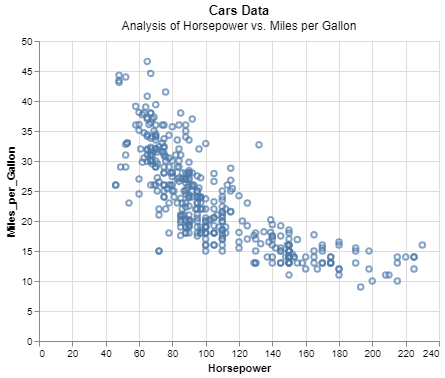
alt.Title ObjectOne of the simplest ways to add a subtitle is by using the alt.Title object. This method involves defining both the title and subtitle within the title parameter of the chart.
Output:
This code snippet demonstrates how to use alt.TitleParams to include a subtitle alongside the main title
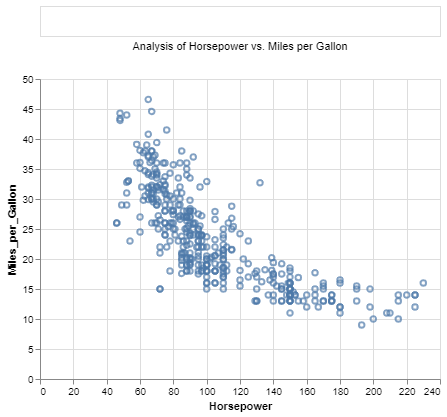
Another approach is to concatenate text elements to simulate a subtitle. This involves creating a separate text mark for the subtitle and layering it with the main chart.
Output:
This method allows for greater flexibility in styling and positioning the subtitle.
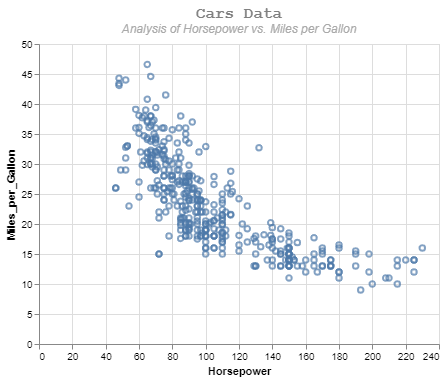
Once you have added a subtitle, you can customize its appearance using various configuration options:
Output:
While Altair does not natively support subtitles due to limitations in Vega-Lite, creative workarounds such as using the alt.Title object or concatenating text elements can be employed to achieve the desired effect. These methods allow you to enhance your visualizations by providing additional context and clarity, making your charts more informative and engaging.