|
VOOZH | about |
|
VOOZH | about |
A Box Plot (or Whisker plot) display the summary of a data set, including minimum, first quartile, median, third quartile and maximum. it consists of a box from the first quartile to the third quartile, with a vertical line at the median. the x-axis denotes the data to be plotted while the y-axis shows the frequency distribution. The matplotlib.pyplot module of matplotlib library provides boxplot() function with the help of which we can create box plots.
matplotlib.pyplot.boxplot(data)
The data values given to the ax.boxplot() method can be a Numpy array or Python list or Tuple of arrays. Let us create the box plot by using numpy.random.normal() to create some random data, it takes mean, standard deviation, and the desired number of values as arguments.
Example:
Output:
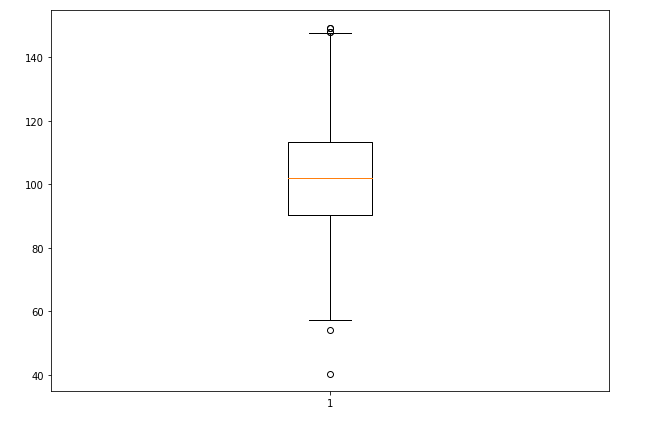
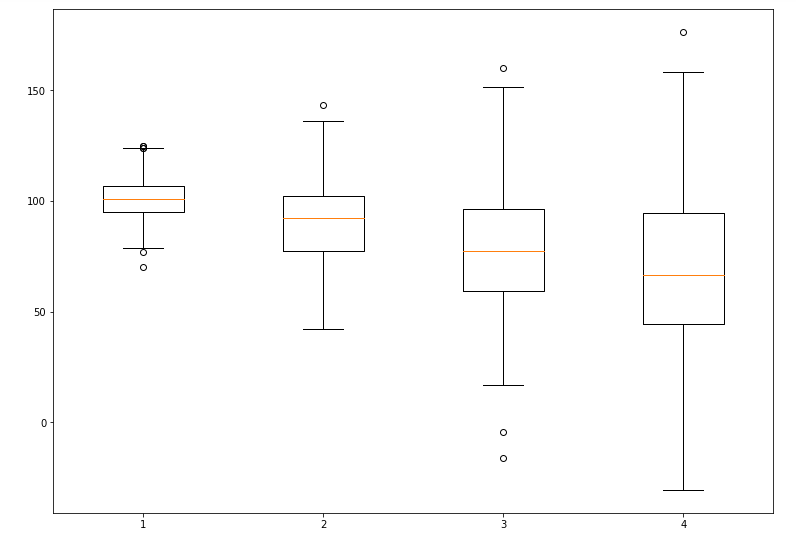
👁 box-plot-pythonThe basic box plot that displays the distribution of the randomly generated data.
The matplotlib.pyplot.boxplot() provides endless customization possibilities to the box plot. some of the key customization parameters include:
Output:
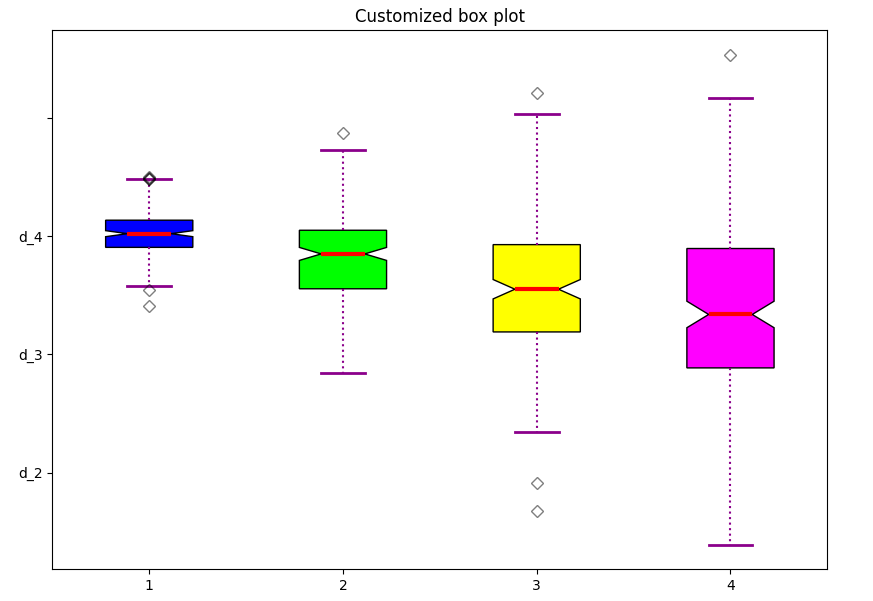
👁 box-plot-pythonWe will customize the plot by adding a notch, filling the boxes with colors, and modifying the whisker and median styles.
Output:
A highly customized box plot with different colors for each dataset, enhanced whiskers, and a styled median.
Related Article: