|
VOOZH | about |
|
VOOZH | about |
Bokeh is a powerful and flexible visualization library in Python that allows you to create interactive plots and dashboards. When creating visualizations, it's often necessary to customize the appearance of your plots to make them more visually appealing and easier to understand. One such customization is adjusting the title font size of your Bokeh figure to ensure that it stands out or fits within the overall design of your plot.
In this article, we'll explore how to adjust the title font size for a Bokeh figure, along with some additional tips for customizing your plot titles.
Table of Content
Every Bokeh figure can have a title that describes the plot's content. By default, Bokeh assigns a standard font size to the title, but this may not always be suitable for your needs. Depending on the context, you might want to increase or decrease the title font size to improve readability or to match your plot's style.
Bokeh allows users to customize various aspects of plot titles, such as font size, color, alignment, and more. These customizations help in making the visualizations more appealing and informative.
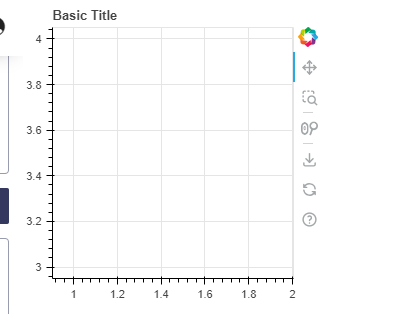
To add a title to a Bokeh plot, you can use the title parameter when creating a figure. Here's a simple example:
Output:
For more, refer to the link : Title chart
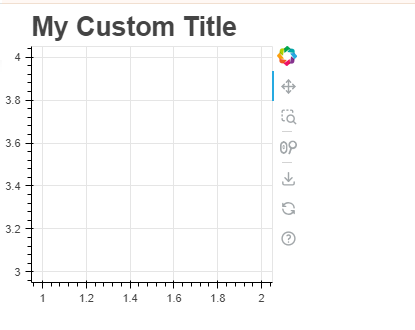
To adjust the font size of the title, you can use the text_font_size attribute of the title property. This attribute allows you to specify the font size in various units such as pixels (px), points (pt), or em units. An example of how to change the title font size:
Output:
In this example, the title font size is set to 20 points. You can adjust the size by changing the value of text_font_size.
Bokeh provides several other properties to customize the title further:
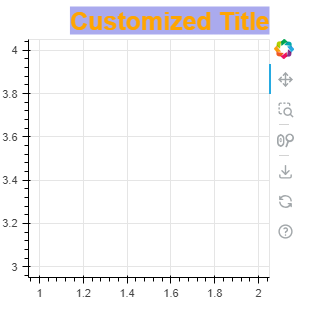
text_font property. For example, p.title.text_font = 'times'.text_color. For example, p.title.text_color = '#434244'.align property to align the title. Options include "left", "center", and "right".background_fill_color.Output:
In this example, the title is customized with a specific font size, color, font family, alignment, and background color.
Bokeh allows you to add more than one title to a plot using the add_layout() method. This can be useful when you need to provide additional context or information.
Output:
Customizing the title font size in a Bokeh figure is a simple yet effective way to enhance the visual appeal of your plots. By adjusting the font size and style, you can ensure that your titles are clear, attractive, and consistent with the overall design of your visualizations. Whether you're creating a single plot or a complex dashboard, these adjustments will help you communicate your data more effectively.