|
VOOZH | about |
|
VOOZH | about |
Bokeh is a powerful Python library that enables the creation of interactive and visually appealing plots. One of its key features is the ability to add tooltips, which provide additional information when a user hovers over a plot element. However, by default, Bokeh may display numerical data as floats, which can be undesirable if you want to show integer values. This article will guide you through the process of configuring Bokeh tooltips to display integers instead of floats.
Table of Content
Tooltips in Bokeh are configured using the HoverTool, which allows you to display additional information about a plot's data points. The tooltips can be customized to show various data attributes, and you can format these attributes to display in a specific way.
To add a tooltip to a Bokeh plot, you need to:
HoverTool from bokeh.models and other relevant modules from Bokeh.figure() to create a plot.HoverTool object and specify the tooltips.add_tools() to add the HoverTool to the plot.By default, Bokeh may display numerical values as floats, even if they are integers. To ensure that integers are displayed without decimal places, you need to format the tooltip values appropriately.
First, ensure you have Bokeh installed. If not, you can install it using pip:
Next, import the necessary modules:
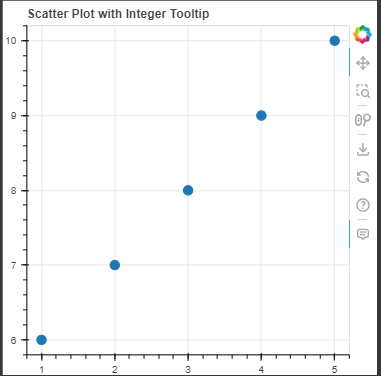
Let’s create a simple scatter plot to demonstrate how to format tooltip values as integers:
Output:
To format the hover tooltips to show integers instead of floats, you need to specify a custom format for the tooltip. This is done by creating a HoverTool object and configuring it with the desired format.
Output:
Explanation:
If you still see floats instead of integers, ensure that:
{0} is correctly applied in the tooltip configuration.If the tooltip is not displaying, check:
HoverTool is added to the plot using add_tools().ColumnDataSourceCustomizing tooltips in Bokeh to display integers instead of floats enhances the readability of your plots. By using the HoverTool model and formatting tooltips, you can ensure that numeric values are presented clearly and appropriately for your audience.