VOOZH about

URL: https://www.geeksforgeeks.org/data-visualization/interactive-maps-with-bokeh/

⇱ Interactive maps with Bokeh - GeeksforGeeks


  • Courses
  • Tutorials
  • Interview Prep

Interactive maps with Bokeh

Last Updated : 23 Jul, 2025

Interactive maps are used to visualize the data based on the geo-location category. any large dataset which contains a lot of geo-location data like cities, states, countries, etc can be plotted easily.  bokeh is an open-source package, which uses the Bokeh visualization tool. It gives a flexible declarative interface for dynamic web-based visualizations as well as an interactive dashboard. 

Prerequisite: Data Visualization using Bokeh

Example 1: In this example, we will create an exemplary dataset and then plot a Map using that Coordinates.

X-Coordinate      Y-Coordinate      Data                         
-1008335211172GeeksForGeeks
-1008333086289GeeksForGeeks
-97549105142738GeeksForGeeks
199990012738GeeksForGeeks
-7100000-2425502GeeksForGeeks

Approach:

  1. Import Library.
  2. Initialize the tile provider.
  3. Provide the data needed to be displayed to the tuple.
  4. Pass height, width, and ranged x,y coordinates to figure(width, height) function.
  5. Add title.
  6. Provide the required coordinates to the circle function.
  7. Mention circle size and color.
  8. After circling display using show() function.

Output:

👁 Image
image contributed by SR.Dhanush.

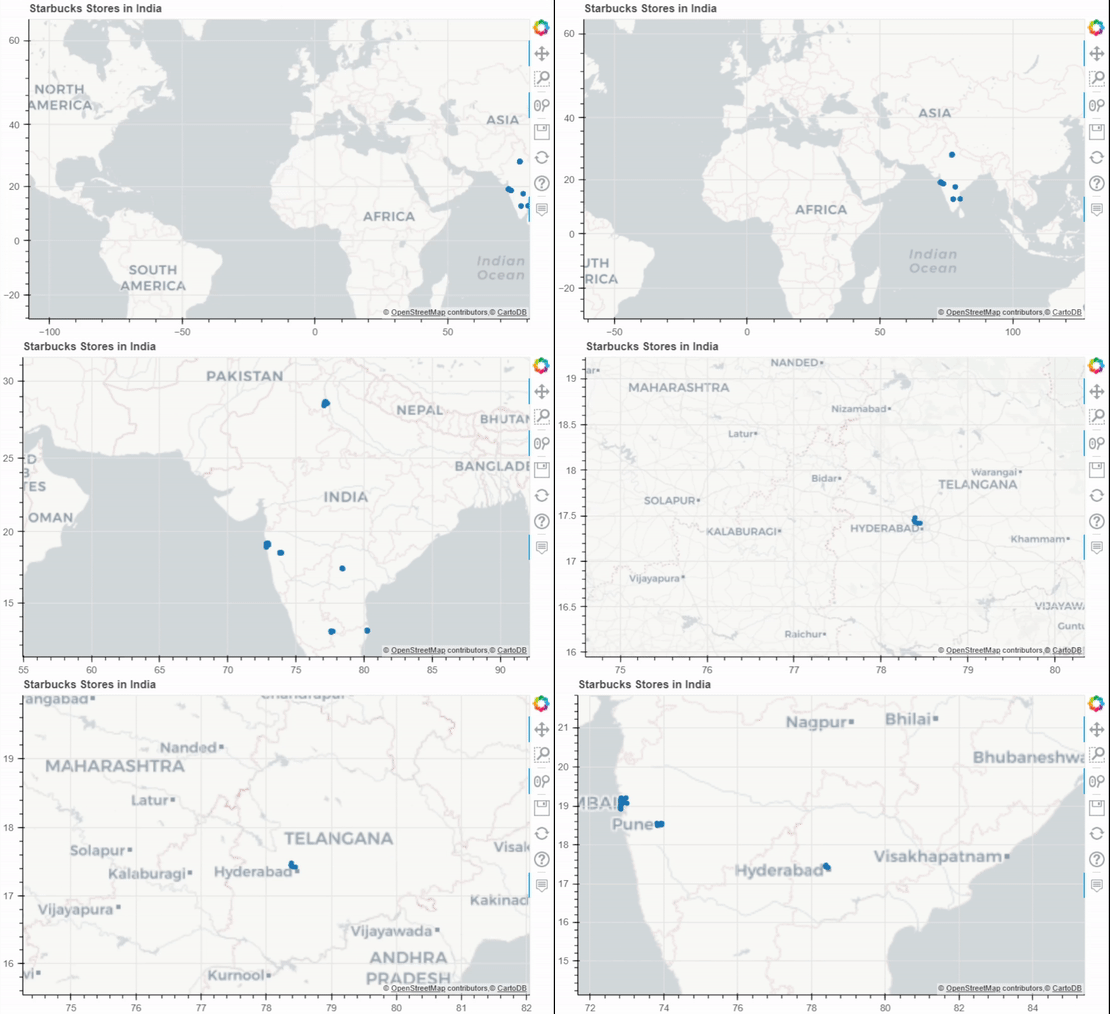
Example 2: Scatter Map for India Starbucks Stores Dataset.

👁 Image
 

Pyproj: Pyproj is used to Perform cartographic transformations. Converts from longitude, latitude to native map projection x,y coordinates.

Approach:

  1. Import Required Libraries and functions.
  2. Initialise the tile provider.
  3. Preprocess the data needed to be displayed.
  4. Initialize the outproj and inproj.
  5. Convert the Respective Longitudes and Latitudes to MercatorX and MercatorY using Pyproj i.e x, y axis.
  6. Pass height, width and ranged x,y coordinates to figure(width, height) function.
  7. Add the title needed to be Displayed.
  8. Provide required coordinates to the circle function.
  9. Mention circle size and color.
  10. After circling display using show() function.

Output:

👁 Image
 

Example 3: Connection Map for America Airport Dataset.

Output:

👁 Image
Image contributed by SR.Dhanush.
Comment