|
VOOZH | about |
|
VOOZH | about |
In this tutorial, we will demonstrate how to build a dog breed classifier using transfer learning. This method allows us to use a pre-trained deep learning model and fine-tune it to classify images of different dog breeds.
Transfer learning is a machine learning technique where a pre-trained model, which has been trained on a large dataset, is adapted to a new task.
For example, models trained on ImageNet can be reused for other tasks like dog breed classification. The key advantage of transfer learning is that it allows us to utilize the feature-extraction capabilities of a model that has already learned useful representations from millions of images. By reusing the convolutional layers of these models, we can achieve high accuracy with less training data and reduced computational effort.
Benefits of Transfer Learning in Dog Breed Classification
To implement this project, we will use the following Python libraries, each suited for specific tasks such as data handling, model development, and image processing:
The dataset contains 10,000 images of 120 different dog breeds. The dataset includes:
You can access the dataset here: Dog Breed Identification Dataset
To start using the dataset, we will unzip the file to extract the contents.
Output:
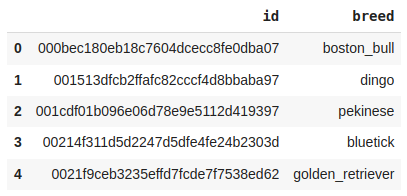
The data set has been extracted.Now that we have the dataset, let's perform some basic Exploratory Data Analysis (EDA).
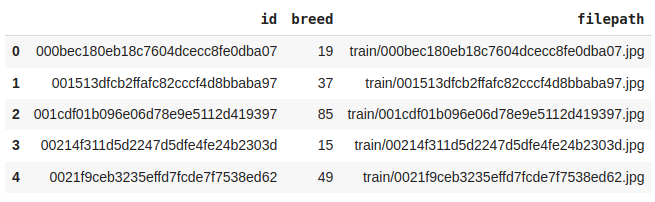
Output:
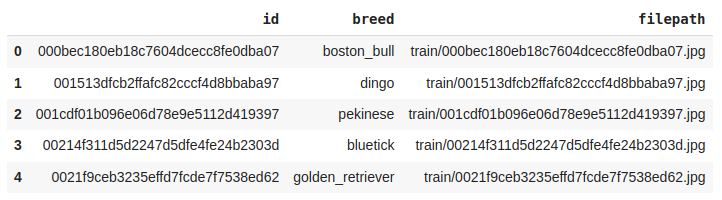
Output:
(10222, 2)Let's check the number of unique breeds of dog images we have in the training data.
Output:
120So, here we can see that there are 120 unique breed data which has been provided to us.
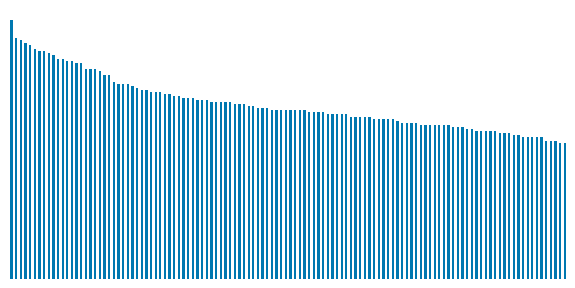
Output:
Here we can observe that there is a data imbalance between the classes of different breeds of dogs.
Output:
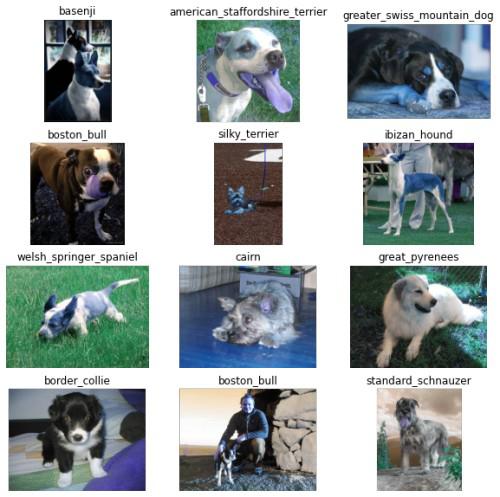
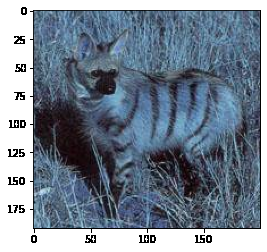
Although visualizing one image from each class is not feasible but let's view some of them.
Output:
The images are not of the same size which is natural as real-world images tend to be of different sizes and shapes. We will take care of this while loading and processing the images.
Output:
When working with large datasets in deep learning, memory limitations often prevent loading the entire dataset at once. To efficiently handle data loading and augmentation, tools like TensorFlow’s tf.data.Dataset and Albumentations are used to create optimized input pipelines and apply real-time image augmentations.
First, the dataset is split into training and validation sets, enabling model training on one subset and evaluation on another.
Output:
((8688,), (1534,))Below are some of the augmentations which we would like to have in our training data.
Let's view an example of albumentation by applying it to some sample images.
Output:
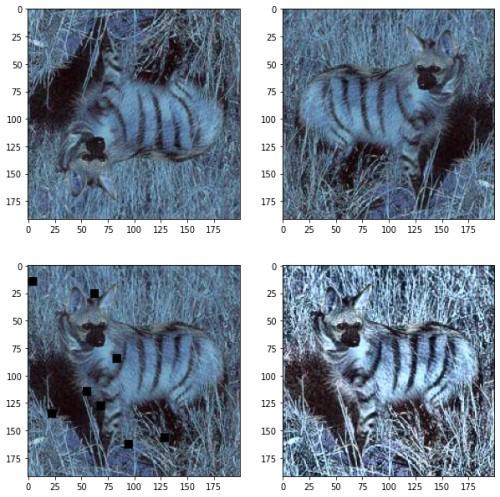
Next, we apply several augmentations, such as VerticalFlip, HorizontalFlip, CoarseDropout, and CLAHE, and visualize the results:
Output:
Different augmentations applied to the sample image, showing how the data transformation looks visually.
Now, let's define utility functions to handle image loading, augmentation, and normalization. We will create functions to read images from disk, resize them, normalize the pixel values, and apply augmentations.
Below we have implemented some utility functions which will be used while building the input pipeline.
Now by using the above function we will be implementing our training data input pipeline and the validation data pipeline.
We must observe here that we do not apply image data augmentation on validation or testing data.
Output:
(32, 128, 128, 3) (32, 120)From here we can confirm that the images have been converted into (128, 128) shapes and batches of 64 images have been formed.
We first load the InceptionV3 model from TensorFlow's Keras API with the weights pre-trained on ImageNet. The include_top=False argument excludes the fully connected layers at the top of the network, allowing us to customize the final layers for our task.
Output:
87916544/87910968 [==============================] - 1s 0us/step
87924736/87910968 [==============================] - 1s 0us/step
The model is successfully loaded with the weights from ImageNet, and we can now access the feature extraction layers.
InceptionV3 is a deep network with many layers, which makes it effective in learning complex features from images. Let's check the number of layers in this pre-trained model.
Output:
311This deep architecture, consisting of 311 layers, makes it highly efficient at extracting detailed features from images.
Since the convolutional layers of the InceptionV3 model have already been trained on millions of images, we freeze these layers so that their weights are not updated during our fine-tuning process.
Output:
last layer output shape: (None, 6, 6, 768)This tells us that the last convolutional layer outputs a 6x6 grid of feature maps with 768 channels.
Using the Keras Functional API, we can build a custom classification head on top of the pre-trained model. This includes flattening the output, adding fully connected layers, BatchNormalization for stable training, Dropout for regularization, and finally, an output layer with softmax activation for multi-class classification.
Callbacks are used to monitor the model's performance during training. We use the following callbacks:
We train the model using the fit() method with training and validation datasets, a maximum of 50 epochs, and the callbacks defined above.
Output:
The output will display the training and validation loss, as well as the AUC score after each epoch. If the validation AUC exceeds 0.99, the training will stop early.
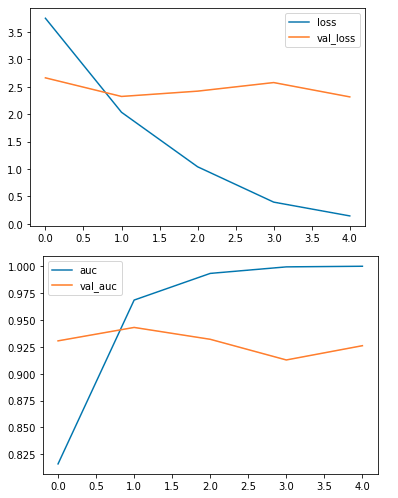
Once the model is trained, we evaluate its performance on the test dataset. We visualize the training history to observe the model's learning curve and make sure it has converged effectively.
Output:
The training and validation AUC curves are plotted, showing how the model's performance evolved over time. The test loss and test AUC are displayed, providing insight into how well the model generalizes to unseen data.
Source Code: Dog Breed Classification