 |
VOOZH | about |
|
VOOZH | about |
A fundraising application, often referred to as a "fundraiser application" or "crowdfunding platform," is a software or web-based platform designed to facilitate the collection of funds for a specific cause, project, or campaign. These applications provide a digital space where individuals, organizations, or businesses can create fundraising campaigns and seek financial support from a wider audience, typically through online donations.
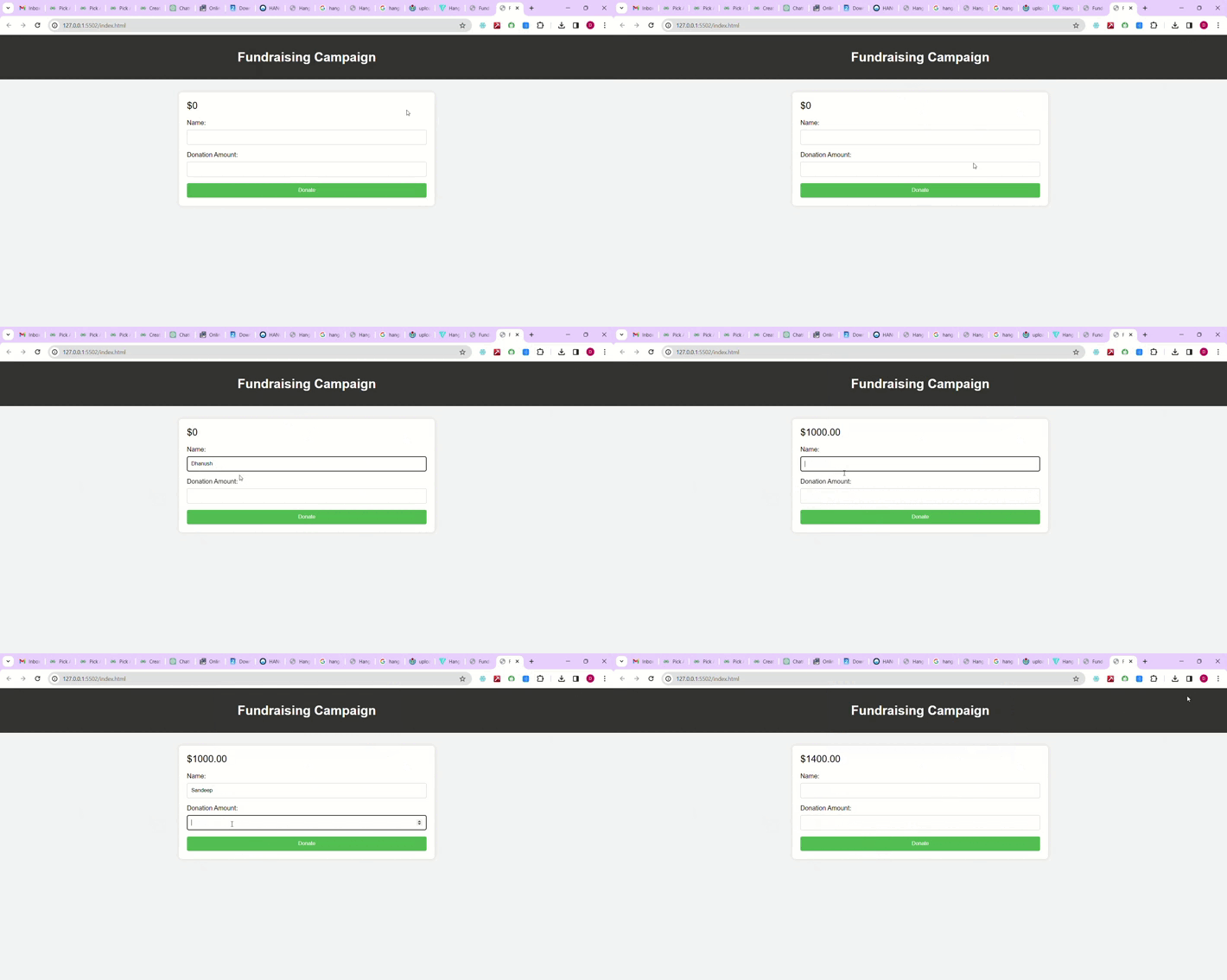
Preview of final output: Let us have a look at how the final application will look like.
Step 1: Create a new React App
npx create-react-app <name of project>
Step 2: Navigate to the Project folder using:
cd <name of project>
Step 3: Installing Required Packages.
npm install express mongoose
The updated dependencies in package.json file will look like:
"dependencies": {
 "express": "^4.17.1",
 "mongoose": "^5.13.2"
},
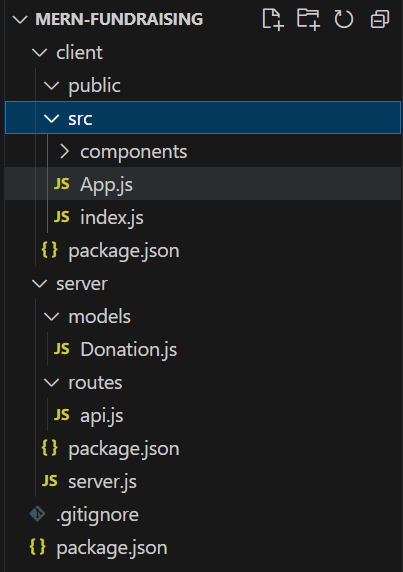
Example: Below is the code for the backend server in nodejs
Start the Backend Server using the following command.
node server.jsStep 1: Create a new React App
npx create-react-app <name of project>Step 2: Navigate to the Project folder using:
cd <name of project>The updated dependencies in package.json file of frontend will look like:
"dependencies": {
 "react": "^18.2.0",
 "react-dom": "^18.2.0",
 "react-scripts": "5.0.1",
 "web-vitals": "^2.1.4"
},
Example: Below is the code for the frontend client in reactjs
Starting the React App.
npm start
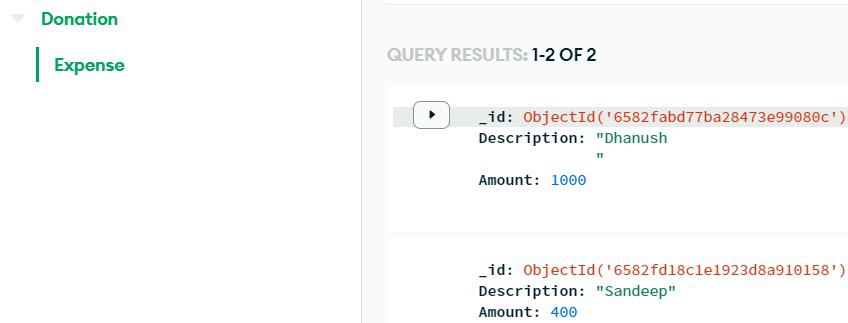
Output: Visit http://localhost:3000 in your browser to see the MERN fundraising app in action.

.gif)