|
VOOZH | about |
|
VOOZH | about |
In the fast-paced world of healthcare, it's vital to manage hospital tasks effectively to ensure top-notch patient care. This article explores creating a strong Hospital Management App using the MERN stack – that's MongoDB, Express, React, and Node.js, breaking down the process for easier understanding.
Preview of final output: Let us have a look at how the final application will look like.
Step 1: Creating express app:
npm init -yStep 2: Installing the required packages
npm install express mongoose body-parserProject Structure:
👁 Screenshot-2566-12-29-at-155011The updated dependencies in package.json file for backend will look like:
"dependencies": {
 "body-parser": "^1.20.2",
 "express": "^4.18.2",
 "mongoose": "^8.0.0",
}
Example: Below is the code for the all the above files named above:
Step 1: Create React App:
npx create-react-app myappStep 2: Switch to the project directory:
cd myappStep 3: Installing the required packages:
npm install axios react-router-domProject Structure:
The updated dependencies in package.json for frontend will look like:
"dependencies": {
 "axios": "^1.5.1",
 "react": "^18.2.0",
 "react-dom": "^18.2.0",
 "react-router-dom": "^6.17.0",
 "react-scripts": "5.0.1",
 "web-vitals": "^2.1.4"
}
Example: Below is the code for the all the above files named above:
Steps to run the App:
To run server.js:
node server.js
To run frontend:
npm start
Output:
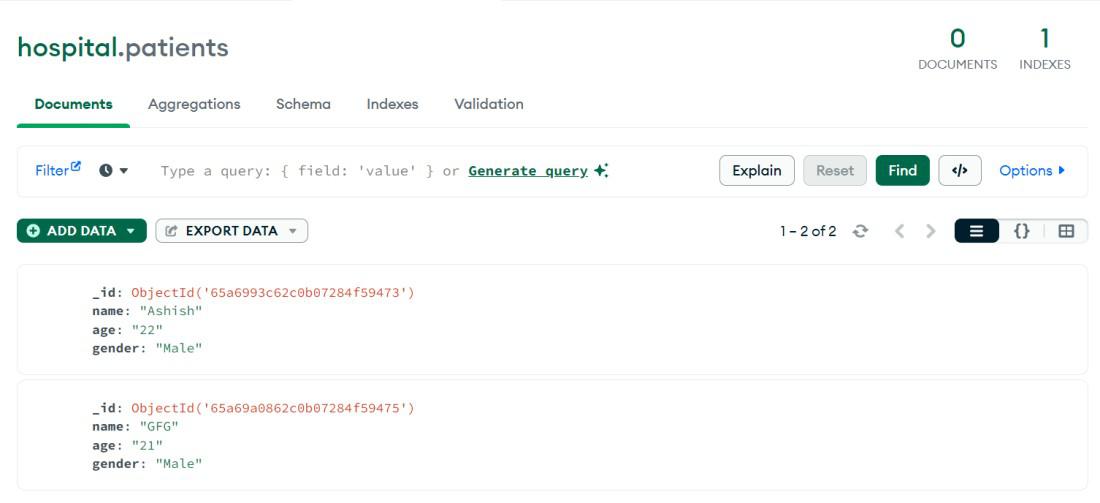
Data Saved in Db: