In this step-by-step guide, we'll walk through the process of building a Health Tracker application using React for the frontend and Node for the backend. This application allows users to track their health metrics such as steps taken, calories burned, distance covered, and more.
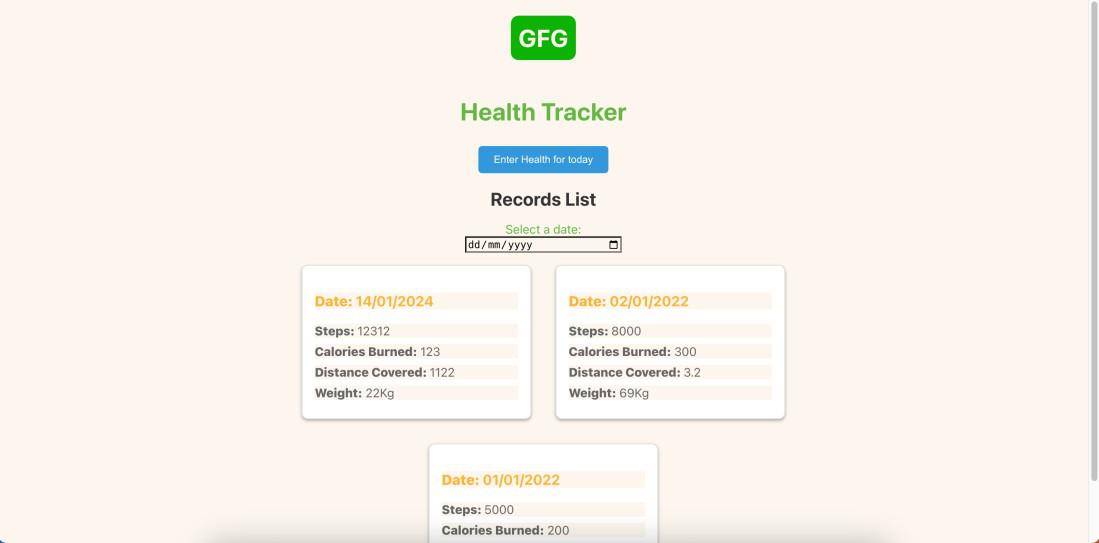
Preview of final output: Let us have a look at how the final output will look like.
👁 Screenshot-2567-01-14-at-181244 Final Preview Prerequisite Approach to create Health Tracker: Component Development: Develop key components, such as TrackerApp, TrackerList, and TrackerCard. These components represent the overall structure and appearance of the app. Implementing Context API: Set up a Context API (HealthContext) to manage the state of health data across components. Utilize useState and useEffect hooks for fetching initial data and updating the context. Styling Components: Enhance the visual appeal of the app by adding styles to components. Apply hover effects, adjust font sizes, and include subtle box shadows to make the TrackerCard visually appealing. Sorting TrackerList: Modify the TrackerList component to render health tracker cards based on the most recent date at the top. Sort the data array in descending order to display the latest entries first. Creating HealthForm Component: Develop a HealthForm component for users to input and update their health details. Include form fields for steps, calories burned, distance covered, weight, and other health metrics. Rendering Today's Data: Fetch today's health data from the context and pre-fill the form if available. Allow users to update their health metrics for the current day. Styling HealthForm: Apply styles to the HealthForm component to make it visually appealing. Create a form that appears on top of the screen with a blurred background when the user clicks a button. Steps to Setup Backend with Node.js and Express: Step 1: Creating express app:
npm init -y Step 2: Installing the required packages
npm install express mongoose cors Project Structure:
👁 Screenshot-2567-01-14-at-184414-(2) Backend The updated dependencies in package.json file for backend will look like :
"dependencies": {
 "cors": "^2.8.5",
 "express": "^4.18.2",
 "mongoose": "^8.0.0",
}
Explanation:
Create a file ` server.js ` in the ` server ` folder. Set up an Express server, configure MongoDB connection, and enable CORS. Define the Mongoose schema for health data, including date, steps, calories burned, distance covered, and weight. //--------------------------------// // Define MongoDB schema and model //--------------------------------// const healthDataSchema = new mongoose.Schema({ date: { type: Date, default: Date.now }, steps: Number, caloriesBurned: Number, distanceCovered: Number, weight: Number, }); const HealthData = mongoose.model('HealthData', healthDataSchema); Implement routes for CRUD operations, including fetching health data, updating metrics, and retrieving data for a specific day. If your application has many number of user than you can retrive data by making query but in this although we have cretaed a route but we will filter datewise data in frontend only using Javascript. Create a script to seed initial health data into the MongoDB database. Run this script to provide sample data for testing and development. Example: Below is the code for the above explained approach:
Steps to Setup Frontend with React Step 1: Create React App:
npx create-react-app myapp Step 2: Switch to the project directory:
cd myapp Step 3: Installing the required packages:
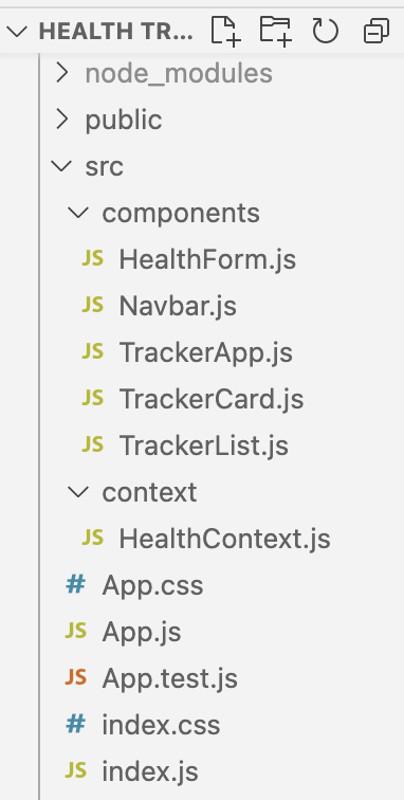
npm install axios react-router-dom Project Structure:
👁 Screenshot-2567-01-14-at-184313 Frontend The updated dependencies in package.json for frontend will look like :
"dependencies": {
 "axios": "^1.5.1",
 "react": "^18.2.0",
 "react-dom": "^18.2.0",
 "react-router-dom": "^6.17.0",
 "react-scripts": "5.0.1",
 "web-vitals": "^2.1.4"
}
Explanation: Develop frontend components, including ` TrackerApp `, ` TrackerList `, and ` TrackerCard `. Structure the components to represent the overall app layout and individual health tracker cards. Set up a Context API to manage the state of health data across components. Utilize `useState` and `useEffect` hooks for fetching initial data. Steps to run the App: To run server.js:
node server.js To run frontend:
npm start Output:
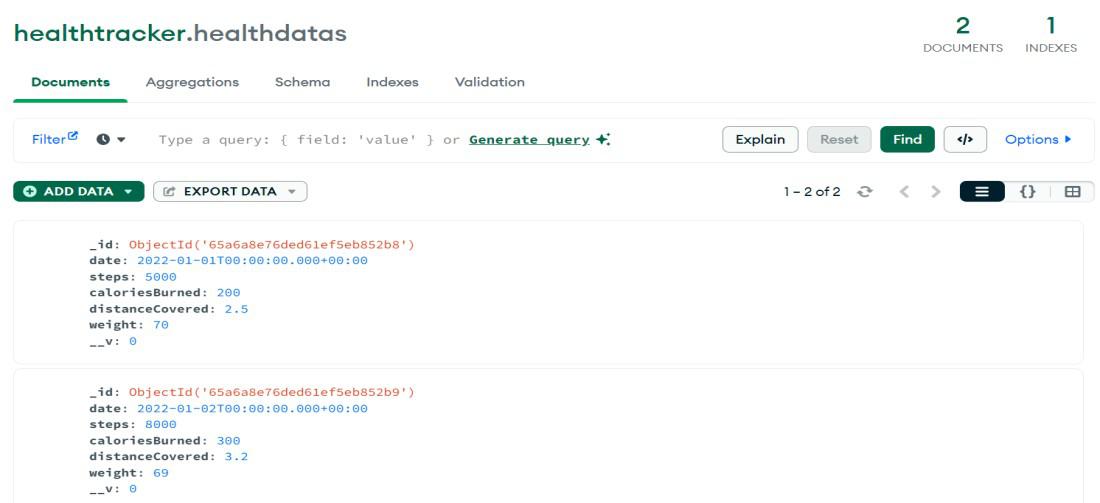
Output of Data Saved in Database:
👁 healthdb Db 

.jpg)