|
VOOZH | about |
|
VOOZH | about |
In this article, we will guide you through the process of building a Real Estate Management Application using the MERN stack. MERN stands for MongoDB, Express, React, and Node. MongoDB will serve as our database, Express will handle the backend, React will create the frontend, and Node.js will be the runtime for our server.
Preview of final output: Let us have a look at how the final application will look like.
useState and useEffect are imported from React for managing state and handling side effects respectively.PropertyList and AddProperty are imported, assumed to be custom components.App.useState hook to manage the state of properties, which is initialized as an empty array.properties state will hold the list of properties fetched from the server.useEffect hook to make an HTTP GET request to 'http://localhost:5000/api/properties' when the component mounts.properties state with the data received from the server.handleAddProperty: Takes a new property as an argument and adds it to the properties state using the setProperties function.handleContactOwner: Takes contact information as an argument and displays an alert with the contact information.handleDeleteProperty: Takes a property ID as an argument, makes an HTTP DELETE request to delete the property, and then updates the state by filtering out the deleted property.h1) with class and inline styles.AddProperty component, passing the handleAddProperty function as a prop.PropertyList component, passing the handleDeleteProperty and handleContactOwner functions, as well as the properties state.Step 1: Create a directory for project
npm init backendStep 2: Open Restaurant-Recommendation using the command
cd backendStep 3: Installing the required packages
npm install express mongoose cors body-parserThis will install Express.js for the backend, Mongoose for MongoDB integration, CORS for handling cross-origin requests, and Body Parser for parsing incoming JSON requests.
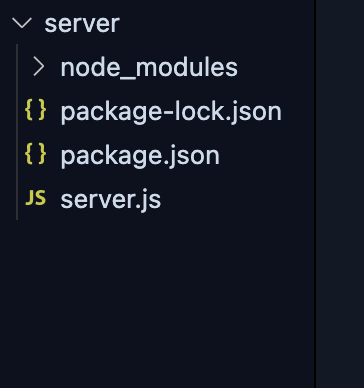
Project Structure:
The updated dependencies in package.json file for backend will look like:
"dependencies": {
 "body-parser": "^1.20.2",
 "cors": "^2.8.5",
 "express": "^4.18.2",
 "mongoose": "^8.0.0",
}
Example: Create a file named `server.js` in server folder. This file will serve as our backend server.
Step 3: Defining the Property Schema and API Endpoints
Continue the `server.js` file by defining the Property schema and implementing API endpoints for adding properties, getting all properties, adding reviews, and deleting properties.
This is already implemented in Step 2.
 // Define the Property schema
const propertySchema = new mongoose.Schema({
 title: String,
 description: String,
 image: String,
 contact: String,
 reviews: [
 {
 user: String,
 rating: Number,
 comment: String,
 },
 ],
});

const Property = mongoose.model('Property', propertySchema);
Step 1: Set up React frontend using the command.
npx create-react-app clientStep 2: Navigate to the project folder using the command.
cd clientStep 3: Install axios
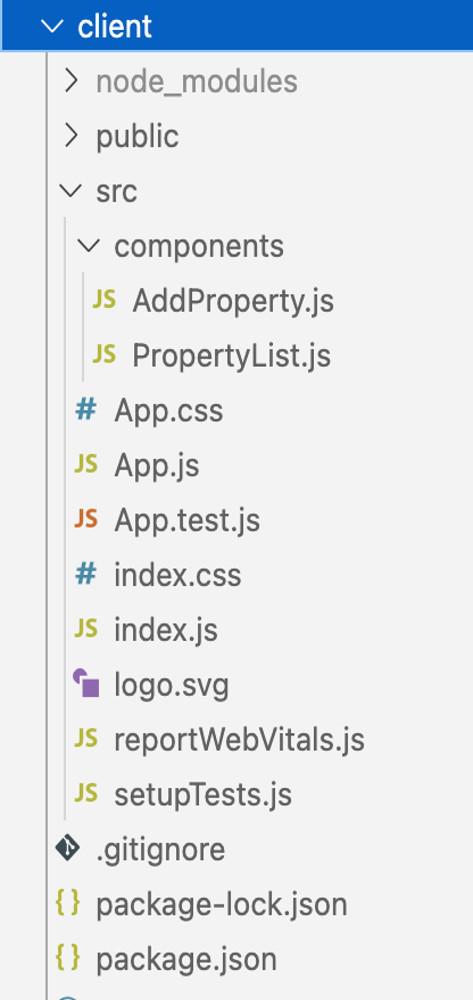
npm i axiosProject Structure:
The updated dependencies in package.json for frontend will look like:
"dependencies": {
 "axios": "^1.5.1",
 "react": "^18.2.0",
 "react-dom": "^18.2.0",
 "react-scripts": "5.0.1",
 "web-vitals": "^2.1.4"
}
Example: Below is the client code.
node server.jsnpm startOutput:
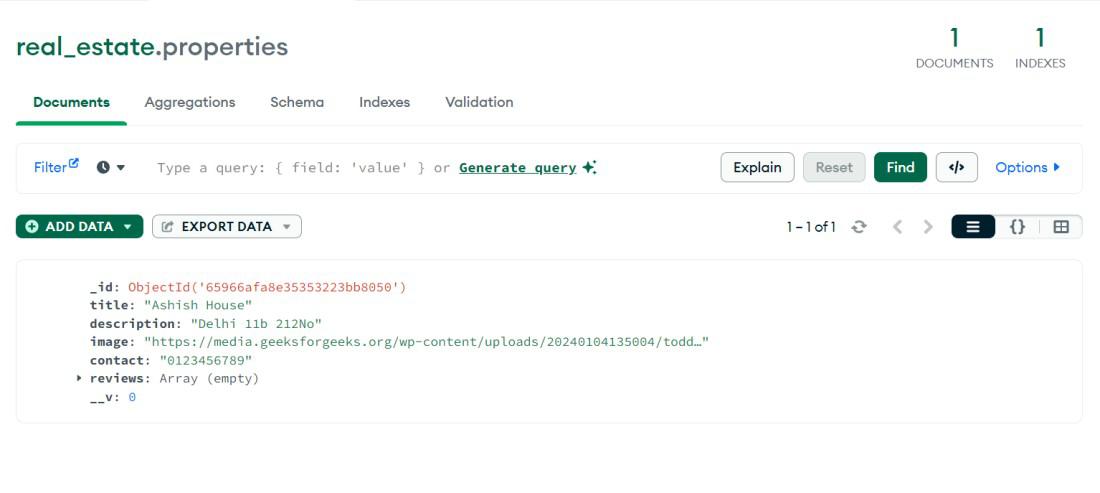
Output of Data saved in Database:

.jpg)