|
VOOZH | about |
|
VOOZH | about |
Updating Node.js and NPM is important to maintain a secure, efficient, and modern development environment because it:
To update Node and NPM to the latest versions we can use various methods like nvm (node version manager), node.js Windows installer, npm, and homebrew for macOS.
Before updating, check your current Node.js version:
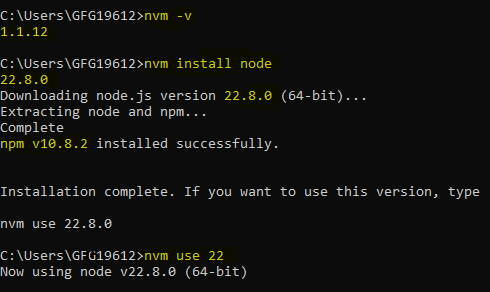
node -vStep 1: Install NVM on your system, and verify installation
nvm -vStep 2: Install the latest Node.js version
nvm install nodeThis command automatically installs a compatible NPM version along with Node.js.(e.g. npm v10 with node v22)
Step 3: Use the installed version
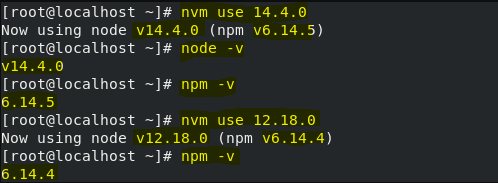
nvm use 22 Using NVM you can easily use any version of node if required
nvm list nvm use <version>Follow these steps to install Node.js on Windows using the Nodejs Installer.
Step 1: Download Installer
Visiting Node.js official website and download the installer.
Step 2: Run Installer by Opening the downloaded installer. Follow the on-screen instructions to complete the installation.
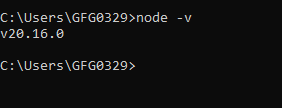
Step 3: Verify Installation
node -vStep 4: Use below npm command to upgrade npm to latest
npm install -g npm@latestStep 5: Verify latest Installation update
npm -vHomebrew is a popular package manager for macOS that simplifies the process of managing software installations, including Node.js.
Step 1: Install Homebrew by Visiting brew.sh and follow the installation instructions.
Step 2: brew update
brew updateStep 3: Install Node.js
brew install nodeStep 4: Update Node.js
brew upgrade nodeStep 5: Verify latest Installation update
node -v