VOOZH about

URL: https://www.geeksforgeeks.org/node-js/working-of-express-js-middleware-and-its-benefits/

⇱ Working of Express.js middleware and its benefits - GeeksforGeeks


  • Courses
  • Tutorials
  • Interview Prep

Working of Express.js middleware and its benefits

Last Updated : 24 Jul, 2025

Framework: It is known to be a skeleton where the application defines the content of the operation by filling out the skeleton. For Web development, there is python with Django, java with spring, and For Web development in we have Node.js with Express.js in node.js there is an HTTP module by which we can create only limited operatable websites or web applications. In general, the real working of any web application or website is that it is capable to handle any kind of request. Requests may be posted, get, delete, and many more like a request for an image, video, etc that's why Express.js is used as a Framework for Node.js. 

Express.js is a routing and Middleware framework for handling the different routing of the webpage and it works between the request and response cycle.

Working of Middleware Framework:

👁 Image

There are lots of middleware functions in Express.js like Express.js app.use() Function etc. 

Syntax:

app.use(path,(req,res,next))

Parameters: It accepts the two parameters mentioned above and described below:

  • path: It is the path for which the middleware function is being called. It can be a string representing a path or path pattern or a regular expression pattern to match the paths.
  • callback: It is the callback function that contains the request object, response object, and next() function to call the next middleware function if the response of current middleware is not terminated. In the second parameter, we can also pass the function name of the middleware.

The working cycle of multiple Middleware:

👁 Image

Benefits of using Express.js Middleware:

  • We generally use http.createServer() to create a server and performs request and response according to the information, but we cannot check what type of request is made by the client so that we can perform operations according to the request. 
  • Express.js contains multiple methods to handle all types of requests rather than work on a single type of request as shown below:
    • Express.js req.get() Method: This method is used when a get request is done by the client for eg: Redirecting another webpage request etc
    • Express.js req.post() Method: This method is used when post requests are done by the client for eg uploading documents etc.
    • Express.js req.delete() Method: This method is used when a delete request is done by the client it is mainly done by the admin end e.g. deleting the records from the server.
    • Express.js req.put() Method: This method is used when update requests are done by the client to update the information on the website.
  • Easy to connect with databases such as MongoDB, MySQL. Easy to serve static files and resources we can easily serve HTML documents using express.js.
  • There are several other benefits of using Express.js like handling multiple get requests on a single webpage that means Allows you to define multiple routes of your application based on HTTP methods and URLs.

Installing Module:

Install the express module using the following command:

npm install express

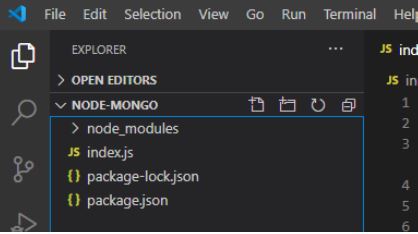
Project structure:

👁 Image

Filename: Index.js

Run the index.js file using the following command:

node index.js
👁 Image
Command to run the project

Output:

Now open your browser and go to http://localhost:3000/GFG, you can see the following output:

👁 Image

Now go to http://localhost:3000/hello you can see the following output:

👁 Image

Note: Handling Multiple requests using the HTTP module by default is a get request. This method cannot be used for multiple handling requests. If we use the HTTP module for handling multiple get requests it requires more length of code and multiple if-else conditions to handle the different routes.

Handling Multiple requests using an HTTP module:

Filename: Index.js

Calling multiple middleware from single middleware:

Filename: index.js

 Output: Now open your browser, and you will see the following output:

👁 Image

The following will be the output on your terminal screen:

👁 Image

Sending HTML documents using Express.js: 

The express.static() middleware is the express.js module used for serving the HTML static documents. The benefit of using it automatically fetches the name of the HTML document present in the particular directory.

Project structure:

👁 Image

Filename: index.html

Filename: app.js

Steps to run the program:

Run the app.js file using the following command:

node app.js

Output:

👁 Image

Comment

Explore