|
VOOZH | about |
|
VOOZH | about |
This project provides a comprehensive system for managing recipe data, including the ability to create, view, edit, and delete recipes. It demonstrates the fundamental operations of a CRUD application for recipe management using Django, typically used in web applications for organizing and maintaining recipe collections.
the "Recipe Update" project is a part of a CRUD (Create, Read, Update, Delete) application for managing recipes. Here's a summary of its key functionality:
CRUD operations are fundamental to any Django project. To fully master Django's potential and handle more complex operations, the Django Web Development - Basics to Advance is a comprehensive course that can take your skills to the next level.
Prerequisites:
Create the project:
django-admin startproject core
cd core
Create the app inside the project:
python manage.py startapp recipe
setting.py: After creating the app we need to register it in settings.py in the installed_apps section like below
INSTALLED_APPS = [
"django.contrib.admin",
"django.contrib.auth",
"django.contrib.contenttypes",
"django.contrib.sessions",
"django.contrib.messages",
"django.contrib.staticfiles",
"recipe",
]
recipe/models.py: The code defines a Django model named Recipe that represents recipes. It includes fields for the user who created the recipe, the recipe's name, description, image, and the number of times the recipe has been viewed. The user field is linked to the built-in User model and can be null, allowing for recipes without a specific user.
recipe/views.py: The code is part of a Django web application for managing recipes. It includes functions for:
These functions are responsible for various recipe-related actions in the application.
recipe/admin.py: We register the models in admin.py file
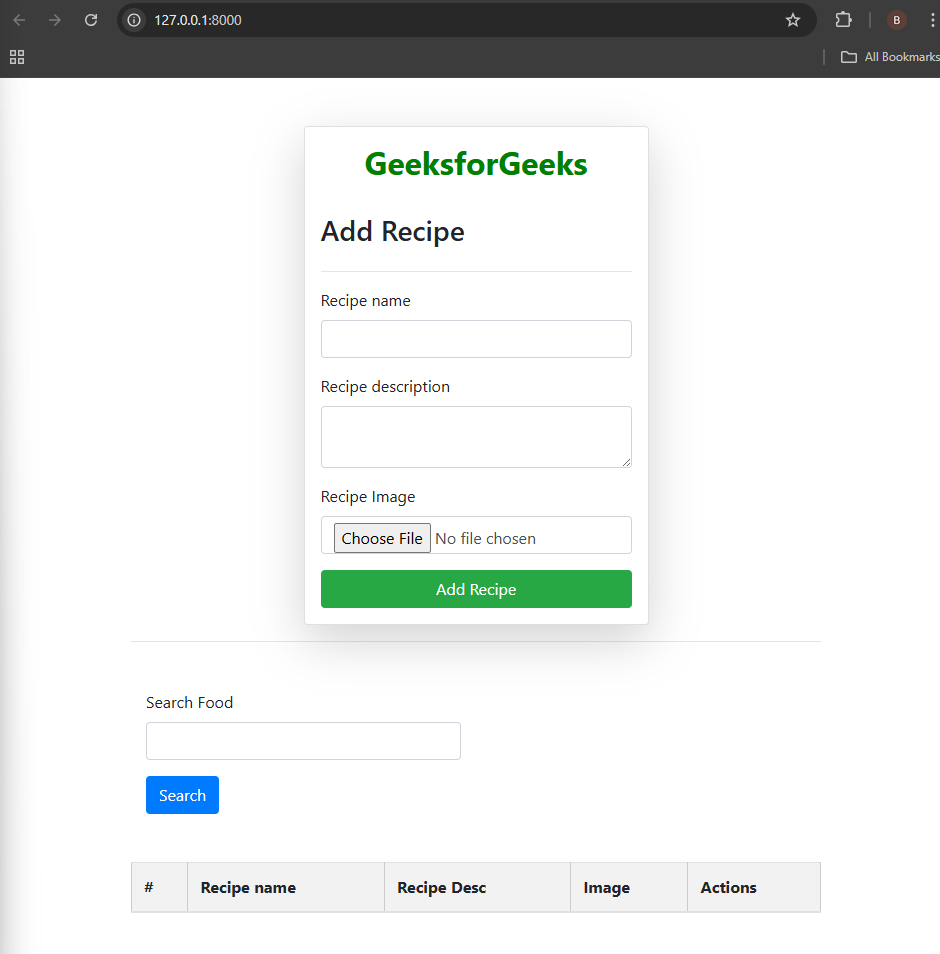
recipes.html: First we created the receipes.html file this Django template code is a part of a web page for adding, searching, displaying, updating, and deleting recipes. Here's a simplified explanation.
update_recipe.html: This template provides a user-friendly interface for editing the details of a recipe, including its name, description, and image. When a user submits the form, it likely sends the updated data to a Django view for processing and updating the database record.
base.html: It is the base HTML file which is extended by all other HTML files.
urls.py: Setting up all the paths for our function.
Run these commands to apply the migrations:
python manage.py makemigrations
python manage.py migrate
Run the server with the help of following command:
python manage.py runserver
Output: