Selenium is an open-source automation testing tool used to control web browsers and test web applications. It supports multiple browsers, operating systems, and programming languages like Python, Java, and C#. Selenium helps testers automate repetitive web tasks efficiently.
Works across all major browsers and operating systems.
Supports multiple languages such as Java, Python, and C#.
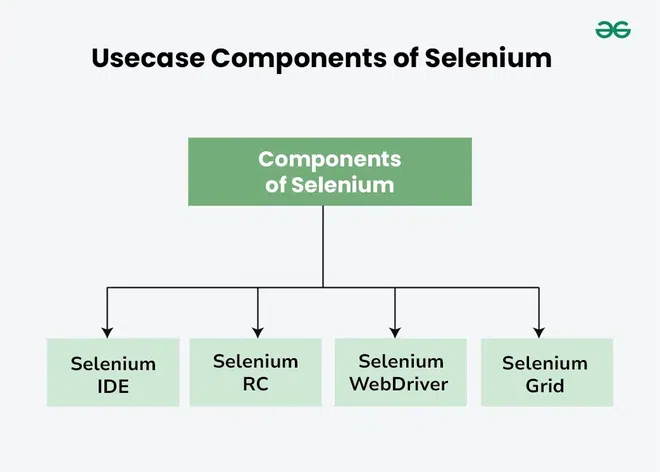
Includes components like Selenium IDE, WebDriver, Grid, and RC.
Selenium IDE is an open-source tool used for automated web testing and browser automation. It is mainly designed for testers and developers to create, edit, and run automated test cases for web applications. It works on a record-and-playback mechanism.
Features
Recording and Playback: Records user actions and replays them as automated test scripts.
Scripting in Selenese: Uses Selenese, a simple domain-specific language for automation.
Test Export: Test cases can be exported to languages like Java, Python, C#, and Ruby.
Browser Support: Works mainly with Chrome and Firefox via extensions.
Debugging: Provides features like step execution and breakpoints.
Advantages
Simple and beginner-friendly
Fast creation of test cases
Useful for basic automation testing
Limitations
Not suitable for complex test automation
Limited browser and feature support
Cannot handle advanced test scenarios efficiently
Selenium RC (Remote control)
Selenium Remote Control (RC) was one of the earliest Selenium tools before Selenium WebDriver. It allowed testers to write automation scripts in different programming languages such as Java, C#, and Python. It used a server to act as an intermediary between test scripts and the browser.
How it works
Test scripts are written in languages like Java, C#, Python, etc.
A Selenium RC Server acts as an intermediary between the test script and the browser.
The server sends commands to the browser to perform actions like click, type, and navigate.
Limitations
Slower execution due to server-based architecture
Complex setup compared to WebDriver
Outdated tool (no longer actively used or maintained)
Limited support for modern web applications
Selenium Web Driver
Selenium WebDriver is a powerful open-source framework used for automating web browsers. It directly communicates with the browser without any intermediate server, making it fast and reliable.
How it works
Test scripts are written in programming languages like Java, Python, or C#
WebDriver communicates directly with browser-specific drivers (ChromeDriver, GeckoDriver, etc.)
Browser executes commands and returns results
Features
Direct browser communication
Supports multiple browsers
Supports multiple programming languages
Enables parallel execution (with Selenium Grid)
Rich API for handling web elements, alerts, windows, and navigation
Limitations
Requires programming knowledge
Setup can be complex
No built-in reporting tool
Selenium GRID
Selenium Grid is used to run test cases on multiple machines and browsers at the same time. It follows a hub-node architecture where the hub distributes test execution to different nodes.
How it works
Hub receives test requests
Hub distributes tests to available nodes
Nodes execute tests on different browsers and OS
Results are sent back to the hub
Features
Parallel test execution
Cross-browser testing
Cross-platform support
Distributed testing on remote machines
Limitations
Complex setup
Requires multiple machines or virtual environments