|
VOOZH | about |
|
VOOZH | about |
In software testing, different test stages or areas may take too long more than usually expected and may at times lead to wastage of time and resources. There are some situations in testing that may call for imposing time limits within which a test must be completed; to this end, TestNG has a property called timeout. This allows setting the upper limit through which the test is allowed to be run. If this test goes beyond this limit, it gets failure status. This way, long tests or tests that are stuck will not hold the testing process.
Within TestNG, timeouts can be configured at a method level using the @Test annotation or configured globally by including the time-out attribute in the testng.xml file. After the specified duration, a test is still running, but TestNG has no choice but to stop the test and label it as failure.
Here’s a basic example that shows how to set a timeout for individual test methods:
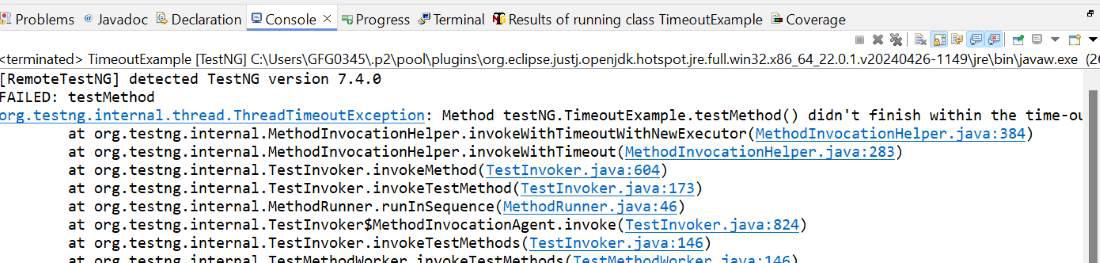
In this case, the test will throw an exception which is a timeout error. Hence, it can be conclude that the given method did not complete within the time frame of 2000 milliseconds and hence TestNG gives an exception called ThreadTimeoutException.
You can also set a global timeout for all tests in the suite by configuring the time-out attribute in the testng.xml file.
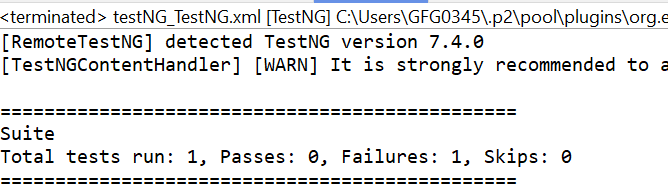
The result will be similar to the first example, but this time the timeout is enforced for every method in the suite. A global timeout is applied via the testng.xml file.
The Timeout feature in TestNG provides help in dealing with the long or the waiting motion without any logical end while writing the test artefacts. This functionality improves the test suite by encouraging proper time management practices and setting up each test to take the reasonable amount of time. Regardless of whether it is implemented on the method, class, or suite, this feature provides efficient test management and faster feedback loops.