|
VOOZH | about |
|
VOOZH | about |
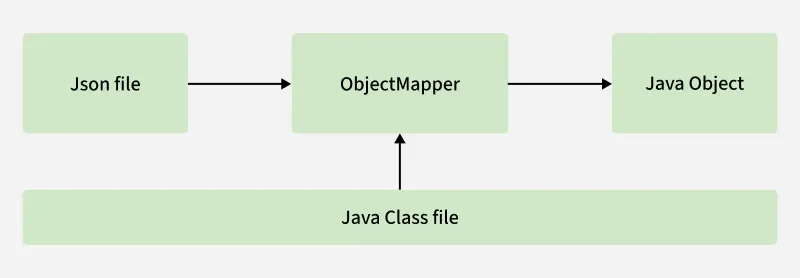
JSON (JavaScript Object Notation) is the most commonly used format for exchanging data between clients and servers in REST APIs. Spring Boot simplifies working with JSON by automatically converting Java objects to JSON (serialization) and JSON to Java objects (deserialization) using the Jackson library.
Jackson is a popular Java library for JSON processing. Spring Boot automatically configures Jackson via the spring-boot-starter-web dependency. This means you don’t need to manually add Jackson unless you need additional modules (e.g., for date/time formatting with jackson-datatype-jsr310).
Jackson provides several annotations for customizing JSON output:
| Annotation | Description |
|---|---|
| @JsonProperty | Rename a field in JSON |
| @JsonIgnore | Ignore a field during serialization/deserialization |
| @JsonInclude | Include/exclude fields based on conditions |
| @JsonFormat | Define format for date/time fields |
| @JsonIgnoreProperties | Ignore multiple fields |
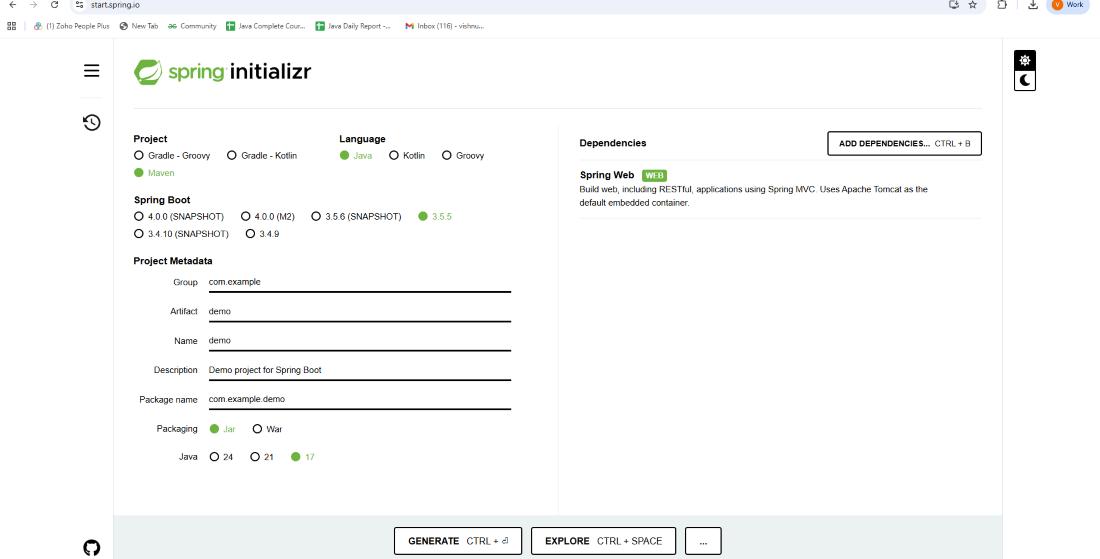
Use Spring Initializr or your IDE to create a Maven Spring Boot project with:
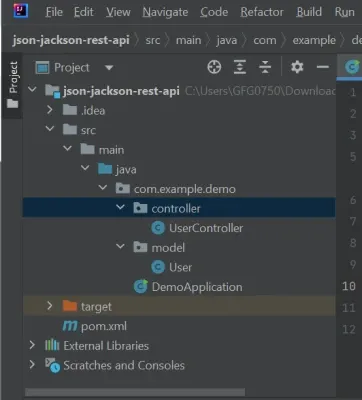
Project Structure:
Now, let’s create a User model class and use Jackson annotations to customize JSON output (ignore fields, rename properties, format dates, etc.).
User.java
Explanation: @JsonProperty renames fields, @JsonIgnore hides the password, @JsonFormat formats dates, and @JsonInclude skips null values.
Create a REST controller that exposes API endpoints for CRUD operations on User.
UserController.java:
Note:
In this example, we are storing users in memory. In real projects, you would connect to a database using Spring Data JPA
Now, run the main application class to start your Spring Boot application.
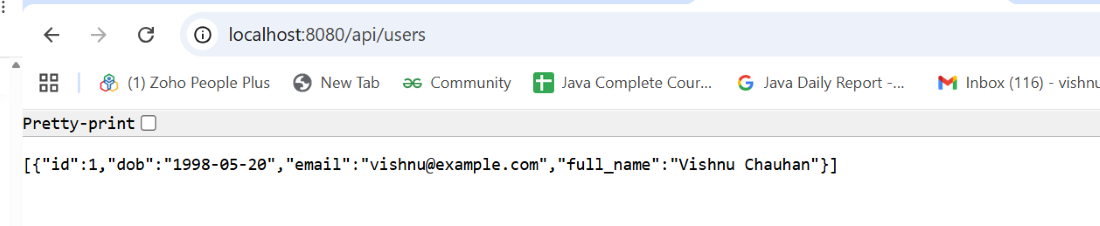
Finally, test the API endpoints using Postman, cURL or browser.
GET http://localhost:8080/api/users
Output: