|
VOOZH | about |
|
VOOZH | about |
Spring Boot Dependency Management is a feature that simplifies the process of managing project dependencies and their versions. Instead of manually specifying compatible versions for every library, Spring Boot provides predefined dependency configurations through its starter packages and dependency management mechanism.
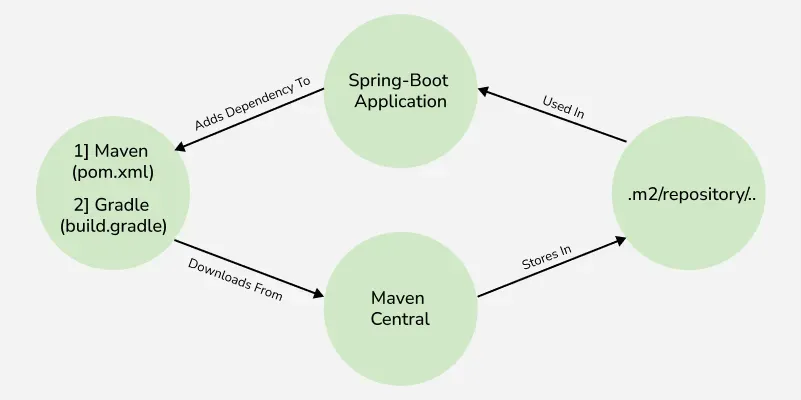
The below diagram demonstrates the type of Dependency Management
Spring Boot Starters are a set of convenient dependency descriptors provided by Spring Boot that simplify the setup of your application by grouping commonly used libraries and configurations into a single, reusable module.
Example: 'spring-boot-starter-jdbc'
1. Application Starters
Application Starters are used to develop specific types of applications such as web, REST, or batch applications. They bundle all the libraries needed for that application type.
2. Technical Starters
Technical Starters provide support for technical features such as security, logging, data access, messaging, and database connectivity.
3. Production-Ready Starters
Production-Ready Starters help monitor, manage, and maintain applications in production environments.
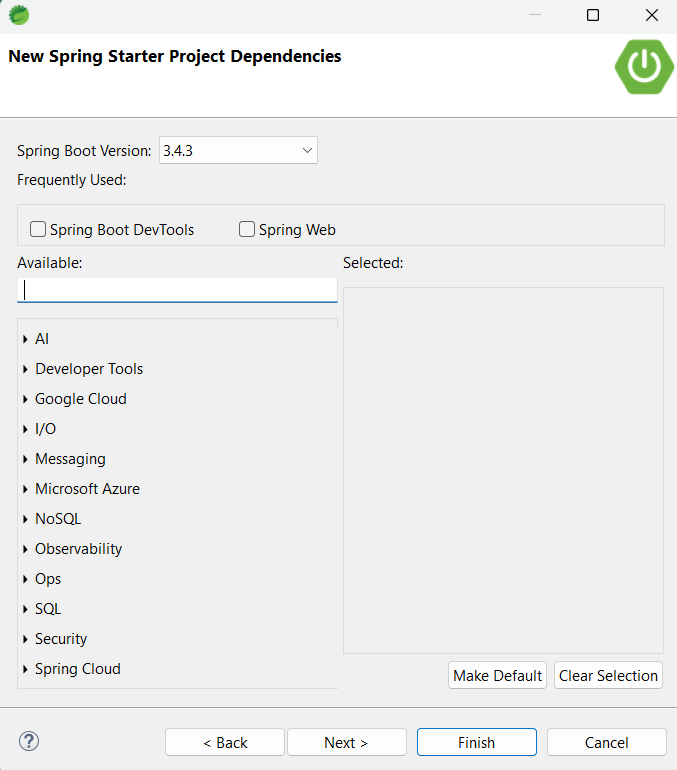
In STS, create a Spring Boot project by selecting File > New > Spring Starter Project, adding required dependencies and clicking Finish
To add the dependency for the current working project:
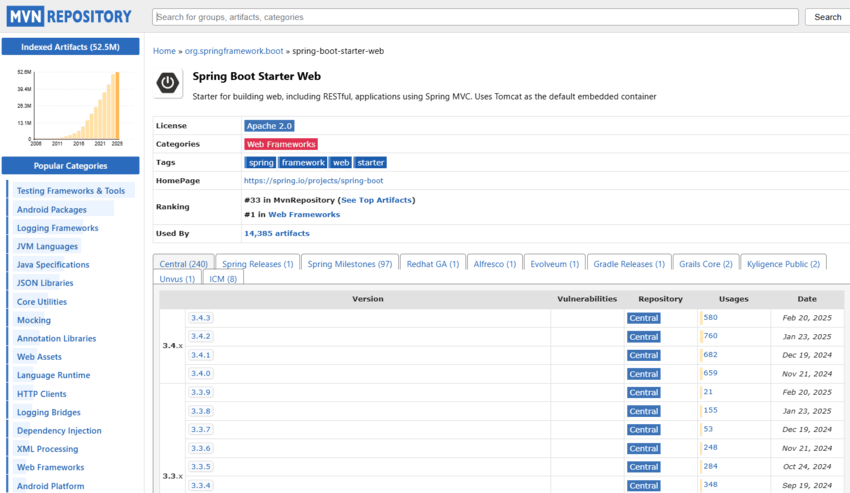
If we know the dependency, we can directly place them in the pom.xml file. For example to add the Thymeleaf template engine in your project build, one can add the following dependency in the '<dependencies></dependencies>' tag.
pom.xml:
Understanding/Configuring Dependencies
Starter Parent: To take advantage of auto-configured 'sensible' defaults, we should add Starter Parent in the project.
With default configuration like above, we can override respective dependencies by overriding a 'property'.
We can also manage auto-configured 'Starter Parent' and create a custom POM without the need to specify the first one with the help of artifact 'scope=import' of 'spring-boot-dependencies.
After this, we can normally add the dependencies like the one mentioned above. But, to override the individual dependency, we need to add a respective entry before the 'spring-boot-dependencies' entry.
But, we have to manually configure the plugin management by adding 'spring-boot-maven-plugin' explicitly. Managing the Maven plug-in is very essential as it packs the Spring-Boot application into an executable jar.
Java Version: We can also change the java version in the following:
Developer Tools: A set of specific tools to make the application development process much easier. It is in the 'spring-boot-devtools' module.
In the case of a 'Starter Parent' like in Maven, here there is no 'Super Parent' to take advantage of some auto configurations. To add dependencies in Gradle, add them in the 'dependencies{ }' section. For providing executable jar, we can add the following in the dependencies section
'spring-boot-gradle-plugin'
build.gradle:
For adding the 'Developer tools', add the following in the 'dependencies' block
Gradle -> build.gradle
developmentOnly("org.springframework.boot:spring-boot-devtools")
Note: Each release of Spring Boot is associated with a base version of the Spring Framework, so it is highly recommended to not specify its version on your own.