|
VOOZH | about |
|
VOOZH | about |
In Microservice architecture, there are multiple microservices available for an application. For the application to work properly necessary services need to communicate with each other. There can be communication of messaging type or REST calls.
In REST Calls the process is synchronous, which means suppose a service SERV1 is waiting for the response from SERV2 it will wait for an infinite time until it gets the response. Now the problem here is that if for some reason SERV2 is taking way too much time to give a response, so SERV1 keeps on waiting resulting in overall lag in the System or the Application. To overcome this type of situation we use something called Request Timed out. If Timed out time is defined as say 5 seconds, and the repose from a service didn't come in between that time it will wait no further for the response and terminate the process.
If you want to learn more about REST API visit the article on Rest API on GeeksForGeeks.
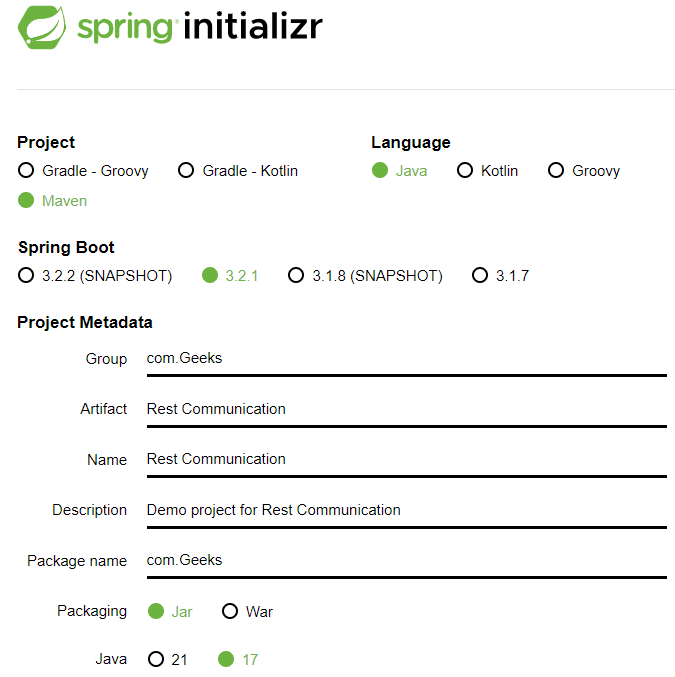
To create a spring boot project, go to start.spring.io, create a project with the following configurations, and add the dependencies mentioned.
👁 Project MetadataSet Project as Maven, Language as Java, Spring Boot version 3.2.1, Packaging as Jar and Java Version 17.
You can give Name and descriptions of your choice.
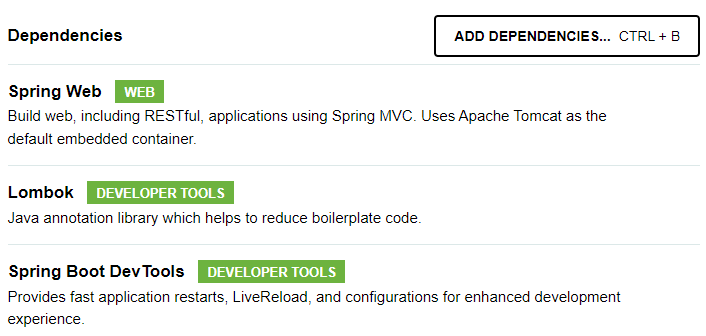
Add depencencies for
Now click on Generate button there to download the project as zip file, once downloaded unzip it.
Use any IDE of your choice to open the project folder and wait for some time for the IDE to configure it on it's own.
Note: Here we are using Intellij IDEA IDE.
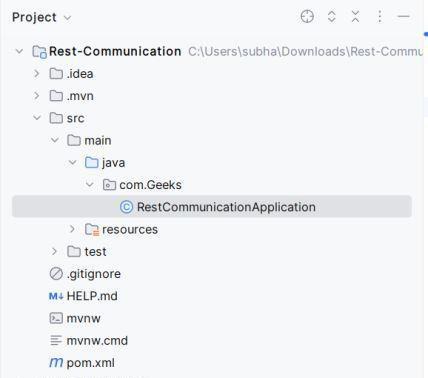
Check the folder structure below,
Open the pom.xml file and add the following dependency:
<dependency>
 <groupId>org.apache.httpcomponents</groupId>
 <artifactId>httpclient</artifactId>
 <version>4.5.13</version>
</dependency>
Check the pom.xml file below,
Now refresh your project to configure the dependency added.
Let's a create a Rest Controller and name it as geekContoller
Here we have anotated it with RestController anotation, and used @Autowired for automatic object creation for RestTemplate. Here mapping done for "/geek" and we will put the URL of the other service from where we have to recieve response in restTemplate.getForEntity. We have surrounded the response.getBody() with a try and catch block and printing the stack Tree for timeout. You can define what the exception will do in your project.
Now this is the basic rest template which will wait for infinite time for response. Let's make the changes in the RestCommunicationApplication.java file to implement the timeout feature.
Here we have configured the Bean of RestTemplate. This bean class is returning an object where the constructed takes ClientHttpRequestFactory for which we have created one object of HttpComponentsClientHttpRequestFactory class (for which we have added the dependency). We have set the connectTimeout as 5000 which indicates 5sec. In a real aplication, this time will be very less which is in milli seconds.
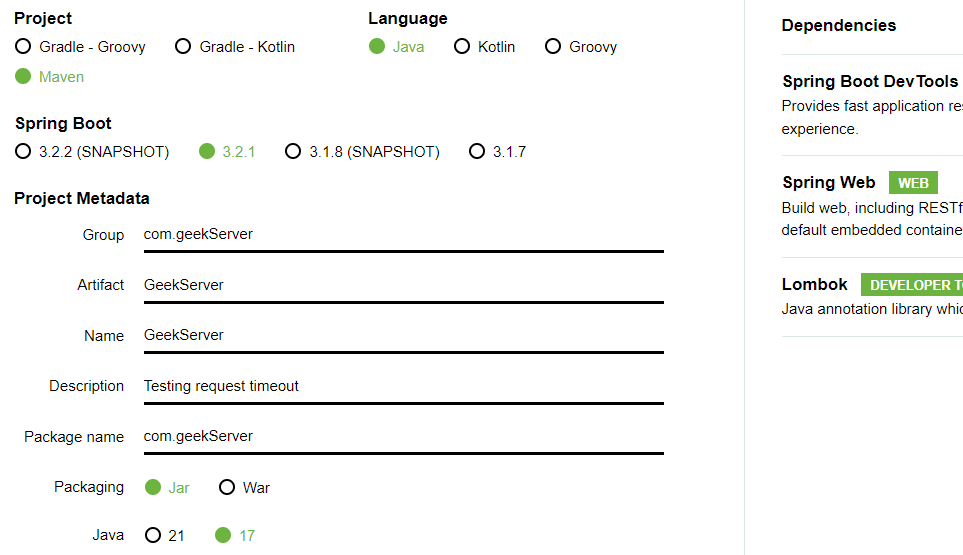
To test if time out is happening or not let's create another spring boot project quickly with the same configuration of the previous one and name it GeekServer.
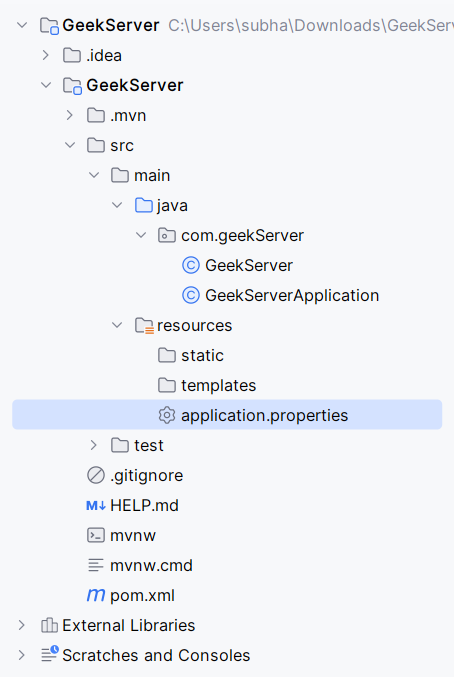
Open this project in a separate window in your IDE. As our previously application will be running at default port which is 8080. let's change port no for this application in application.properties under resource folder and assign port no 9000 for this.
👁 application.properties (highlighted)In this file write,
server.port = 9000
Create a controller and name it GeekServer which will return a message say, " Hello Geek".
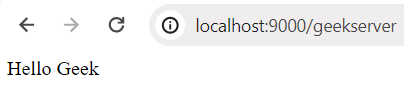
Go to GeekServerApplication and run the project and in your web browser's url bar type localhost:9000/geekserver and check if the controller is working fine.
In the RestCoomunicationApplication project's GeekController put localhost:9000/geekserver as URL and check if the same response is coming in that route.
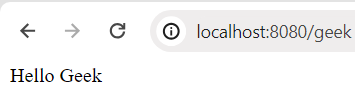
Now run the RestCommunicationApplication project and in web browser check the output at localhost:8080/geek. Keep the other project running on background.
👁 Output Screen with different port
Here we have stopped the application running on port 9000, and now try running our application named RestCommunicationApplication.
org.springframework.web.client.ResourceAccessException: I/O error on GET request for "http://localhost:9000/geekserver": Connect to http://localhost:9000 [localhost/127.0.0.1, localhost/0:0:0:0:0:0:0:1] failed: Connection refused: no further information
 at org.springframework.web.client.RestTemplate.createResourceAccessException(RestTemplate.java:905)
 at org.springframework.web.client.RestTemplate.doExecute(RestTemplate.java:885)
 at org.springframework.web.client.RestTemplate.execute(RestTemplate.java:781)
 at org.springframework.web.client.RestTemplate.getForEntity(RestTemplate.java:422)
 at com.Geeks.GeekController.getGeek(GeekController.java:20)
 at java.base/jdk.internal.reflect.NativeMethodAccessorImpl.invoke0(Native Method)
 at java.base/jdk.internal.reflect.NativeMethodAccessorImpl.invoke(NativeMethodAccessorImpl.java:77)
 at java.base/jdk.internal.reflect.DelegatingMethodAccessorImpl.invoke(DelegatingMethodAccessorImpl.java:43)
 at java.base/java.lang.reflect.Method.invoke(Method.java:568)
So, we can observe that our application waited for 5sec and then gave the ResourceAccessException as there is no service running at port 9000.
To test this let's create a delay of say 10sed on the GeekServer by modifying the GeekServer.java file.
We have added Thread.sleep(10000) which will create a delay of 10sec. Now run both the application and check what happens,
org.springframework.web.client.ResourceAccessException: I/O error on GET request for
"http://localhost:9000/geekserver": Connect to http://localhost:9000 [localhost/127.0.0.1, localhost/0:0:0:0:0:0:0:1]
failed: Connection refused: no further information
at org.springframework.web.client.RestTemplate.createResourceAccessException(RestTemplate.java:905)
We can observe that instead of waiting for an infinite time the Application is throwing exception and timeout is working.
Now we can use this timeout feature in your Spring Boot application to overcome the problem of infinite waiting time and improve the lag in the Application significantly. This will make sure that the application doesn't stop operation and improves stability. We can give significantly lower time frame for timeout and try again after the timeout for better performance, this will not block your tread and system will not go down.