|
VOOZH | about |
|
VOOZH | about |
In Spring, a REST JSON response is used to send data from the server to the client in JSON (JavaScript Object Notation) format. Spring simplifies this process by automatically converting Java objects into JSON using Jackson when building RESTful web services.
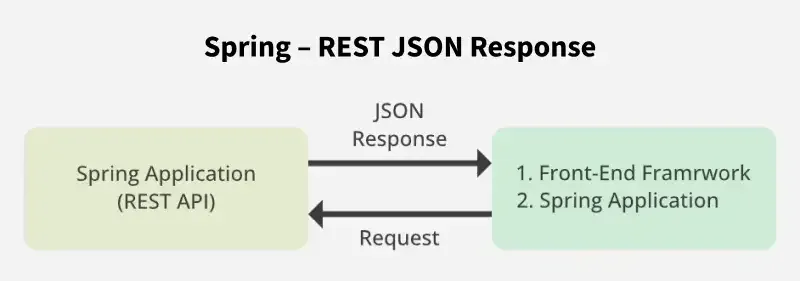
The diagram illustrates how a client communicates with a Spring REST API by sending requests and receiving JSON responses.
The prerequisites required are as follows:
JSON stands for JavaScript Object Notation. It is a text-based data format used to exchange data between a server and a client. Although derived from JavaScript syntax, JSON is language-independent and supported by most programming languages.
{
"id": 07,
"framework": "Spring",
"API": "REST API",
"Response JSON": true
}
Example: JSON Array
[
{
"id": 07,
"name": "darshan"
},
{
"id": 08,
"name": "geek"
}
]
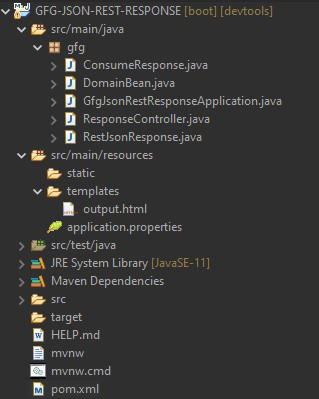
The project structure for the application is as follow:
Spring Initializr automatically adds required dependencies. Make sure spring-boot-starter-web is present:
<dependency>
<groupId>org.springframework.boot</groupId>
<artifactId>spring-boot-starter-web</artifactId>
</dependency>
This dependency also includes Jackson for JSON conversion.
pom.xml:
Create the main application class to bootstrap the Spring Boot application.
GfgJsonRestResponseApplication.java:
The domain bean defines the structure of the JSON response.
Steps
Maven Dependency:
Dependency is as depicted below as follows:
<dependency>
<groupId>org.projectlombok</groupId>
<artifactId>lombok</artifactId>
<optional>true</optional>
</dependency>
DomainBean.java:
Spring automatically converts this Java object into JSON.
The REST controller handles incoming requests and sends JSON responses. Key annotations used include @RestController, @RequestMapping, and @GetMapping.
Important Annotations Used
Annotation | Description |
|---|---|
| @RestController | Combines @Controller and @ResponseBody |
| @RequestMapping | Maps requests to a specific path |
| @CrossOrigin | Allows cross-origin requests |
| @GetMapping | Maps GET request on specific handler method |
| @PathVariable | Binds URI values to method parameters |
RestJsonResponse.java:
This class provides RESTful services.
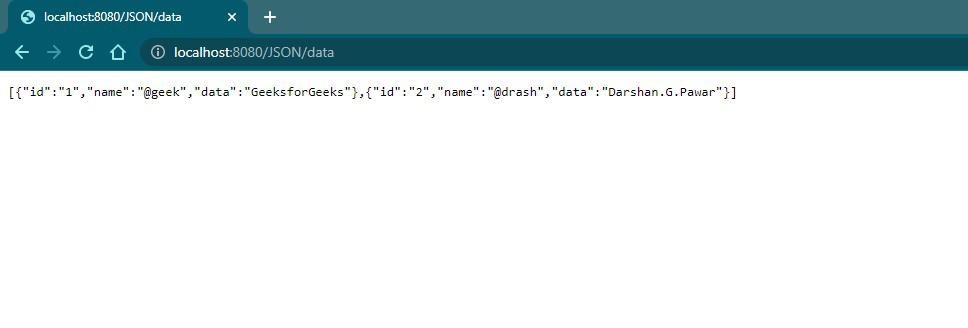
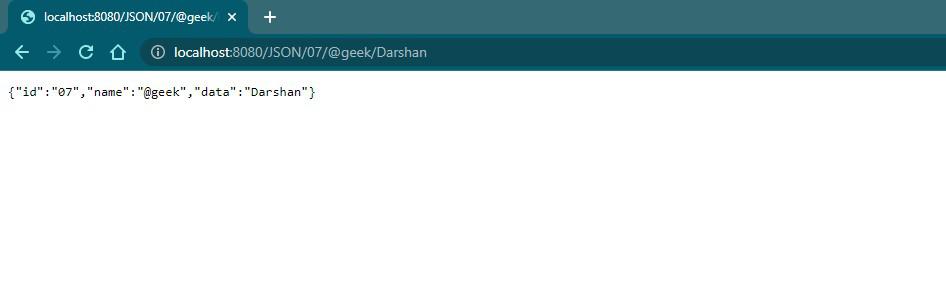
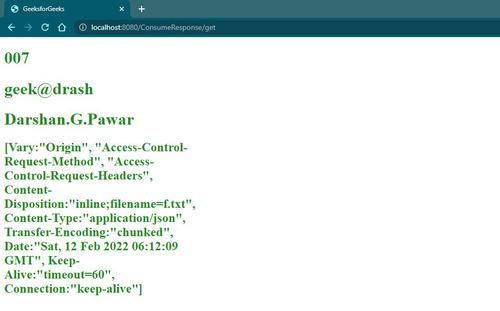
Outputs:
REST API's JSON response can be consumed by:
Spring provides RestTemplate for consuming REST APIs.
ConsumeResponse.java ( Consume REST API response ):
A normal Spring controller is used to retrieve the responses from the RestTemplate method and returns a view.
ResponseController.java ( Regular Controller ):
Output.html (output of API: Thymeleaf template):
Output:
consume-json.component.ts (Angular component):
import { Component, OnInit, Injectable } from '@angular/core';
import { HttpClient } from '@angular/common/http';
@Component({
selector: 'app-consume-json',
templateUrl: './consume-json.component.html',
styleUrls: ['./consume-json.component.css']
})
export class ConsumeJsonComponent implements OnInit {
restData : any;
constructor(private http:HttpClient) { }
ngOnInit() {
this.http.get('http://localhost:8080/JSON/data')
.subscribe(data => this.restData = data);
}
}
consume-json.component.html (view of component):
consume-json.component.css (Style file):
Add - '<app-consume-json></app-consume-json>' in the 'app.component.html' file
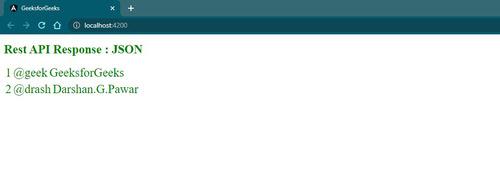
Output:
Note: spring-boot-starter-web already includes:
- jackson-databind
- jackson-core
- jackson-annotations
Spring Boot automatically converts Java objects into JSON.