|
VOOZH | about |
|
VOOZH | about |
The LTRIM() function in SQL is an inbuilt string function used to remove leading spaces from the left side of a string. It can also be used to remove specific characters from the beginning of the string.
Syntax:
LTRIM(Input_String, [Trim_Characters])Note: If we don't specify any characters to remove, the LTRIM function removes the white spaces for data cleaning and manipulation in SQL.
Query:
Select LTRIM(' GeeksforGeeks.') AS trimmedString; Output:
Now let us see some examples of LTRIM function in different use cases to understand it's working better:
In this example, we will remove specific characters using LTRIM function.
Query:
SELECT LTRIM('----GeeksforGeeks', '-') AS TrimmedString;Output:
In this example, we will remove a substring from a string using the LTRIM function.
Query:
SELECT LTRIM('GeeksforGeeks', 'Geeks') AS TrimmedString;Output:
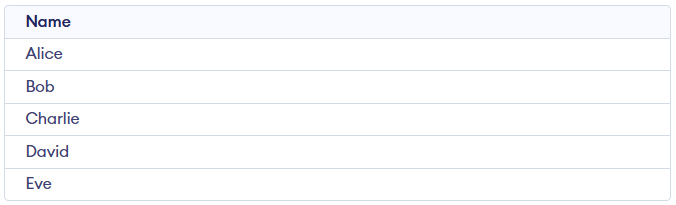
Let us create a table where the names of the users are stored with whitespaces. If we want to remove these whitespaces then we can use the LTRIM in SQL to remove them in one go.
Query:
CREATE TABLE Users (
 Name VARCHAR(45)
);
INSERT INTO Users (Name) VALUES
 (' Alice'), (' Bob'), (' Charlie'), (' David'), (' Eve');
Output:
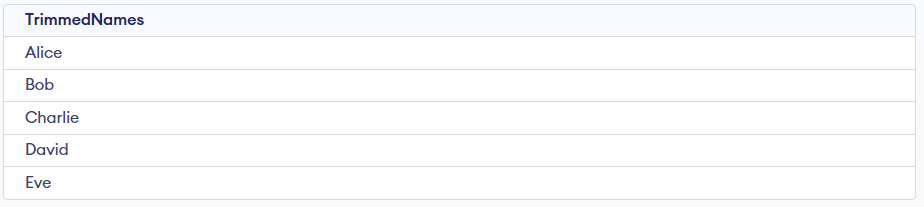
Now to remove whitespace from this column, we can use the SQL query:
SELECT LTRIM(Name) AS TrimmedNames
FROM Users;
Output: