|
VOOZH | about |
|
VOOZH | about |
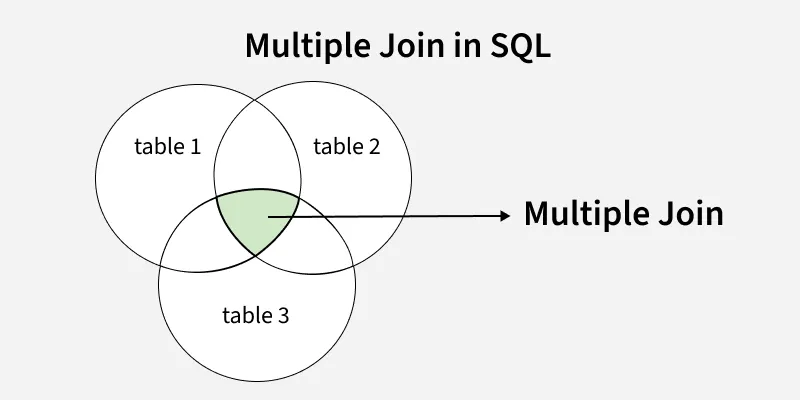
In SQL, multiple joins allow you to combine data from more than one table in a single query. This helps efficiently retrieve complex datasets without running multiple separate queries.
For example, we will combine data from a students, marks and attendance table to get marks and attendance of students with specific conditions.
Here we are going to implement the concept of multiple joins in SQL with the help of examples.
We will first create a database called geeks that contains three tables: students, marks and attendance and then run our queries on those tables.
CREATE DATABASE geeks;
USE geeks;

CREATE TABLE students(id INT, name VARCHAR(50), branch VARCHAR(50));
CREATE TABLE marks(id INT, marks INT);
CREATE TABLE attendance(id INT, attendance INT);Next we will insert sample data into these tables.
-- students
INSERT INTO students VALUES
(1,'Liam','CSE'),
(2,'Emma','ECE'),
(3,'Noah','ECE'),
(4,'Olivia','CSE');

-- marks
INSERT INTO marks VALUES
(1,95),
(2,85),
(3,80),
(4,65);

-- attendance
INSERT INTO attendance VALUES
(1,75),
(2,65),
(3,80),
(4,87);SELECT * FROM students;Students Table
| id | name | branch |
|---|---|---|
| 1 | Liam | CSE |
| 2 | Emma | ECE |
| 3 | Noah | ECE |
| 4 | Olivia | CSE |
SELECT * FROM marks;Marks Table
| id | marks |
|---|---|
| 1 | 95 |
| 2 | 85 |
| 3 | 80 |
| 4 | 65 |
SELECT * FROM attendance;Attendance table
| id | attendance |
|---|---|
| 1 | 75 |
| 2 | 65 |
| 3 | 80 |
| 4 | 87 |
Let us now perform a multiple join where we join the students, marks and attendance tables. We will fetch data such that we get the marks and attendance of students who have attendance greater than or equal to 75.
Query:
SELECT s.id, s.name, m.marks, a.attendance
FROM students AS s
INNER JOIN marks AS m ON s.id = m.id
INNER JOIN attendance AS a ON s.id = a.id
WHERE a.attendance >= 75;
Output
| id | name | marks | attendance |
|---|---|---|---|
| 1 | Liam | 95 | 75 |
| 3 | Noah | 80 | 80 |
| 4 | Olivia | 65 | 87 |
Explanation:
Here are the different ways SQL joins can be applied across multiple tables to retrieve related data.
When you use multiple INNER JOINs, the query will return only the rows where there is a match in all the joined tables.
For example, query below retrieves data only for students who have records in both the marks and attendance tables and filters for attendance ≥ 80:
Query:
SELECT s.id, s.name, m.marks, a.attendance
FROM students AS s
INNER JOIN marks AS m ON s.id = m.id
INNER JOIN attendance AS a ON s.id = a.id
WHERE a.attendance >= 80;
Output
| id | name | marks | attendance |
|---|---|---|---|
| 3 | Noah | 80 | 80 |
| 4 | Olivia | 65 | 87 |
LEFT JOINs return all rows from the left table and the matching rows from the other tables. If there is no match, columns from the non-matching tables will show NULL.
For example, this query retrieves all students, including those without matching records in marks or attendance tables:
Query:
SELECT s.id, s.name, m.marks, a.attendance
FROM students AS s
LEFT JOIN marks AS m ON s.id = m.id AND m.marks > 70
LEFT JOIN attendance AS a ON s.id = a.id;
Output
| id | name | marks | attendance |
|---|---|---|---|
| 1 | Liam | 95 | 75 |
| 2 | Emma | 85 | 65 |
| 3 | Noah | 80 | 80 |
| 4 | Olivia | NULL | 87 |
A RIGHT JOIN returns all rows from the right table and the matching rows from the left table. If no match exists, columns from the left table will show NULL.
For example, this query retrieves all marks and attendance records for CSE students, including cases where student details may be missing in the main students table
Query:
SELECT s.id, s.name, m.marks, a.attendance
FROM students AS s
RIGHT JOIN marks AS m ON s.id = m.id AND s.branch='CSE'
RIGHT JOIN attendance AS a ON s.id = a.id;
Output
| id | name | marks | attendance |
|---|---|---|---|
| 1 | Liam | 95 | 75 |
| 4 | Olivia | 65 | 87 |
| 2 | NULL | 85 | 65 |
| 3 | NULL | 80 | 80 |
A FULL OUTER JOIN combines the effects of LEFT and RIGHT JOIN. It returns all rows from both tables, with NULL values where no match exists.
For example, this query retrieves all students along with their marks and attendance, including those who either scored above 80 marks or have attendance of 80% or more, ensuring no matching records are left out.
Query:
SELECT s.id, s.name, m.marks, a.attendance
FROM students AS s
FULL OUTER JOIN marks AS m ON s.id = m.id AND m.marks > 80
FULL OUTER JOIN attendance AS a ON s.id = a.id AND a.attendance >= 80;
Output
| id | name | marks | attendance |
|---|---|---|---|
| 1 | Liam | 95 | NULL |
| 2 | Emma | 85 | NULL |
| 3 | Noah | NULL | 80 |
| 4 | Olivia | NULL | 87 |
Multiple joins are commonly used in reporting and analytics. For example:
This allows retrieving all related information in a single query, reducing computation time and improving efficiency.