|
VOOZH | about |
|
VOOZH | about |
SQL provides the OUTER JOIN to return both matching and non-matching rows from two tables. It includes unmatched records by filling missing values with NULL. It is more inclusive than INNER JOIN.
Let's create the two tables, Employees and Departments for understanding all types of Outer Joins with examples.
There are three main types of Outer Joins in SQL:
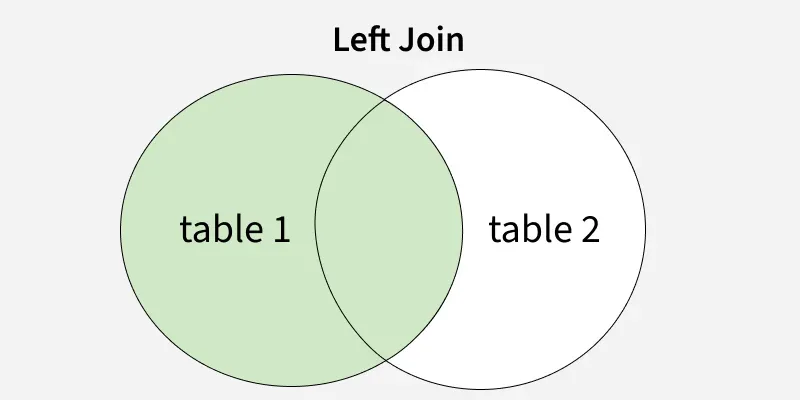
LEFT OUTER JOIN (referred to as LEFT JOIN) returns all rows from the left table and the matching rows from the right table. If there is no match, the result will include NULL values for columns from the right table.
Syntax:
SELECT table1.column1, table1.column2, table2.column1, ...
FROM table1
LEFT JOIN table2
ON table1.matching_column = table2.matching_column;
Example: To retrieve all employees along with their respective departments, even if they don't belong to any department (i.e., the department is NULL), we can use the LEFT OUTER JOIN
Query:
SELECT Employees.Name, Employees.DepartmentID, Departments.DepartmentName
FROM Employees
LEFT JOIN Departments
ON Employees.DepartmentID = Departments.DepartmentID;
Output
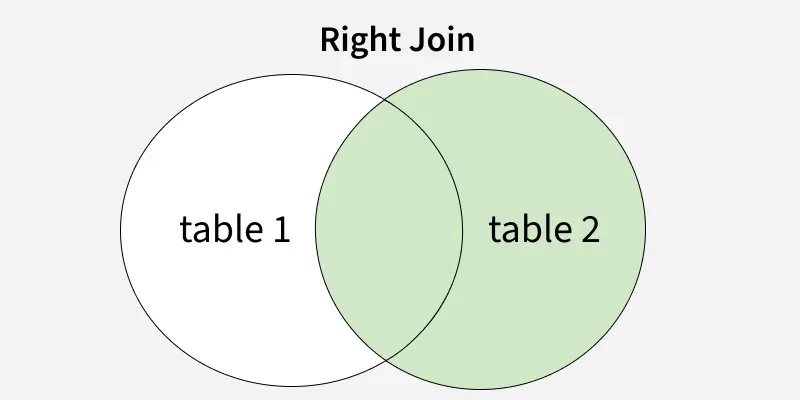
RIGHT OUTER JOIN (often called RIGHT JOIN) returns all rows from the right table and the matching rows from the left table. If there is no match, the result will include NULL values for columns from the left table.
Syntax:
SELECT table1.column1, table1.column2, table2.column1, ...
FROM table1
RIGHT JOIN table2
ON table1.matching_column = table2.matching_column;
Example: Let’s now look at a RIGHT OUTER JOIN on the Employees and Departments tables. Suppose we want to retrieve all departments, even if no employees belong to a specific department.
Query:
SELECT Employees.Name, Employees.DepartmentID, Departments.DepartmentName
FROM Employees
RIGHT JOIN Departments
ON Employees.DepartmentID = Departments.DepartmentID;
Output
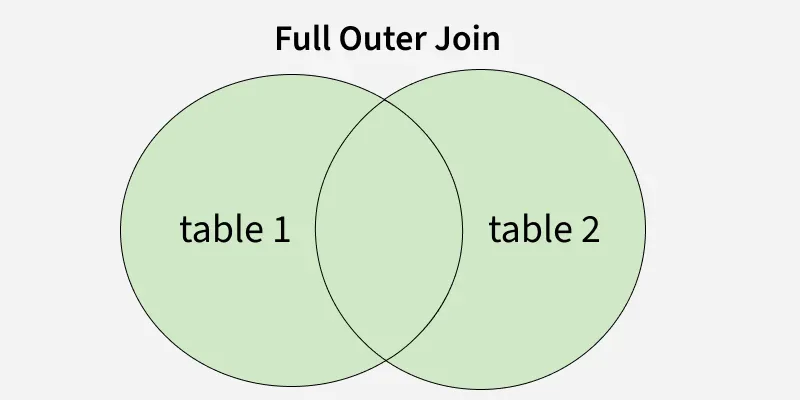
FULL OUTER JOIN returns all rows when there is a match in either the left or right table. If there is no match, the result will include NULL for the missing side of the table. Essentially, it combines the results of both LEFT JOIN and RIGHT JOIN.
Syntax:
SELECT table1.column1, table1.column2, table2.column1, ...
FROM table1
FULL JOIN table2
ON table1.matching_column = table2.matching_column;
Example: Let’s now use a FULL OUTER JOIN to get all employees and all departments, regardless of whether an employee belongs to a department or a department has employees.
Query:
SELECT Employees.Name, Employees.DepartmentID, Departments.DepartmentName
FROM Employees
FULL JOIN Departments
ON Employees.DepartmentID = Departments.DepartmentID;
Output
To better understand SQL joins, see our detailed comparison of INNER JOIN vs OUTER JOIN in SQL.