|
VOOZH | about |
|
VOOZH | about |
Handling dates in SQL can be challenging for beginners, especially when date formats and time zones come into play. In many cases, DATETIME values are used to store both date and time information.
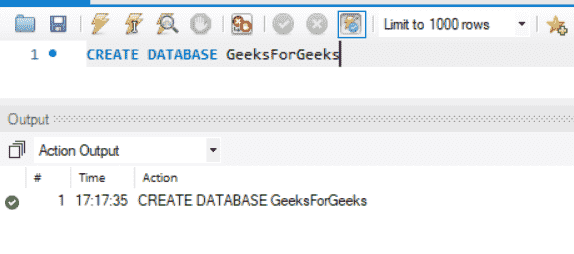
This step creates a new database named GeeksForGeeks where all further operations will be performed.
Query:
CREATE DATABASE GeeksForGeeksOutput:
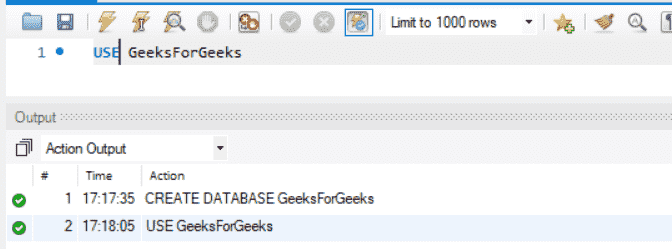
This step selects the GeeksForGeeks database so that all subsequent queries are executed within it.
Query:
USE GeeksForGeeksOutput:
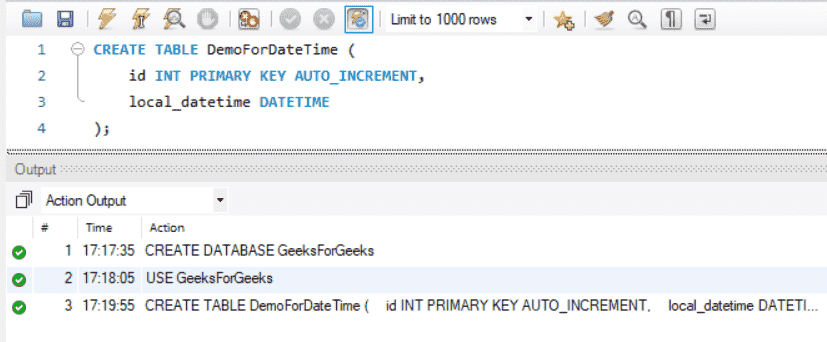
Here, a table named DemoForDateTime is created with a DATETIME column to store date and time values.
Query:
CREATE TABLE DemoForDateTime (
 id INT PRIMARY KEY AUTO_INCREMENT,
 local_datetime DATETIME
);
Output:
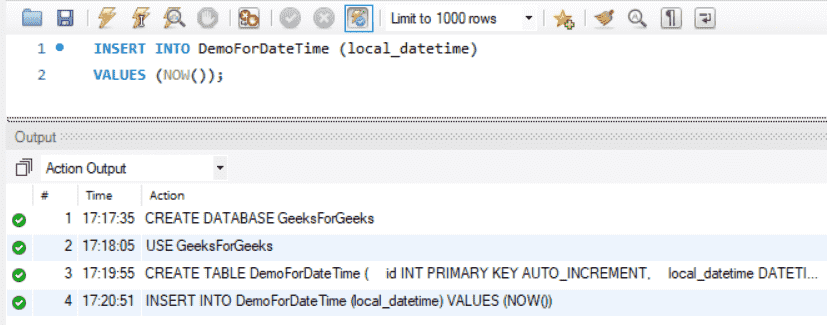
This step inserts the current local date and time dynamically into the table using the NOW() function.
Query:
INSERT INTO DemoForDateTime (local_datetime)
VALUES (NOW());
Output:
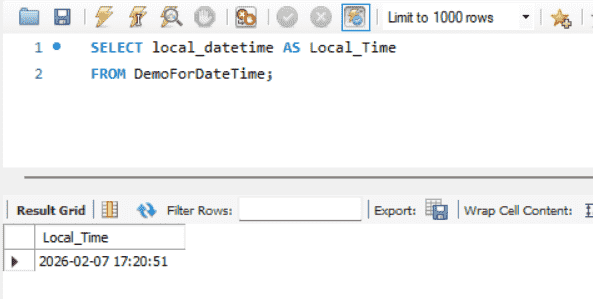
This step retrieves and displays the locally stored date and time from the table.
Query:
SELECT local_datetime AS LocalTime
FROM DemoForDateTime;
Output:
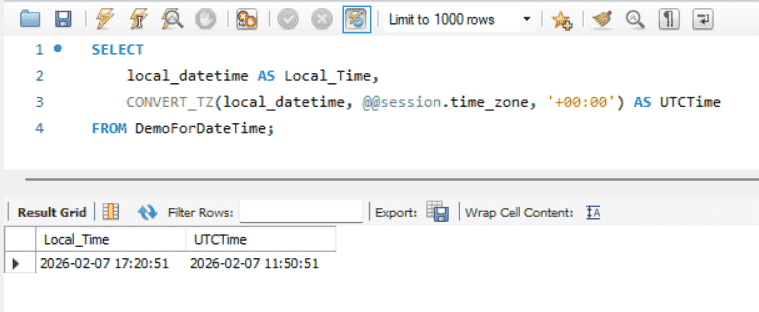
This step converts the stored local date and time into UTC dynamically.
Query:
SELECT
 local_datetime AS LocalTime,
 CONVERT_TZ(local_datetime, @@session.time_zone, '+00:00') AS UTCTime
FROM DemoForDateTime;
Output:
Note: IST (Indian Standard Time) is 5 hours and 30 minutes ahead of UTC, so the UTC value appears earlier than the local time.