|
VOOZH | about |
|
VOOZH | about |
In SQL Server, databases are crucial for storing and managing data efficiently. Whether we are managing a large enterprise system or a small application, understanding how to list all the databases on our SQL Server is essential. In this article, we will write SQL queries that help us to retrieve all system and user-defined databases efficiently.
To effectively manage a SQL Server instance, it is important to know how to list all the databases it contains. SQL Server provides two types of databases are defined below:
To get a list of all databases on the SQL Server, use the following query:
SELECT name FROM sys.databases;This command will return all databases, including system and user-defined databases. Let’s look at how to modify this query to list only system or user-defined databases as needed.
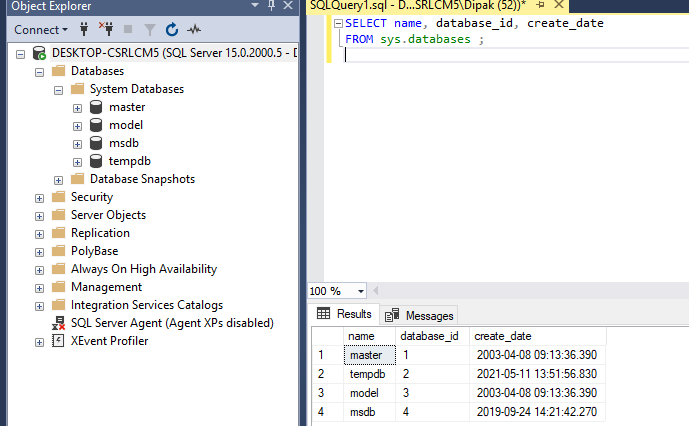
To list only the system databases, you can filter the results by excluding user-defined databases. Here is the correct query for listing system databases:
SELECT name, database_id, create_date
FROM sys.databases ;
Output:
👁 List All System databases in SQL ServerThere are mainly four types of system databases:
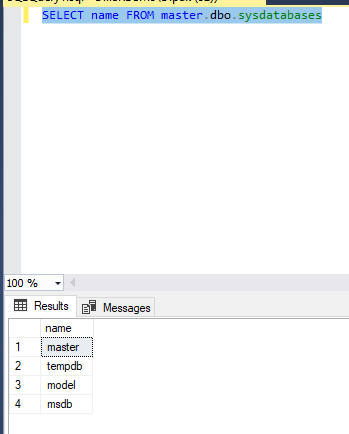
Some other databases are also present in the server other than the above ones. Those can be displayed as shown below:
SELECT name FROM master.dbo.sysdatabasesOutput:
👁 List Other System DatabasesTo list only user-defined databases, we can exclude the system databases by using the NOT IN clause. The correct query for listing user-defined databases is:
SELECT name
FROM sys.databases
WHERE name NOT IN ('master', 'tempdb', 'model', 'msdb');
This query will return all databases except for the system databases. Let’s create some user-defined databases for testing purposes.
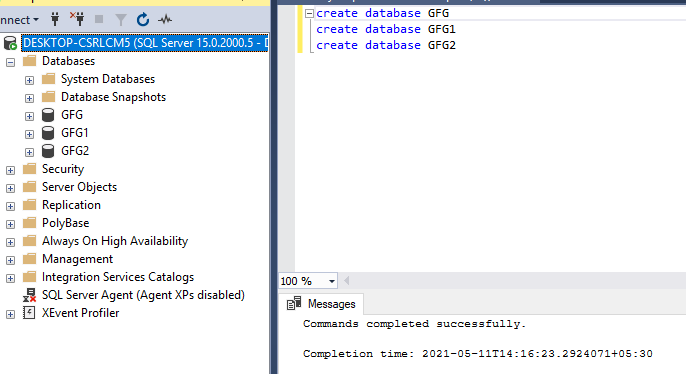
Now in order to select the user-defined the first let's create some databases in the server.
CREATE DATABASE GFG;
CREATE DATABASE GFG1;
CREATE DATABASE GFG2;
Output:
👁 List All User-Defined Databases in SQL ServerQuery:
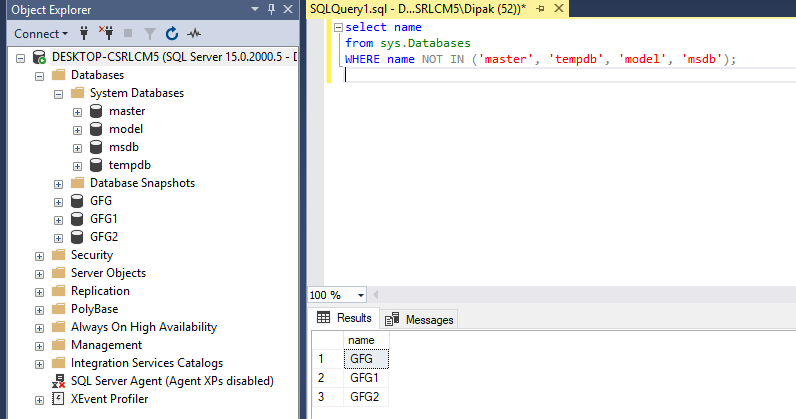
SELECT name
FROM sys.Databases
WHERE name NOT IN ('master', 'tempdb', 'model', 'msdb');
Output:
👁 ImageHence in this way we are able to select and list all the user-defined and system databases in the SQL server.
Listing all databases in SQL Server is a fundamental task for database administrators and developers alike. By using the SQL queries provided in this guide, you can easily retrieve a comprehensive list of both system and user-defined databases. Whether you're performing routine maintenance, monitoring your database environment, or setting up new projects, these queries will help you efficiently manage your SQL Server databases.