|
VOOZH | about |
|
VOOZH | about |
The SHOW DATABASES command is used to retrieve and display all databases accessible to the current user in a DBMS. It simplifies database management by avoiding direct queries on system tables.
Syntax:
SHOW DATABASES;The following examples demonstrate how to use the SHOW DATABASES command in different scenarios, including listing all databases and filtering results using conditions.
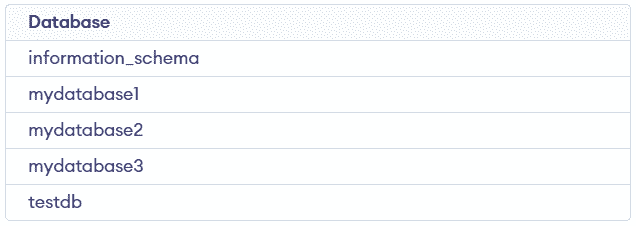
This example shows how to use SHOW DATABASES to view all databases available on the server. It provides a quick overview of existing databases.
Query:
SHOW DATABASES;Output:
This example demonstrates filtering databases using the LIKE clause based on a naming pattern. It helps in quickly finding specific databases.
Query:
SHOW DATABASES WHERE Database LIKE 'my%' ; Output:
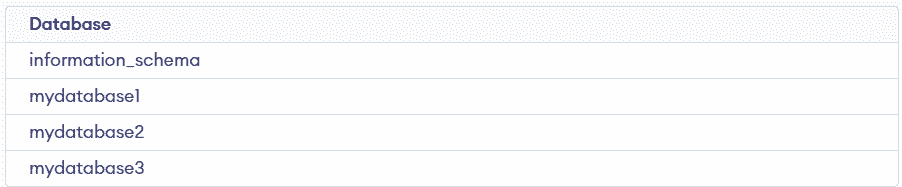
This example shows how to exclude databases using the NOT LIKE condition. It is useful for removing unwanted results from the list.
Query:
SHOW DATABASES WHERE `Database` NOT LIKE 'test%' ;Output: