|
VOOZH | about |
|
VOOZH | about |
In data visualization, especially when dealing with wide datasets (datasets with many columns), it is often useful to differentiate data series by color, line style, or other visual elements. In this article, we will explore how to plot a wide data frame in Python, with colors and linestyles based on different columns.
Table of Content
Before we dive into the plotting techniques, let’s briefly discuss what a wide DataFrame is. In a typical data structure, a wide DataFrame contains multiple columns representing different variables for the same set of observations.
For example, you might have a DataFrame containing monthly sales data across several products, where each column represents a product's sales figures for each month.
To get started, you’ll need to install the necessary Python libraries if you haven't already. First, let's set up the Python environment by importing the necessary libraries.
Ensure you have matplotlib and pandas installed by running:
pip install matplotlib pandasFor demonstration, we'll create a simple dataset. You can replace this with your own wide DataFrame.
Output:
 Series_A Series_B Series_C
2024-01-01 30 35 41
2024-01-02 35 29 67
2024-01-03 28 47 30
2024-01-04 40 58 62
2024-01-05 10 27 36
2024-01-06 19 38 66
2024-01-07 23 29 33
2024-01-08 29 31 68
2024-01-09 12 34 56
2024-01-10 26 28 38
To make our plot more informative, we will assign unique colors and linestyles to each series. We can use matplotlib's plot function and specify these attributes.
Output:
Explanation:
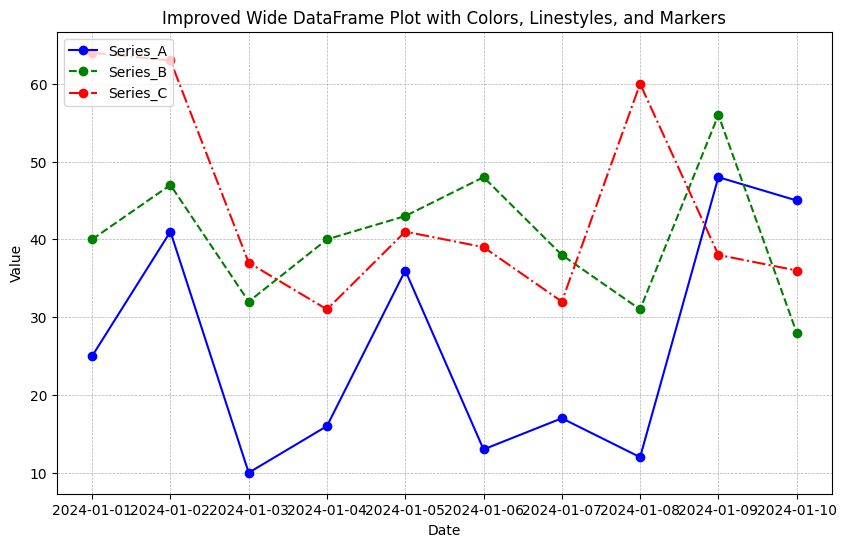
The plot created above is functional, but adding some final touches can improve its readability:
Output:
In this article, we learned how to:
By customizing colors and linestyles, you can create visually distinct plots that are easy to interpret, even when dealing with complex datasets.